
8 Best RASP / ADR Tools for 2026
Independent ranking — no vendor pays to appear here. See methodology.
Compare every active RASP tool, including the ADR-evolved platforms from Contrast, Datadog, and Dynatrace. Feature matrix, language coverage, no vendor bias.
At a glance
The best RASP tools in 2026: Contrast Protect, Datadog ASM, Dynatrace Application Security, Imperva RASP, and Waratek.
- Best established commercial RASP: Contrast Protect — in-process agent, part of the Contrast platform alongside its IAST product
- Best if you already run Datadog: Datadog ASM — built on acquired Sqreen technology, integrated with APM
- Best if you already run Dynatrace: Dynatrace Application Security — runtime protection built into the observability platform
- Best WAF and RASP pairing: Imperva RASP — true in-process protection alongside Imperva’s WAF, though Imperva announced end-of-life for RASP in 2025 (support ends March 2028)
- Best for JVM workloads: Waratek — applies virtual patches inside the JVM at runtime
- Only free option: OpenRASP — Baidu’s open-source project, unmaintained since January 2022; viable for evaluation, not production
I evaluated 8 active runtime application self-protection tools, plus the unmaintained OpenRASP, using publicly verifiable evidence — vendor docs, runtime language coverage, and deployment model. No vendor paid to appear on this page.
What is RASP?
RASP (Runtime Application Self-Protection) is a security technology that embeds a lightweight agent directly inside an application to detect and block attacks in real time during code execution.
Unlike perimeter-based defenses such as WAFs that inspect HTTP traffic externally, a RASP agent hooks into the application runtime itself, watches how each request gets processed, and can stop an attack mid-execution before it causes damage.
RASP does not find vulnerabilities for you to fix later. It blocks attacks as they happen — functioning as the last line of defense in a broader application security program when static analysis, code reviews, and perimeter controls all miss something.
Note: RASP does not find vulnerabilities for you to fix. It is the last line of defense when SAST, code review, and perimeter controls have all missed something — not a replacement for them.
The category is also reframing. Contrast Security introduced Contrast ADR — Application Detection and Response — in August 2024 as a new product tier built on top of Contrast Protect, and Datadog and Dynatrace are pushing the same framing.
RASP is the blocking engine, ADR is the broader story wrapped around it: SOC-ready telemetry, MITRE ATT&CK mapping, and incident response workflows that plug into a SIEM or XDR.
Under the hood it is still runtime instrumentation — the ADR pitch just aligns the category with how modern security operations teams actually work.
Oligo Security pushes the runtime idea into the kernel. An eBPF sensor watches which library functions actually execute, rather than instrumenting each language runtime.
The market is estimated at $2.59 billion in 2026 and is projected to reach $8.88 billion by 2031 at a 27.96% CAGR, according to Mordor Intelligence.
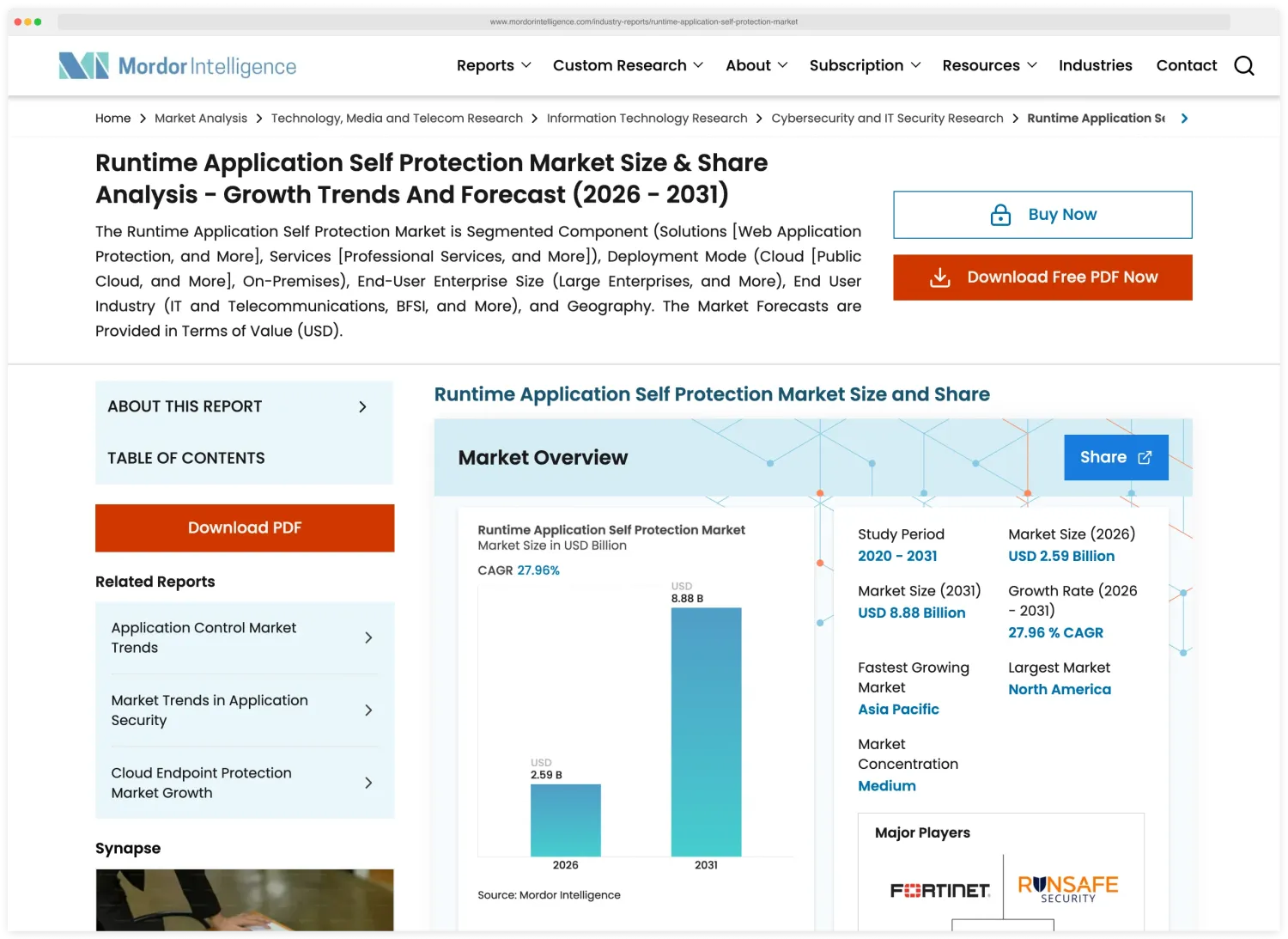
That growth reflects increasing adoption as organizations realize that external-only defenses leave gaps that attackers routinely exploit.
If you’re evaluating RASP, start in monitor mode and only flip to blocking once you trust the tool’s decisions. Java and .NET have the broadest agent coverage across vendors.
Pro tip: Start every RASP rollout in monitor mode. Only flip to blocking once the tool's decisions have been validated for your workload — blocking a legitimate request in production is worse than missing an attack.
Go has limited but growing support from Contrast, Datadog, and Dynatrace. Rust has almost no RASP options, because compiled languages make the runtime instrumentation that RASP depends on significantly harder to implement.
At the perimeter, open-source WAFs like ModSecurity and SafeLine sit at the same layer, filtering HTTP traffic before it reaches the app.
Pick your next step
I want RASP vs WAF
Side-by-side breakdown — perimeter pattern matching versus in-process code execution context. When each one wins and when you need both.
→I'm picking between the leaders
Contrast Protect (now ADR) versus Imperva RASP. Language coverage, ATT&CK mapping, deployment model, and SOC fit.
→I want runtime testing too
IAST runs in pre-production with the same agent technology. Pair it with RASP to catch bugs in test and block them in prod.
→Quick Comparison of RASP Tools
| Tool | USP | License |
|---|---|---|
| Free / Open Source | ||
| ModSecurity | Open-source WAF engine for Apache, IIS, and Nginx | Apache License 2.0 |
| SafeLine | Self-hosted WAF with a semantic-analysis engine instead of regex rules | GPL-3.0 |
| Commercial | ||
| Contrast Protect | Now Contrast ADR; 6-language coverage | Commercial |
| Datadog ASM | RASP engine from Sqreen, APM integration | Commercial |
| Dynatrace Application Security | RASP module in Dynatrace platform | Commercial |
| Oligo Security | eBPF kernel sensor; proves which vulnerable functions execute, blocks exploits at the syscall | Commercial |
| Imperva RASP | Combines well with Imperva WAF; now under Thales (acquired Dec 2023); RASP end-of-life announced 2025 | Commercial |
| Waratek | JVM-embedded, virtual patching | Commercial |
| Discontinued / Acquired (4) | ||
| Hdiv Protection Acquired | Acquired by Datadog (2022); integrated into Datadog ASM | Commercial |
| K2 Cyber Security Acquired | Acquired by New Relic (2022) | Commercial |
| OpenRASP Unmaintained | Open-source RASP by Baidu; inactive since Jan 2022 | Open Source |
| Signal Sciences Acquired | Acquired by Fastly → Next-Gen WAF | Commercial |
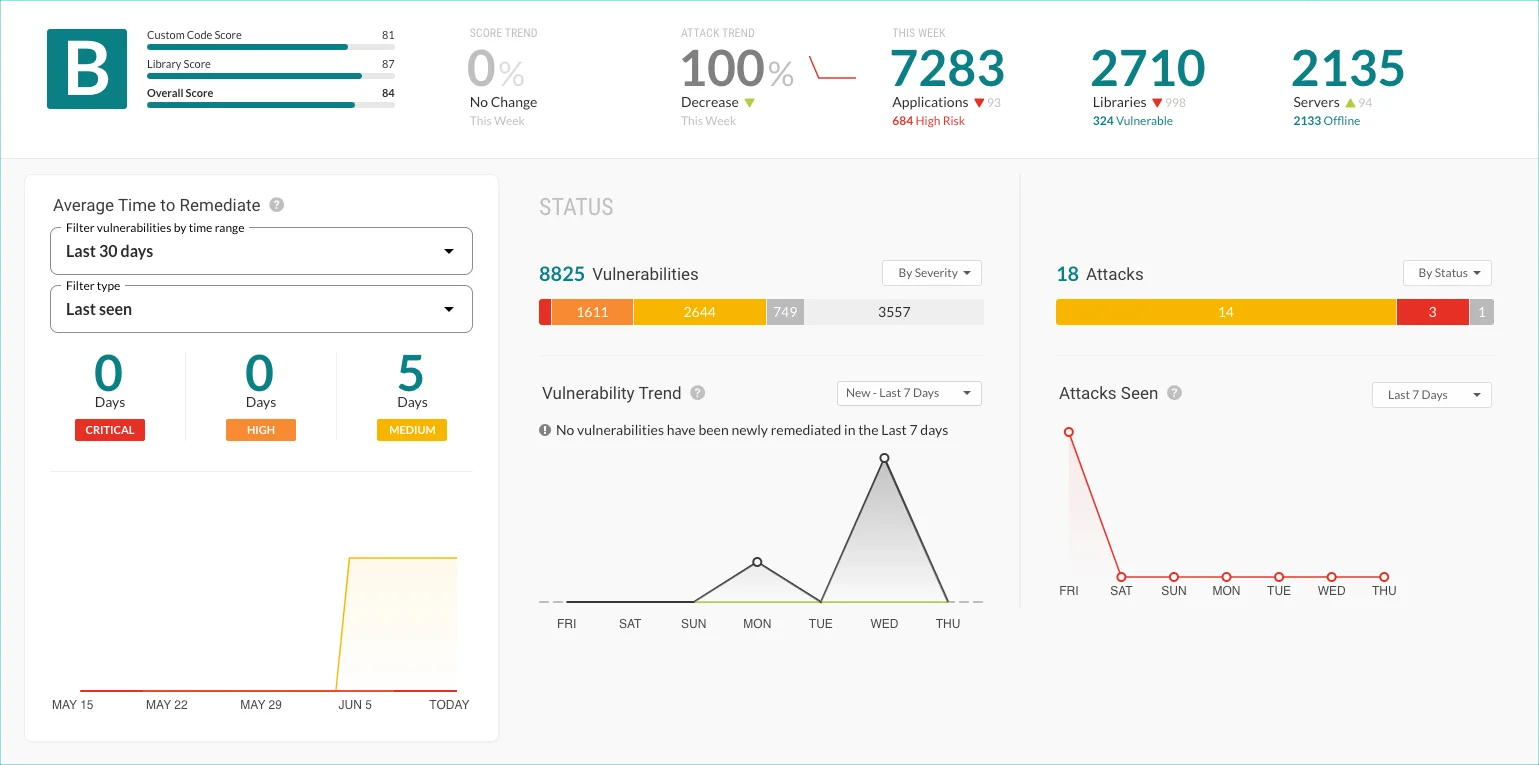
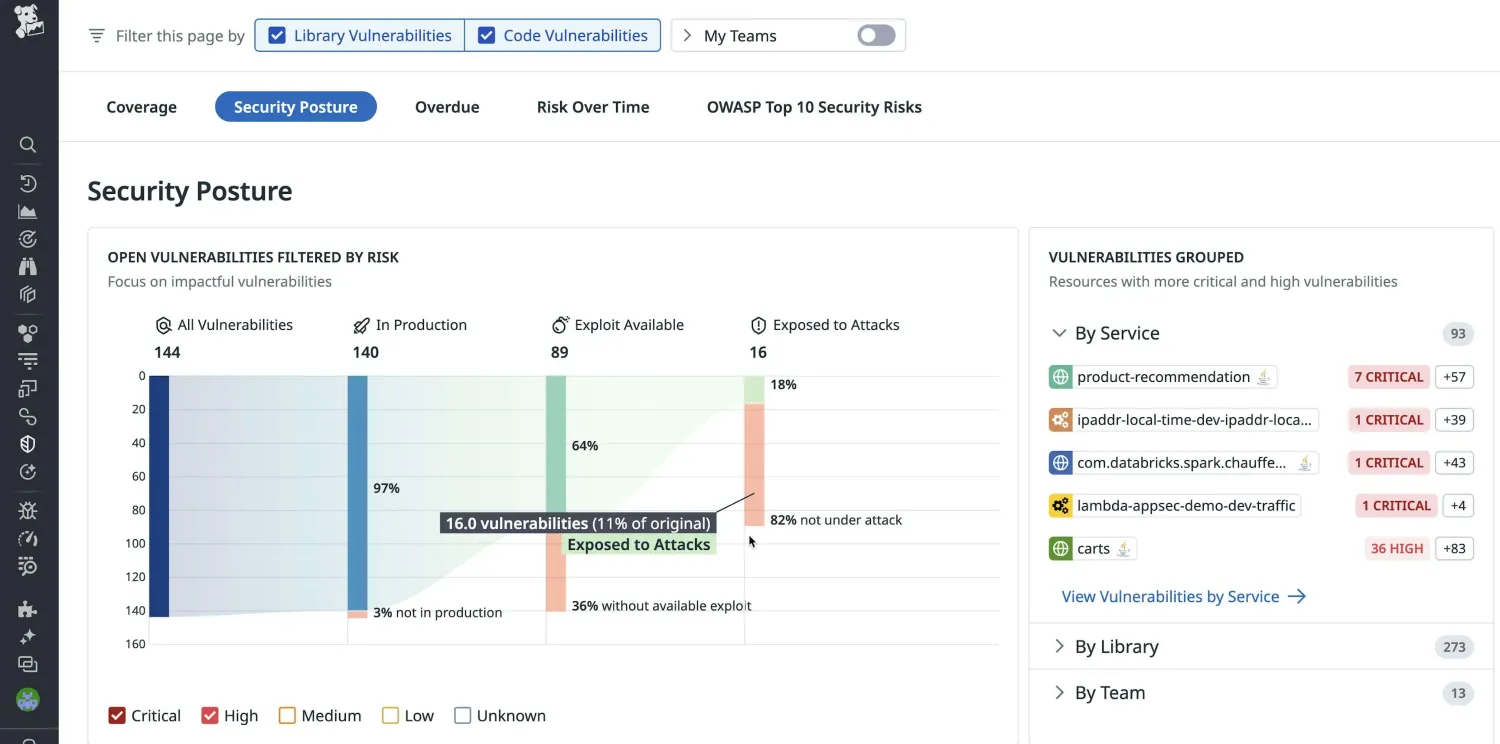
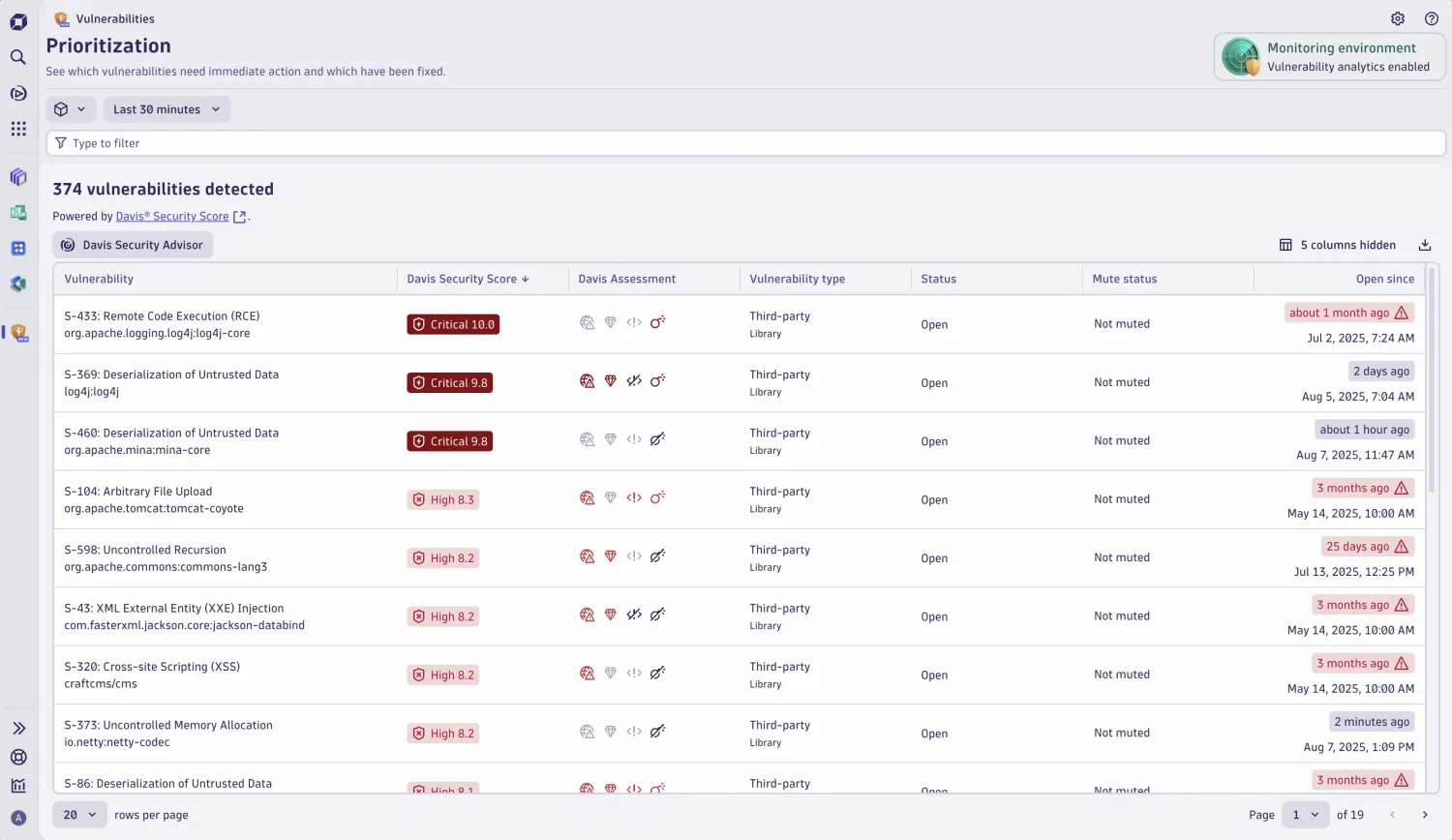
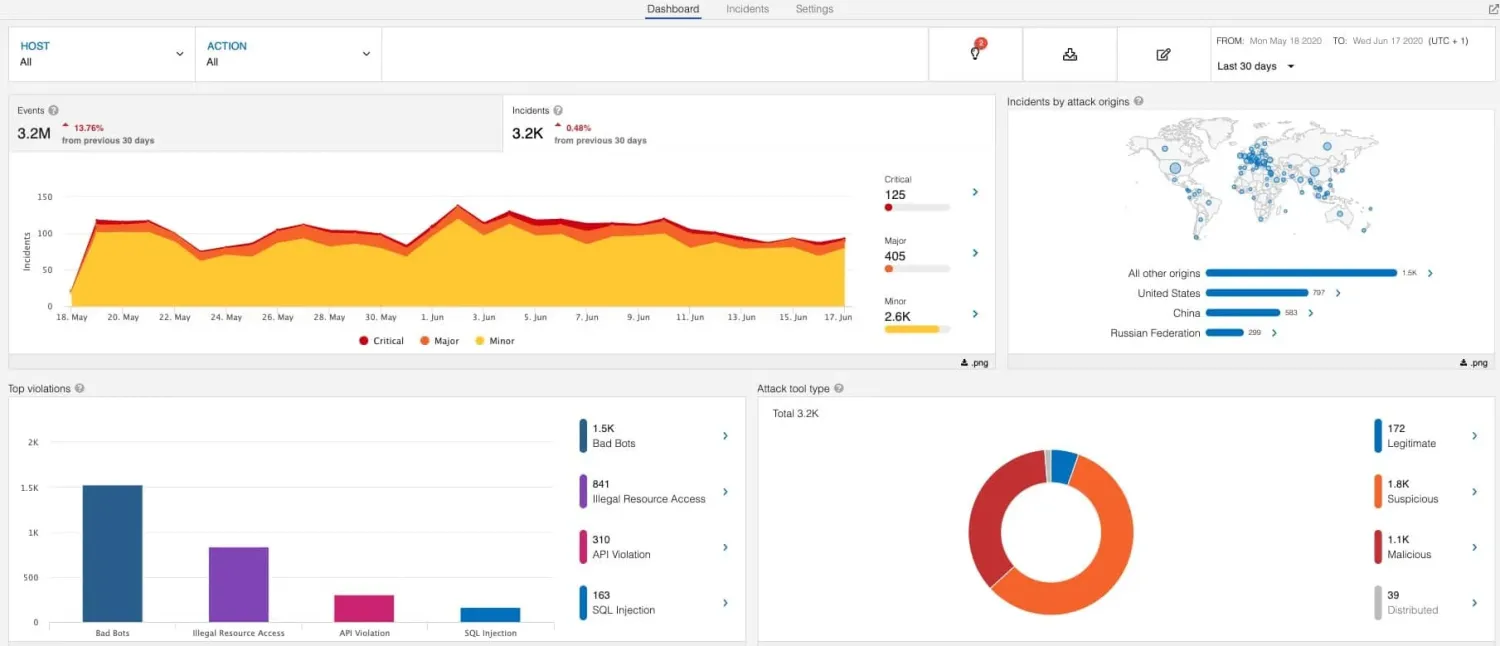
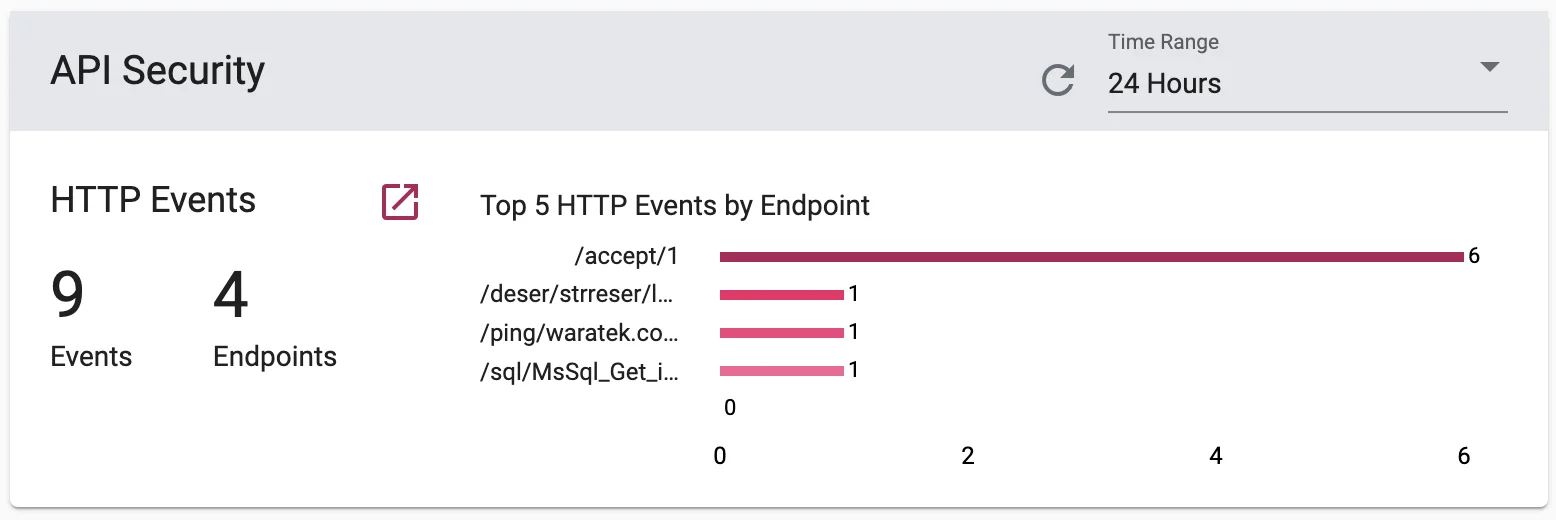
Here is what each active RASP tool looks like in production:
How Do You Choose the Right RASP Tool?
The most important factor when choosing a RASP tool is language support — if the agent does not support your application’s runtime, nothing else matters.
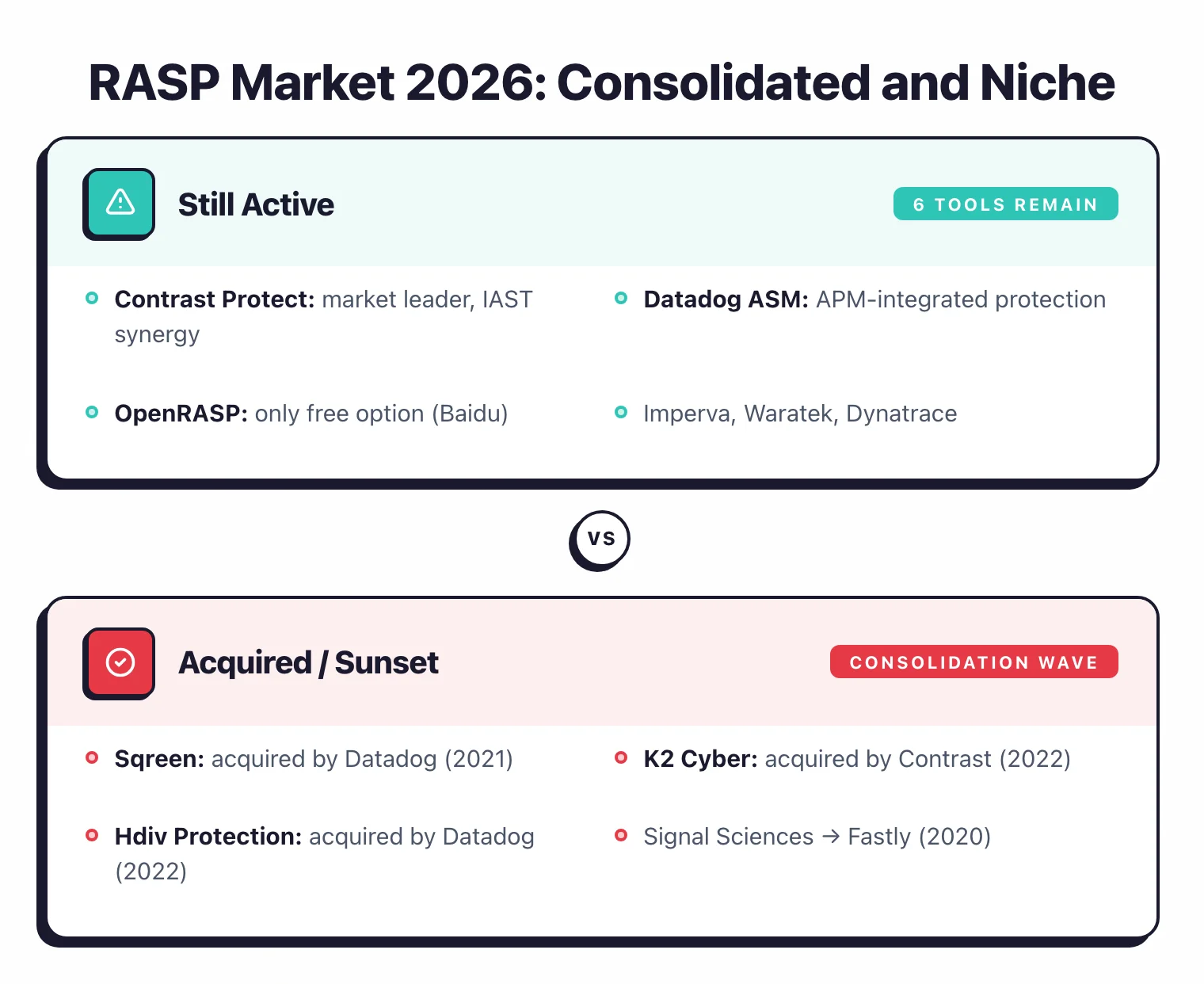
After the acquisition wave that reshaped this market (Sqreen, K2, Hdiv, and Signal Sciences all got bought between 2020 and 2022), you’re left with roughly six active tools.
That makes the decision simpler, but the tradeoffs around performance overhead, stack integration, and deployment mode still matter.
Language Support
This is the first filter. Java and .NET have broad coverage from most vendors. Node.js and Python are supported by Contrast Protect and Datadog ASM. Go has a few options (Contrast, Datadog, Dynatrace) but they're less mature. Rust? Basically nothing.
Performance Overhead
Run benchmarks in your own environment. The range is wide: some tools add 2% latency, others hit 10%. If you're running latency-sensitive services, that gap matters a lot. Waratek claims minimal overhead thanks to its virtualization-based approach.
Existing Security Stack
Already using Contrast for SAST/IAST? Contrast Protect is the obvious pick. Running Imperva WAF? Their RASP plugs right in. On Datadog for APM? The RASP module is already baked into their agent.
Open-source vs Commercial
OpenRASP is free and Baidu ran it at scale, but the project has been dead since January 2022. If you need active maintenance, vendor support, and a proper dashboard, you're looking at a commercial tool.
Block vs Monitor Mode
I cannot stress this enough: start in monitor mode. Watch what the tool flags for a few weeks. Only flip to blocking once you're confident it won't kill legitimate requests. Every major RASP tool supports this two-stage rollout.
Frequently Asked Questions
What is RASP?
What is Application Detection and Response (ADR)?
How is RASP different from a WAF?
Does RASP cause performance overhead?
Which languages do RASP tools support?
What is the best RASP tool?
Is there a free RASP tool?
Related RASP Resources
Explore Other Categories
RASP covers one aspect of application security tools. Browse other categories below.

Written & maintained by
Suphi CankurtEight years on the vendor side of application-security sales — thousands of evaluations and demos. I started AppSec Santa in 2022 to put that insider view to work for buyers. Independent of any vendor, paid by none, and honest about what fits whom.