


Qualys Web Application Scanning (WAS) is an enterprise cloud DAST platform built for organizations with large application portfolios. Qualys reports it has scanned 370,000+ web applications and APIs, detecting 25+ million vulnerabilities across its customer base — cumulative vendor figures, not an independent count.
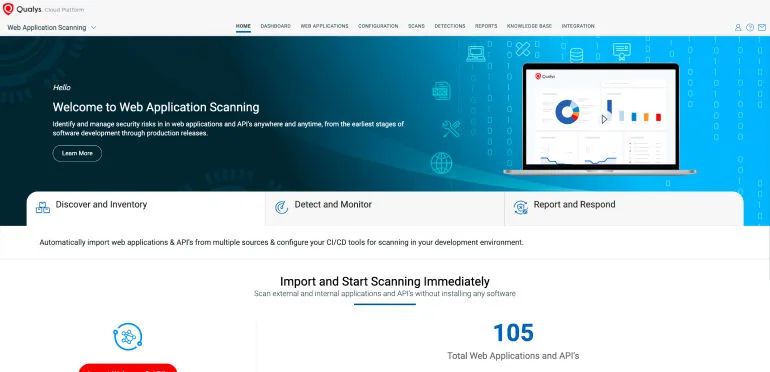
The platform is part of the Qualys Cloud Platform, which means web application findings correlate with infrastructure vulnerabilities, asset inventory, and policy compliance data in a single console.
| Feature | Details |
|---|---|
| Deployment | Cloud SaaS (scanner appliances for internal apps) |
| Apps scanned | 370,000+ (Qualys-reported) |
| Vulnerabilities found | 25M+ (Qualys-reported) |
| AI detection rate | 96% (Qualys blog claim, not independent) |
| Scan time reduction | Up to 80% with AI optimization (vendor claim) |
| Coverage | OWASP Top 10, API Security Top 10 |
| API testing | REST, SOAP, OpenAPI v3 import |
| Risk scoring | TruRisk (business context) |
| Malware detection | Deep learning behavioral analysis |
| PII detection | GDPR, HIPAA, PCI DSS sensitive data |
What is Qualys WAS?
Qualys WAS crawls web applications and APIs, sends crafted requests to probe for vulnerabilities, and reports findings with risk-based prioritization through TruRisk scoring.
SQL injection, XSS, authentication flaws, misconfigurations — the standard DAST tool detection set.
According to the OWASP Top 10, injection flaws and security misconfiguration remain among the most prevalent web application risks, and Qualys maps its findings directly to these categories.
What separates it from standalone DAST products is the platform integration. Qualys WAS findings sit alongside network vulnerability data, cloud security posture, and asset inventory information.
For enterprise security teams that already use Qualys for infrastructure scanning, adding WAS means one fewer console to manage.
For external applications, scanning runs entirely from the cloud. For internal applications behind firewalls, Qualys provides scanner appliances that execute locally and report back to the cloud platform.
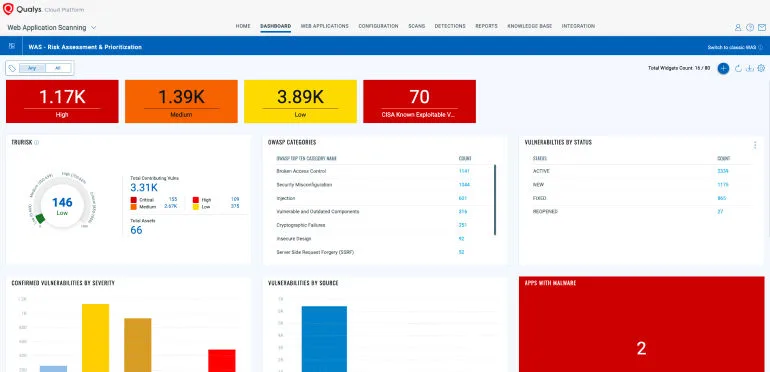
Qualys WAS is strongest when used alongside other Qualys modules. If you are not already in the Qualys ecosystem, the platform integration advantage disappears.
Standalone DAST tools may offer better value for teams that only need web application scanning.
What are Qualys WAS’s key features?
| Capability | Details |
|---|---|
| AI Scan Optimization | Machine learning adapts crawling behavior to each application’s architecture. Qualys reports 96% detection rate and up to 80% reduction in scan times compared to traditional sequential scanning. |
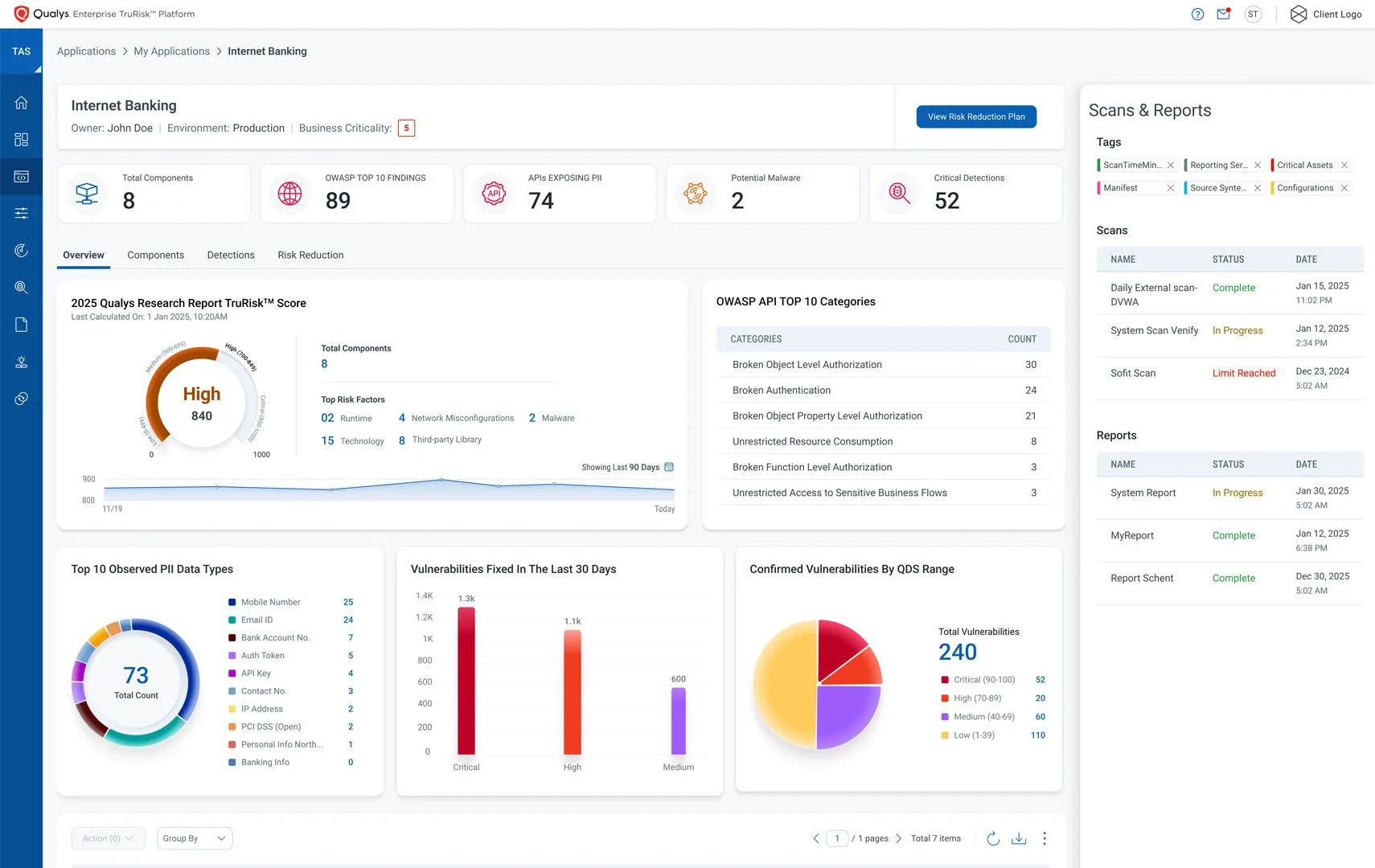
| TruRisk Scoring | Risk scores that factor in vulnerability severity, exploitability, asset criticality, active exploitation data, and remediation complexity. Prioritizes by business impact rather than raw CVSS numbers. |
| API Security Testing | Tests REST and SOAP APIs. Imports OpenAPI v3 specs to map all documented endpoints. Checks for OWASP API Security Top 10 including broken object-level authorization and excessive data exposure. Detects spec drift. |
| Malware Detection | Behavioral analysis using deep learning identifies compromised websites serving malicious content. Catches zero-day threats that signature-based scanners miss. Alerts before search engines blacklist infected sites. |
| PII Exposure Detection | Scans for exposed personally identifiable information relevant to GDPR, HIPAA, and PCI DSS. Flags sensitive data in application responses that should not be publicly accessible. |
| Application Discovery | Automatically finds web applications across your environment that the security team may not know about. Scans external-facing apps, internal apps via scanner appliances, and cloud-hosted apps in AWS, Azure, and GCP. |
Authentication support
Qualys WAS supports multiple authentication methods for testing protected applications:
- Form-based — Record login sequences for web applications
- HTTP Basic/Digest — Direct credential injection
- OAuth 2.0 — Configure OAuth flows for API testing
- Client certificates — Mutual TLS for certificate-based auth
- Custom headers — API keys, bearer tokens, and custom auth schemes
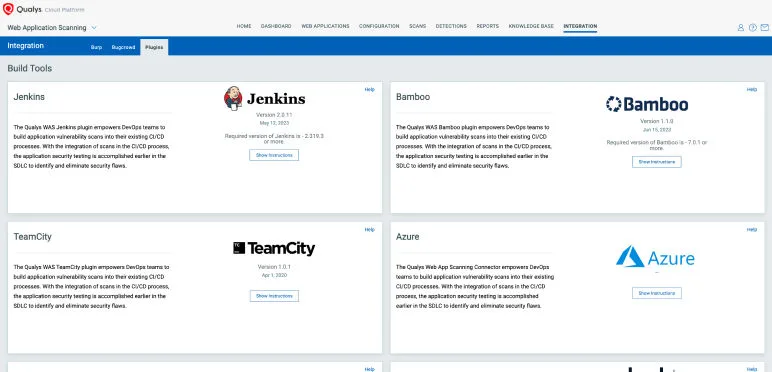
What does Qualys WAS integrate with?
 Jenkins
 Azure DevOps
 GitHub Actions
 Bamboo
 ServiceNow
Jira
ServiceNow
Jira Splunk
 Burp Suite
 ZAP
ZAP BugCrowd
How much does Qualys WAS cost?
Qualys does not publish list prices for WAS on qualys.com. Pricing depends on the number of web applications and APIs licensed, deployment scope (cloud-only vs scanner appliances for internal apps), and whether WAS is bundled with other Qualys Cloud Platform modules like VMDR or Policy Compliance.
To get a quote, contact Qualys sales through qualys.com — Qualys WAS is licensed by URL/web application count, with separate pricing for scanner appliances if you need to scan internal apps behind firewalls.
Per AppSec Santa policy, I do not publish dollar amounts unless the vendor displays them publicly. Qualys uses contact-sales pricing across the platform, so any third-party numbers you see online are unverified estimates rather than authoritative quotes.
The license model favors organizations already using other Qualys modules — bundle pricing reduces the per-module cost compared to buying WAS standalone.
How do I get started with Qualys WAS?
- Provision Qualys WAS — Activate WAS within the Qualys Cloud Platform. No on-premises infrastructure needed for external scanning.
- Add web applications — Specify URLs and authentication details. Use the API or web console to create web application records.
- Configure scan profiles — Set scan scope, authentication, crawl limits, and scheduling. Assign TruRisk asset criticality levels for risk-based prioritization.
- Run scans — Execute manually, on schedule, or trigger via CI/CD integration. For internal apps, deploy a Qualys scanner appliance inside your network.
- Review with TruRisk — Findings are scored by business risk, not just CVSS. Use the Qualys platform to correlate web app vulnerabilities with infrastructure findings.
API usage
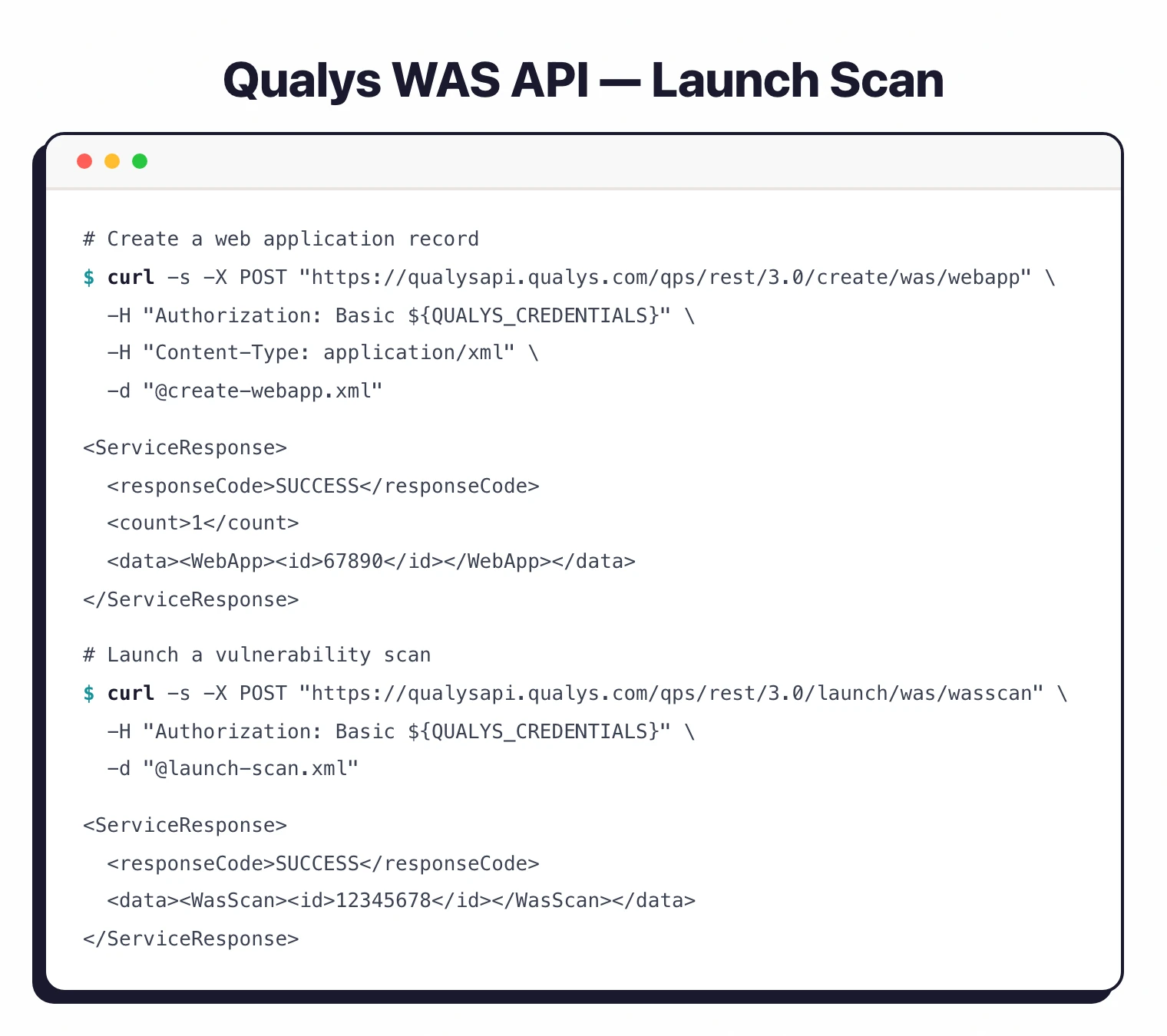
# Create a web application
curl -X POST "https://qualysapi.qualys.com/qps/rest/3.0/create/was/webapp" \
  -H "Authorization: Basic ${QUALYS_CREDENTIALS}" \
  -H "Content-Type: application/xml" \
  -d '<?xml version="1.0" encoding="UTF-8"?>
      <ServiceRequest>
        <data>
          <WebApp>
            <name>Production App</name>
            <url>https://app.example.com</url>
          </WebApp>
        </data>
      </ServiceRequest>'

# Launch a vulnerability scan
curl -X POST "https://qualysapi.qualys.com/qps/rest/3.0/launch/was/wasscan" \
  -H "Authorization: Basic ${QUALYS_CREDENTIALS}" \
  -H "Content-Type: application/xml" \
  -d '<?xml version="1.0" encoding="UTF-8"?>
      <ServiceRequest>
        <data>
          <WasScan>
            <name>Weekly Scan</name>
            <type>VULNERABILITY</type>
            <target>
              <webApp><id>67890</id></webApp>
            </target>
          </WasScan>
        </data>
      </ServiceRequest>'
When to use Qualys WAS
Qualys WAS makes sense for enterprises already on the Qualys Cloud Platform. The unified view across web apps, infrastructure, and cloud posture is its main differentiator.
TruRisk scoring adds business context that raw CVSS numbers lack.
It is also a reasonable choice for organizations with large application portfolios (hundreds or thousands of apps) that need automated discovery and scheduled scanning at scale.
NIST SP 800-53 recommends regular automated vulnerability assessments as part of a continuous monitoring program, and Qualys WAS fits that requirement well for web applications.
For smaller teams or those not in the Qualys ecosystem, the platform may be more than you need.
Standalone DAST tools like StackHawk or Nuclei offer lower entry points and can be more practical for teams scanning a handful of applications.
See our list of free DAST tools for open-source alternatives, or read IAST vs DAST to understand how runtime instrumentation compares to Qualys’s external scanning approach.
What are alternatives to Qualys WAS?
If the platform-fit case for Qualys WAS does not apply (you are not in the Qualys ecosystem, or you need a smaller deployment), four alternatives cover most adjacent buyer shapes:
- Tenable Web App Scanning — closest peer to Qualys WAS in shape and audience. Both target enterprise teams running large infrastructure scanning programs alongside web app scanning. Choose Tenable if your existing infrastructure scanner is Tenable.io rather than Qualys VMDR.
- Invicti — enterprise DAST with proof-based scanning that confirms vulnerabilities by safely exploiting them. Stronger when triage cost is the main pain point and you want near-zero false positives without manual verification.
- Acunetix — Invicti’s SMB-focused sibling using the same scanning engine. Lower entry point, simpler configuration, per-FQDN licensing — better for teams with under 50 scan targets.
- Rapid7 InsightAppSec — cloud DAST inside the broader Rapid7 Insight platform. Fits organizations already using Rapid7 InsightVM for vulnerability management, similar to the Qualys platform-bundle argument.
For the broader landscape, browse the DAST tools directory on AppSec Santa.