


PMD is an open-source SAST tool that scans source code for common programming flaws, including potential bugs, dead code, and security vulnerabilities.
With over 5,300 GitHub stars and 312 contributors, it’s one of the most mature code analysis projects in the Java ecosystem.
Originally built for Java, PMD now supports 16 languages for rule-based analysis and ships with CPD (Copy/Paste Detector) for finding duplicated code across 33+ languages.
| Capability | Details |
|---|---|
| 400+ Built-in Rules | Java has 294 rules alone, with Apex at 69, PL/SQL at 22, and JavaScript at 18. Rules cover code style, design, error-prone patterns, performance, and security. |
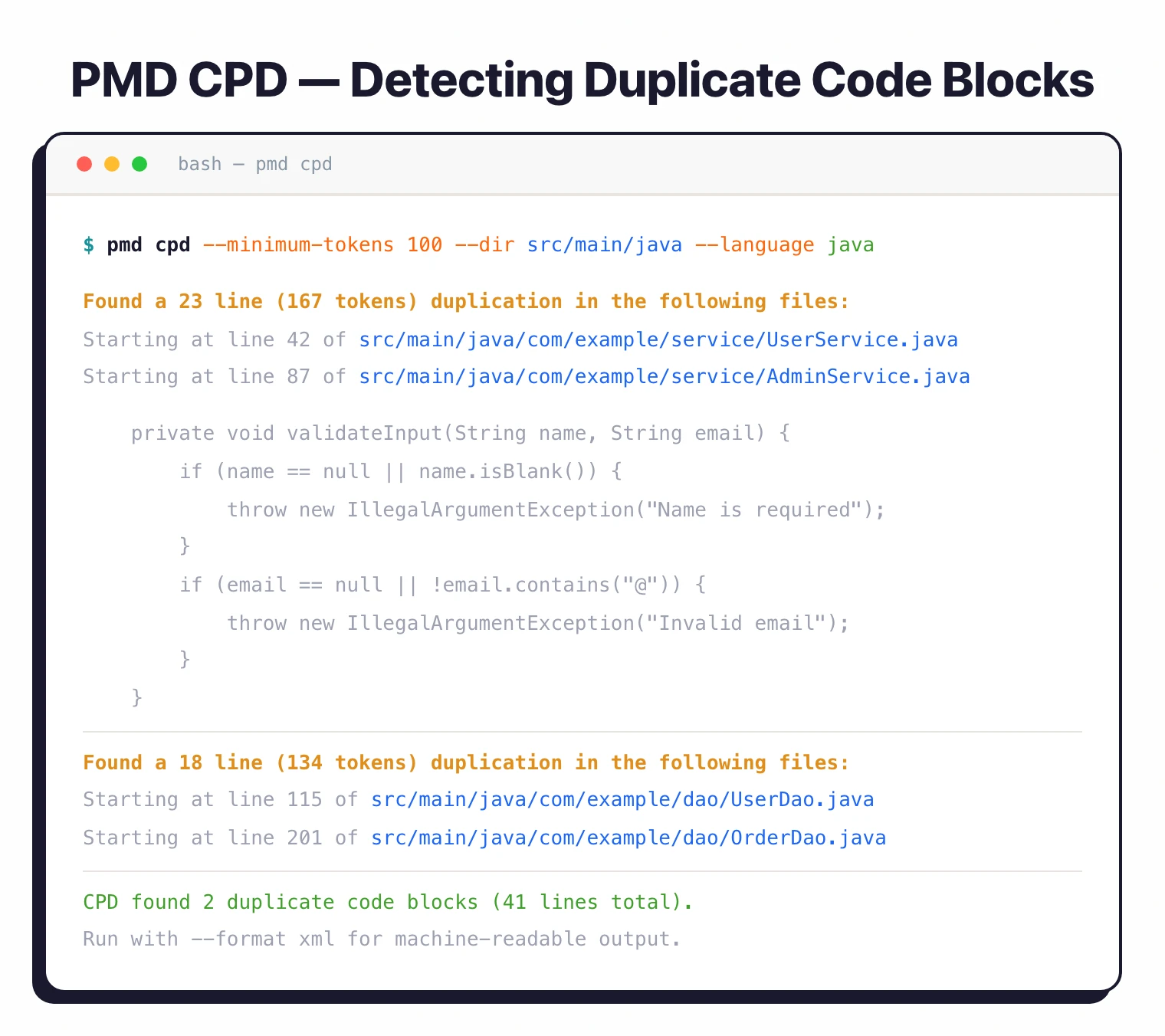
| CPD (Copy/Paste Detector) | Finds duplicated code across 33+ languages using the Karp-Rabin string matching algorithm. Supports configurable token thresholds and can ignore comments, literals, and identifiers. |
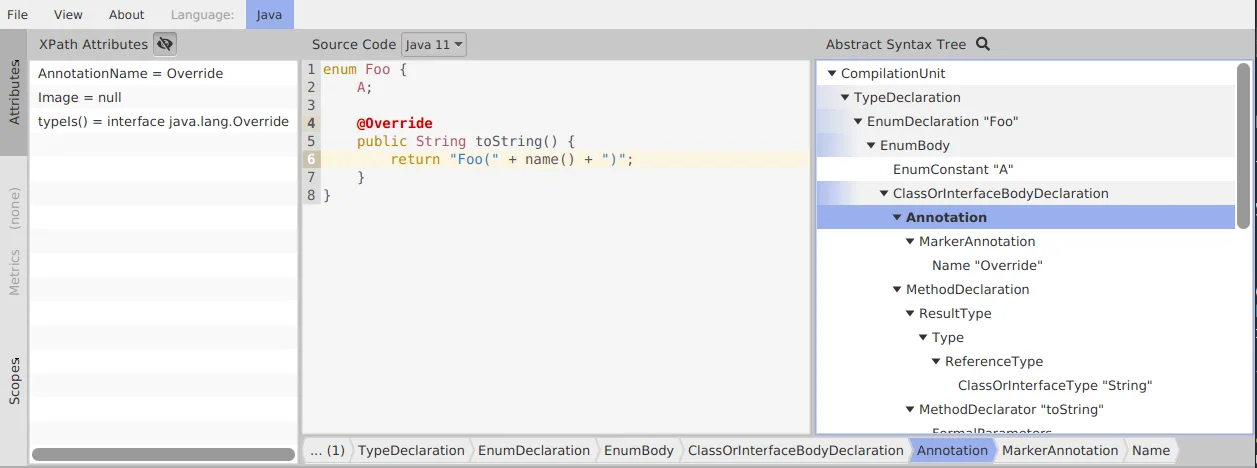
| Custom XPath & Java Rules | Write rules as XPath expressions against the AST for quick checks, or implement Java classes for complex analysis logic. Organizations can encode their specific standards into automated checks. |
What is PMD?
PMD analyzes source code without executing it, applying configurable rules to identify problematic patterns.
According to NIST’s Software Assurance guidelines, static analysis tools that detect coding standard violations contribute to reducing security vulnerabilities in production code.
PMD earned its reputation in the Java community for catching issues that compilers miss but that lead to bugs, maintainability problems, or security vulnerabilities in production.
The name PMD does not officially stand for anything, though the community has proposed various backronyms including “Programming Mistake Detector.” The latest version is 7.21.0, released January 30, 2026.
PMD is used by Salesforce Code Analyzer as a core analysis engine for Apex development, making it the de facto standard for Salesforce security and code quality analysis.
Salesforce also ships a custom variant called pmd-appexchange for AppExchange security review.
Language support
PMD supports 16 languages for rule-based analysis, with the bulk of rules targeting Java:
| Language | Rule Count | Notes |
|---|---|---|
| Java | ~294 | Across 8 categories (best practices, code style, design, documentation, error prone, multithreading, performance, security) |
| Salesforce Apex | 69 | 7 categories |
| PL/SQL | 22 | 5 categories |
| JavaScript | 18 | 4 categories (ECMAScript) |
| Swift | 4 | 2 categories |
| Kotlin | 2 | 2 categories |
| XML | 2 | 2 categories |
| Scala | 0 | Language supported but no built-in rules yet |
Additional languages with rules: Visualforce, HTML, JSP, XSL, Modelica, Maven POM, Velocity Template Language (VTL), and WSDL.
CPD supports 33+ languages for duplicate detection, including C/C++, C#, Go, Python, Ruby, Rust, PHP, Dart, Fortran, Lua, and more.
What are PMD’s key features?
Incremental analysis
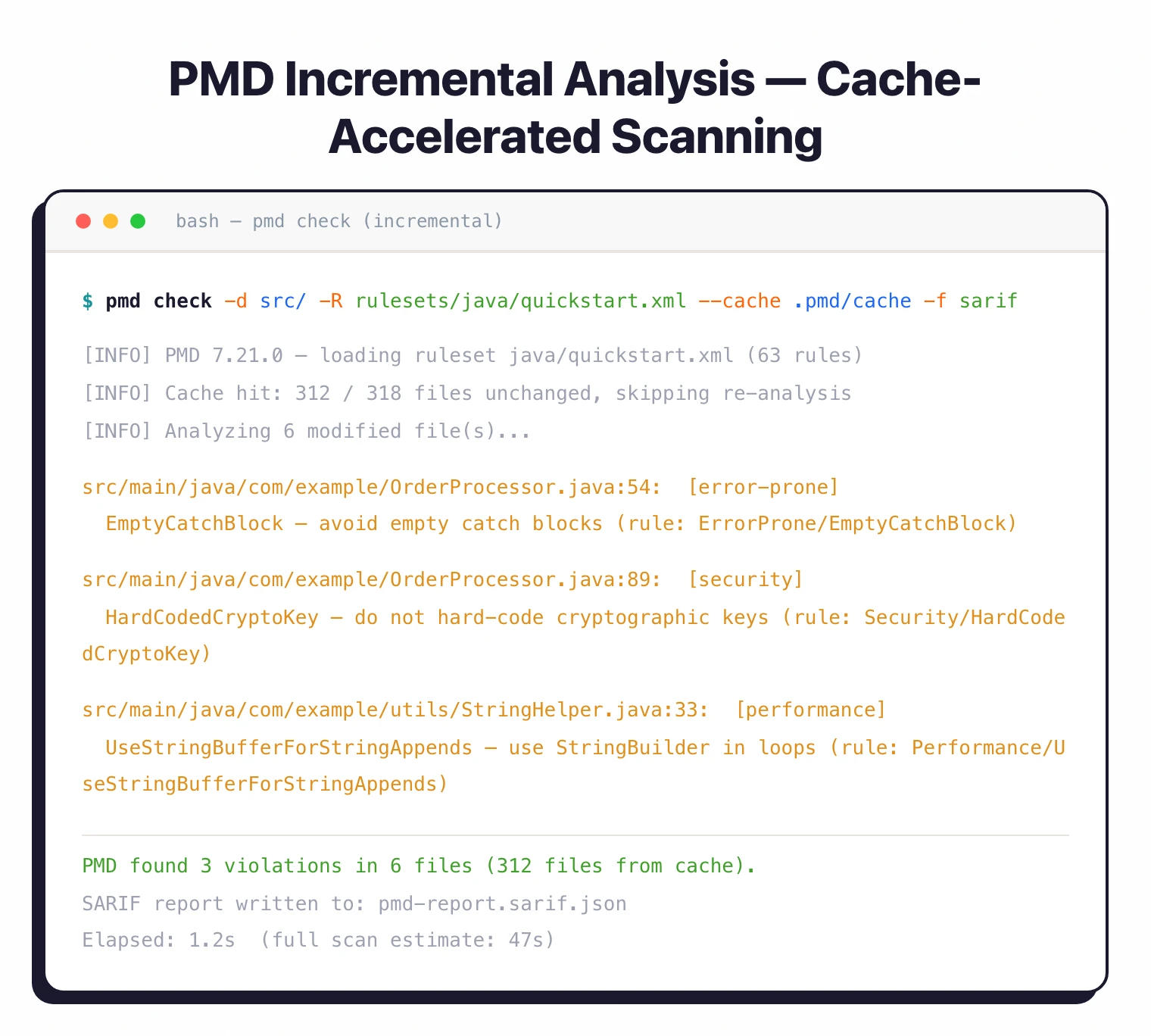
For large codebases, PMD supports incremental analysis that caches results from previous runs (available since v5.6.0).
On subsequent runs, it uses file checksums to detect changes and only re-processes modified files. Activate it with the --cache CLI argument.
Output formats
PMD supports 15 output formats including SARIF (since v6.31.0), JSON, HTML, XML, CSV, and CodeClimate. SARIF output integrates with GitHub Code Scanning and other SARIF-compatible dashboards.
PMD rulesets and CPD
PMD groups its 400+ rules into seven ruleset categories, and each rule belongs to exactly one. Knowing the categories is the difference between running PMD as a quality gate and running it as configuration noise.
bestpractices— idiomatic Java patterns that Effective Java and the Java Language Specification recommend.codestyle— naming, formatting, brace style. Overlaps with Checkstyle’s territory.design— class size, method cyclomatic complexity, coupling. Architectural smells.errorprone— common bug patterns: null checks, equals/hashCode mismatches, suspicious comparisons.multithreading— synchronized-block correctness, volatile usage, race-condition prone patterns.performance— string concatenation in loops, unnecessary object creation, boxing.security— limited but real: insecure random, hardcoded crypto keys, SSL bypass patterns. PMD is not a full SAST, but the security ruleset catches the common Java mistakes.
The second component most teams discover late is CPD (Copy-Paste Detector). CPD ships in the same binary and finds duplicated code blocks across files using a token-stream algorithm. It supports the same languages as PMD’s main analyzer and is what most teams reach for before adopting SonarQube’s duplicate detection — pmd cpd --minimum-tokens 100 --files src/ on a codebase usually surfaces the worst offenders within a minute.
How do I get started with PMD?
- Install PMD — Download the latest release from GitHub (
pmd-dist-7.21.0-bin.zip) or install via Homebrew (brew install pmd). - Run your first scan — Execute
pmd check -d /path/to/source -R rulesets/java/quickstart.xmlto analyze your codebase with the quickstart ruleset. - Add to your build — PMD integrates with Maven (
maven-pmd-plugin), Gradle (built-inpmdplugin), and Ant. Runmvn pmd:checkor./gradlew pmdMainas part of your build. - Customize rules — Create a custom ruleset XML that enables, disables, or adjusts rule properties to match your team’s standards. Use XPath or Java to write organization-specific rules.
When to use PMD
PMD fits Java projects that want comprehensive code quality and security analysis without licensing costs. For Salesforce teams, it’s effectively mandatory through the Code Analyzer.
For deeper security analysis, consider pairing PMD with Semgrep , CodeQL , or a commercial SAST tool.
PMD excels at code quality and style enforcement; dedicated security scanners go deeper on vulnerability detection.
PMD vs SpotBugs vs Checkstyle
Most mature Java projects run all three. They overlap by design — each was built to enforce a different layer of code quality and they catch different categories of issues.
PMD — source-code static analysis. Reads the AST, runs rule queries (XPath or Java visitors), and finds style + design + errorprone + lightweight security issues. Strongest on Java, supports Apex, JavaScript, JSP, and a handful of others. Catches the broadest mix of issues per scan.
SpotBugs
— bytecode static analysis. Reads compiled .class files, not source, and finds runtime-correctness bugs (null dereferences, infinite recursion, equals/hashCode mismatches, broken concurrency patterns). Pairs with the FindSecBugs plugin to add a CWE-aligned security ruleset that PMD’s security category does not match for depth. Best when source is unavailable or when bug-finding precision matters more than style coverage.
Checkstyle — line-by-line style enforcement. Smaller scope than PMD on purpose: indentation, brace placement, Javadoc presence, package layout. Faster to run than PMD because it does not build an AST or evaluate XPath queries.
In practice the stack is: Checkstyle for style policy, PMD for design + errorprone + light security, SpotBugs (with FindSecBugs) for bytecode-level bugs and the deeper security checks. For a wider view of static analysis options, the SAST tools hub lists every active scanner I have reviewed.