


Ostorlab is a mobile security testing platform built around OXO, an open-source scanning orchestration engine. Rather than relying on a single analysis engine, OXO coordinates multiple security tools — Nmap, Nuclei, ZAP, and custom agents — to get broader coverage than any one scanner provides alone.
GitHub: Ostorlab/oxo | Stars: 560 | Latest Release: v2.0.0 (April 16, 2026) | License: Apache 2.0
Project rename (April 2026): The upstream GitHub repository was renamed from
Ostorlab/ostorlabtoOstorlab/oxoas part of the v2.0.0 bump. The oldostorlabpip package and GitHub URL now redirect. v2.0.0 also raises the Python floor to 3.14 — rebase CI runners before upgrading.
The open-source OXO engine is free to self-host. The commercial Ostorlab platform at ostorlab.co adds managed hosting, team collaboration, attack surface discovery, and an AI copilot.
OXO has 41 contributors and over 200 releases to date.
What are Ostorlab’s key features?
| Feature | Details |
|---|---|
| OXO Engine | Open-source scan orchestrator coordinating multiple security tools |
| Fast Scan | Static analysis with secrets detection, malware scanning, and dependency checks |
| Full Scan | Static + dynamic analysis with runtime monitoring and backend injection testing |
| Privacy Scan | Data flow analysis and privacy policy compliance verification |
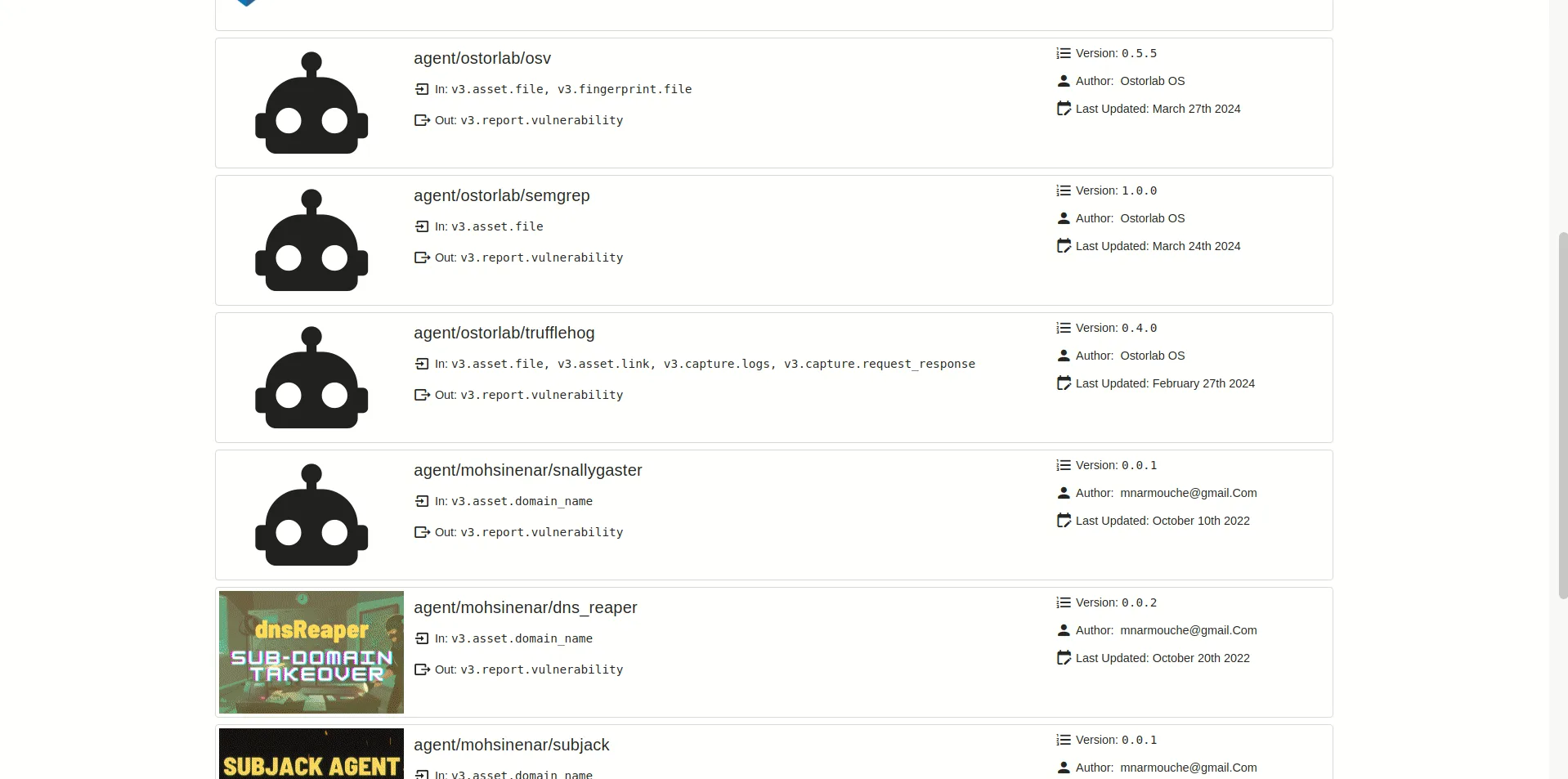
| Agent Architecture | Docker-containerized agents with a public marketplace |
| Attack Surface Discovery | AI-powered asset discovery and inventory management |
| CI/CD Integration | GitHub Actions, GitLab, Jenkins, Azure DevOps, CircleCI, and more |
| SBOM Scanning | Software bill of materials and dependency confusion detection |
| AI Copilot | AI-assisted analysis and remediation guidance |
| Multi-Asset Support | Mobile (APK, AAB, IPA), web, network, domain scanning |
| Capability | Details |
|---|---|
| OXO Orchestration | Open-source engine that coordinates security tools like Nmap, Nuclei, ZAP, and custom scanners. Each tool runs as a Docker container, making it easy to add or remove agents. |
| Three Scan Profiles | Fast Scan for quick static checks, Full Scan adding dynamic analysis and backend testing, and Privacy Scan for data flow tracking and compliance verification. |
| Agent Marketplace | Public store of ready-to-use scanning agents. Teams can also build and publish their own agents for organization-specific security checks. |
Scan Profiles
Ostorlab’s commercial platform offers three scan profiles for mobile apps, each building on the previous:
Fast Scan (Static Only)
The quickest option. Runs static analysis using multiple engines to find:
- Configuration issues and insecure patterns
- Hardcoded secrets and credentials
- Insecure data storage
- Malware signatures via anti-virus scanning
- Known vulnerabilities in dependencies
- Outdated components and dependency confusion risks
- Security settings (network config, permissions, URL schemes, certificate handling)
Full Scan (Static + Dynamic)
Everything in Fast Scan, plus:
- Dynamic analysis with an automation engine that simulates user actions (login flows, transactions, profile updates)
- Runtime method hooking to analyze filesystem, crypto, and database interactions
- Network traffic interception and API analysis
- Backend vulnerability testing (SQL injection, template injection, command injection)
- CVE scanning and TLS/SSL validation
- Android taint analysis for sensitive data flow tracking
- Binary protection and platform-specific security checks
Privacy Scan
A specialized profile for compliance work:
- Runtime analysis of data handling and privacy practices via method hooking
- Data collection and flow monitoring
- Privacy policy compliance verification against observed app behavior
- Privacy control mechanism testing
- Can be configured with a specific privacy policy URL for targeted compliance checks
OXO Open-Source Engine
OXO is the open-source core you can run locally without the commercial platform. Install via pip (requires Docker):
pip install -U ostorlab
Run a scan with multiple agents:
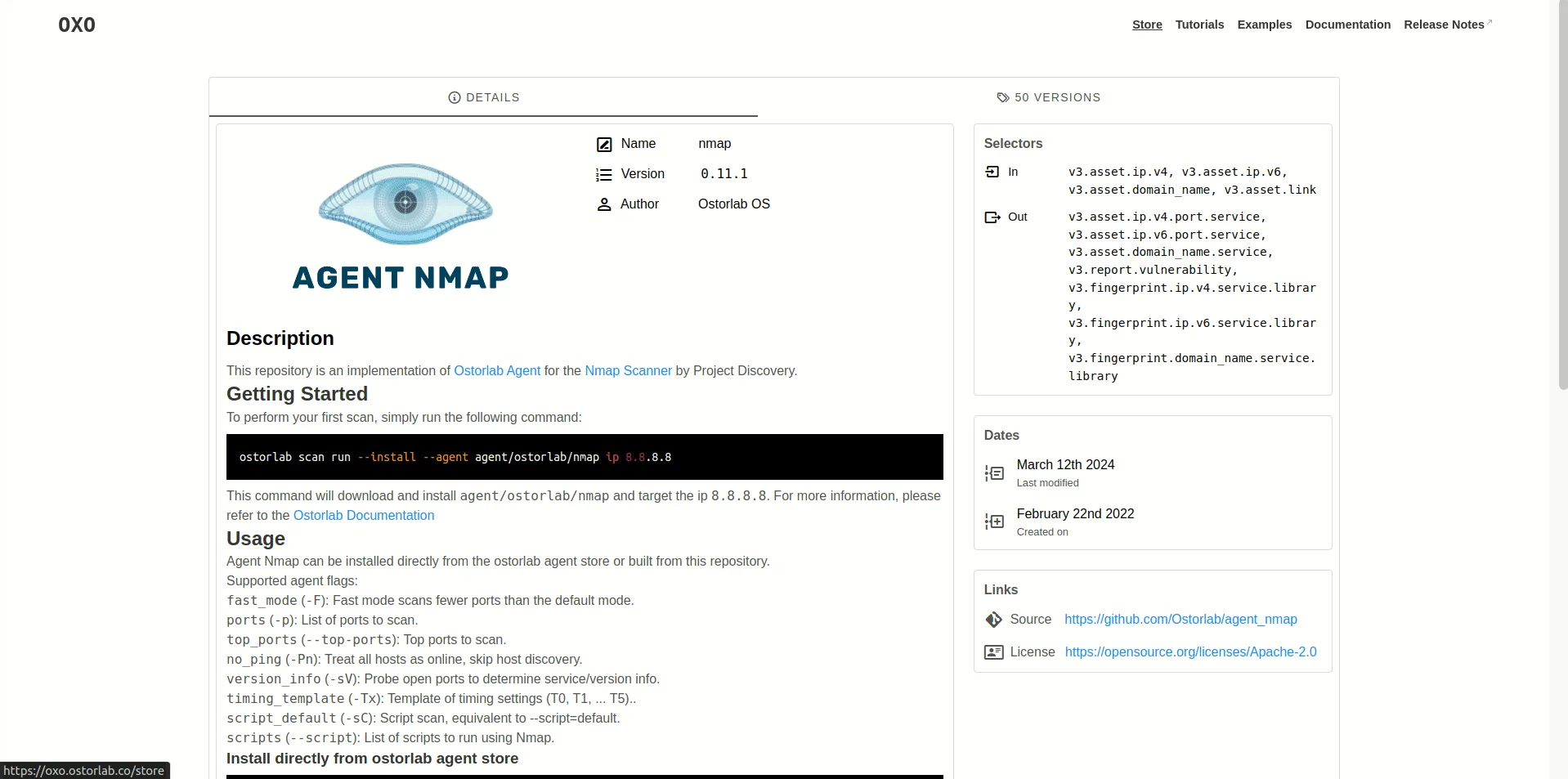
oxo scan run --install \
  --agent nmap \
  --agent nuclei \
  --agent tsunami \
  ip 8.8.8.8
For mobile apps:
oxo scan run --install \
  --agent agent/ostorlab/mobile_sast \
  --agent agent/ostorlab/mobile_dast \
  file app.apk
Check results:
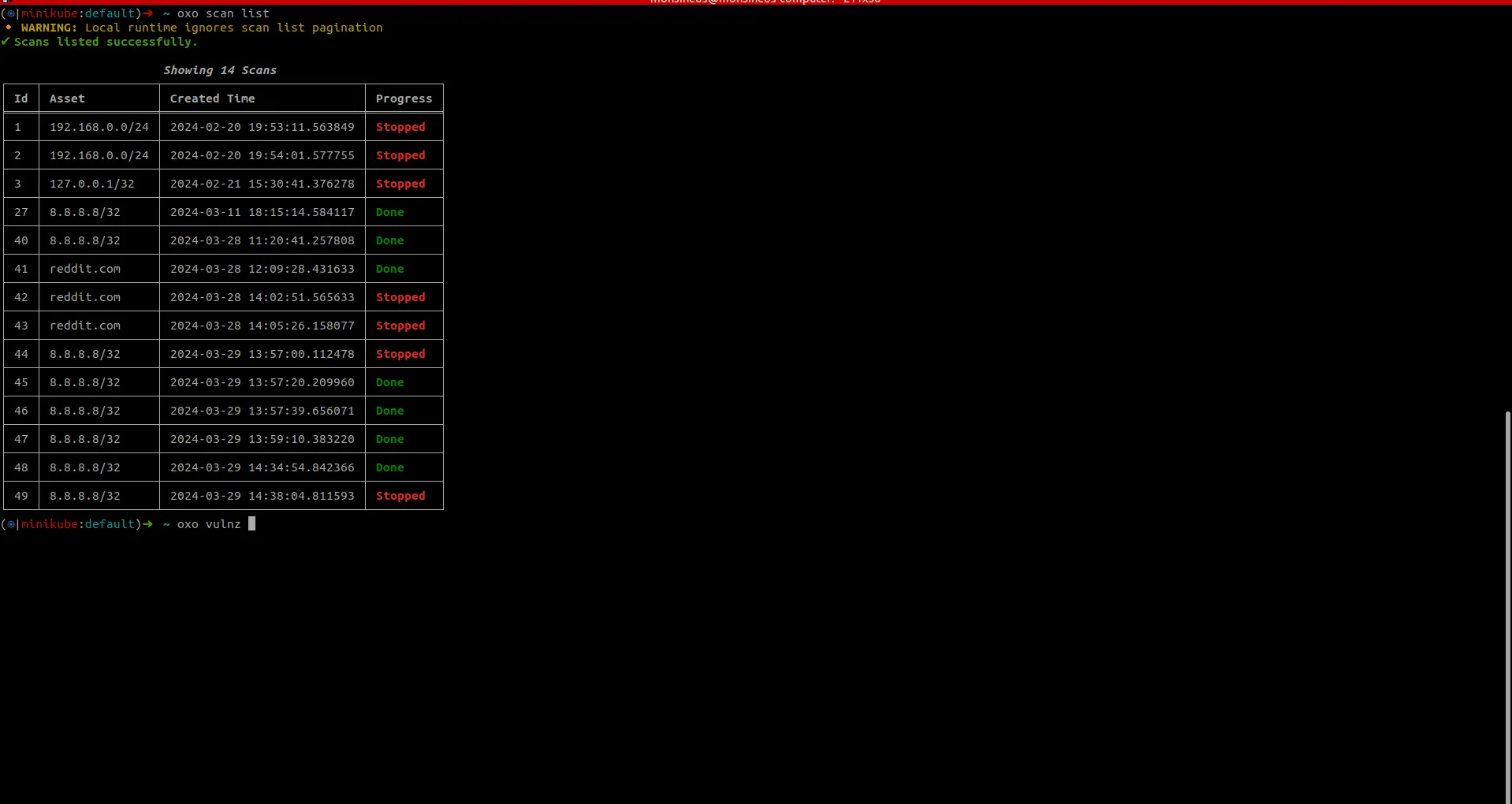
oxo scan list
oxo vulnz list --scan-id <scan-id>
oxo vulnz describe --vuln-id <vuln-id>
What does Ostorlab integrate with?
The commercial platform integrates across the development pipeline:
 GitHub Actions
 GitLab
 Jenkins
 Azure DevOps
 CircleCI
 Bitbucket
 GoCD
GoCD Jira
Jira ServiceNow
 Slack
Slack Vanta
Vanta Azure AD
 Google Workspace
 Okta
Okta OneLogin
How do I get started with Ostorlab?
- Install OXO locally —
pip install -U ostorlab(requires Docker running). Or sign up at ostorlab.co for the managed platform. - Choose your scan type — Fast Scan for static-only analysis, Full Scan for static + dynamic, or Privacy Scan for compliance work.
- Upload or point to your target — Submit an APK, IPA, URL, or IP. OXO handles agent orchestration and dependency management.
- Review findings — Browse vulnerabilities in the dashboard or CLI. Results include severity, description, and remediation guidance.
CI/CD Integration
GitHub Actions
Ostorlab provides an official GitHub Action (Ostorlab/ostorlab_actions ):
name: Ostorlab Mobile Security
on:
  push:
    branches: [main]
jobs:
  security-scan:
    runs-on: ubuntu-latest
    steps:
      - uses: actions/checkout@v4
      - name: Build APK
        run: ./gradlew assembleRelease
      - name: Ostorlab Scan
        uses: Ostorlab/ostorlab_actions@v2.1.0
        with:
          scan_profile: fast_scan
          asset_type: android-apk
          target: app/build/outputs/apk/release/app-release.apk
          scan_title: ci_security_scan
          ostorlab_api_key: ${{ secrets.OSTORLAB_API_KEY }}
          break_on_risk_rating: HIGH
          max_wait_minutes: 30
The break_on_risk_rating parameter fails the pipeline if vulnerabilities at that severity level or above are found.
OXO CLI in Any Pipeline
For self-hosted scanning in any CI system:
pip install ostorlab

oxo scan run --install \
  --agent agent/ostorlab/mobile_sast \
  --agent agent/ostorlab/android_manifest \
  --agent agent/ostorlab/secrets_detection \
  file app-release.apk

oxo vulnz list --scan-id <scan-id> --format json > results.json
How much does Ostorlab cost?
Ostorlab uses a freemium model — paid-tier pricing is not publicly listed on ostorlab.co and is routed through sales. The OXO open-source engine is free to self-host under Apache 2.0 with no scan-volume cap, and ostorlab.co offers a free Community tier for trial scans of public apps. Paid tiers add team collaboration, managed scan infrastructure, the AI copilot, attack-surface discovery, private agent registries, and SSO/SAML — Pro for individual security teams and Enterprise for buyers that need SOC 2 reporting, custom contracts, and the full set of CI/CD integrations.
The inflection point is collaboration plus continuous scanning. If I’m a one-person team running ad-hoc scans, OXO covers it. The moment two or more analysts share findings or wire scans into CI for every pull request, the managed platform earns its cost.
When to Use Ostorlab
Ostorlab works well for teams that want an open-source foundation with a clear path to enterprise features:
- Security teams already using Nuclei, Nmap, or ZAP who want to bring those tools into mobile testing
- Organizations that need self-hosted scanning through the free OXO engine
- Teams that want multi-tool orchestration rather than depending on a single analysis engine
- Privacy-focused organizations that need dedicated compliance scanning (Privacy Scan profile)
- CI/CD-heavy workflows with the official GitHub Action and support for 9 CI/CD platforms
For a fully open-source alternative without a commercial tier, MobSF provides static and dynamic analysis with its own analysis engines. For teams needing commercial-grade privacy analysis with managed pen testing, NowSecure is the more established option. Three buyer profiles map cleanly onto Ostorlab’s freemium shape. OSS-first teams that already orchestrate Nmap, Nuclei, or ZAP for web and network testing get a single engine that wraps mobile, web, and infra scanning under OXO. Mid-market security teams priced out of NowSecure or Data Theorem can start on the free OXO core and graduate to the commercial platform when team collaboration or AI copilot becomes a hard requirement. Privacy-led organizations running GDPR or CCPA programs use the dedicated Privacy Scan profile rather than retro-fitting privacy checks onto a generic MAST tool.
What are alternatives to Ostorlab?
A few mobile MAST tools cover overlapping territory:
- MobSF — fully open-source, no commercial tier. Use it when the requirement is a free, self-hosted scanner without orchestration over Nmap or Nuclei. Lacks Ostorlab’s multi-tool agent architecture and AI copilot.
- NowSecure — enterprise-grade commercial platform with deep privacy and SBOM analysis, App Defense Alliance MASA authorization, and PTaaS. Costs more; better fit for regulated banking, telecom, and government buyers.
- AppKnox — commercial mobile MAST aimed at BFSI customers with managed pen-test reports. Less developer-tooling-friendly than Ostorlab; stronger on managed services.
- Data Theorem Mobile Secure — commercial full-stack mobile and API platform with continuous scanning. Broader product line (also covers cloud and web); less open-source-friendly than Ostorlab.
- Zimperium zScan — commercial mobile supply-chain and runtime scanner from Zimperium’s MAPS suite. Strong on threat-intelligence overlay; lighter on customizable agent architecture.
For the broader picture, see the mobile security tools hub.