
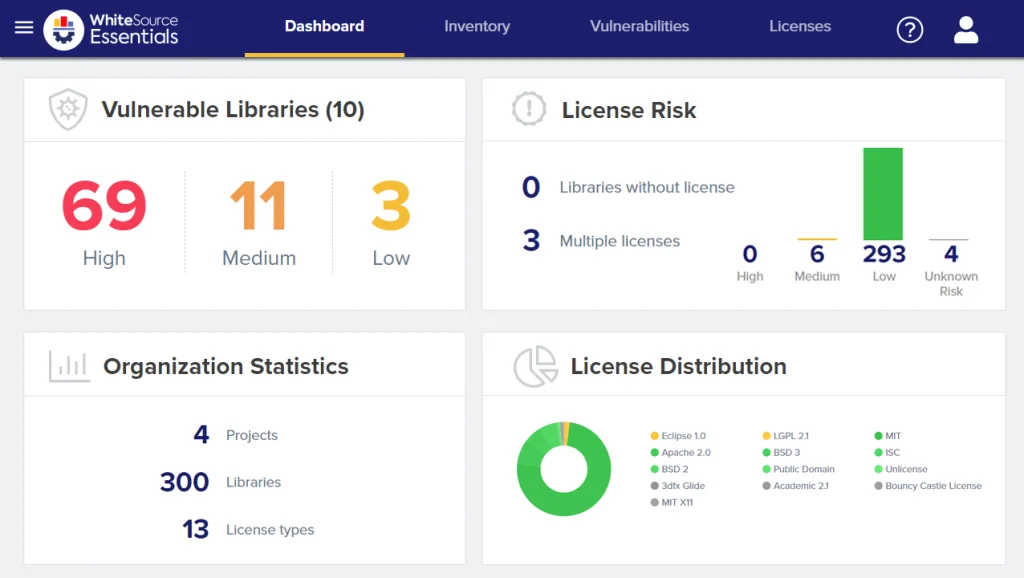
Mend SCA (formerly WhiteSource) is an enterprise SCA platform that combines vulnerability scanning with automated remediation powered by Renovate technology.
As the Sonatype 2024 State of Software Supply Chain report documented over 245,000 malicious packages in public registries, automated SCA with fast remediation has become essential.
The platform generates pull requests to fix vulnerable dependencies, scores each update with merge confidence data, and uses reachability analysis to filter out vulnerabilities in code paths your application never calls.
Named a Strong Performer in the Forrester Wave for SCA (Q4 2024), Mend has expanded beyond pure SCA through acquisitions of DefenseCode and Xanitizer, adding SAST capabilities to the platform.
What is Mend SCA?
Mend scans applications to discover all open-source components, checks them against vulnerability databases and license registries, and then does something most scanners skip: it tells you which vulnerabilities actually matter and fixes them for you.
Key features
Supported ecosystems
| Ecosystem | Package managers |
|---|---|
| JavaScript | npm, yarn, pnpm, Bower |
| Python | pip, Poetry, Pipenv, Conda |
| Java/Kotlin | Maven, Gradle, sbt |
| Go | Go modules |
| .NET | NuGet, Paket |
| Ruby | Bundler |
| PHP | Composer |
| Rust | Cargo |
| Swift | CocoaPods, Swift PM |
| Scala | sbt, Maven |
| Containers | Docker, OCI images |
| IaC | Terraform, Kubernetes |
Automated remediation
Mend’s Renovate technology automatically generates pull requests to update vulnerable dependencies. Unlike simple version bumps, Renovate groups related updates, respects semantic versioning constraints, and schedules updates to minimize disruption.
Merge confidence scores predict whether an update will break your build based on aggregated data from millions of updates.
Reachability analysis
Mend examines call graphs and code paths to identify whether vulnerable functions are reachable from application entry points. Unreachable vulnerabilities are flagged but deprioritized, letting teams focus on genuine risks.
License compliance
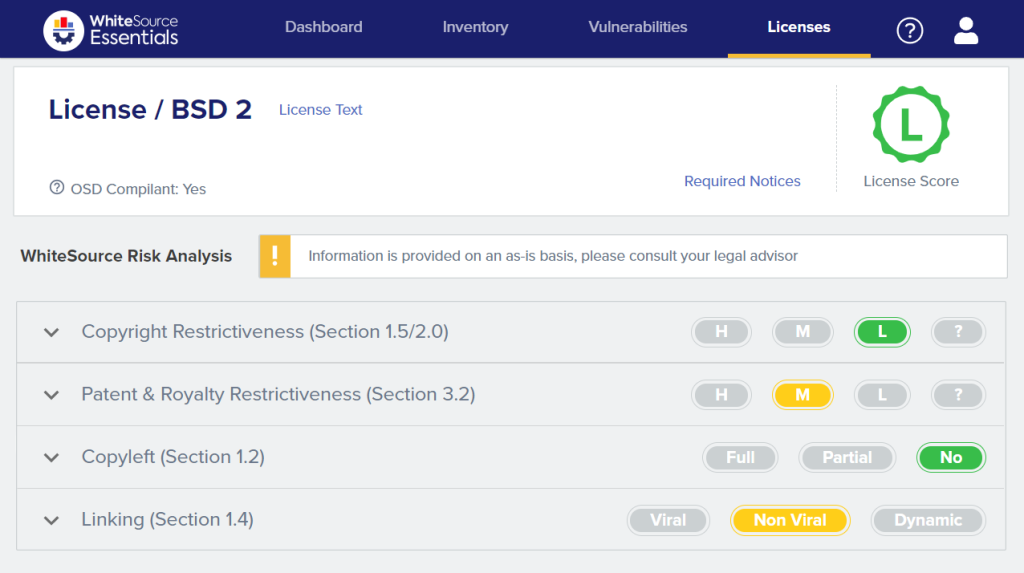
Mend identifies all component licenses and flags conflicts with organizational policies. The platform understands compatibility rules and detects situations where combining components with incompatible licenses creates compliance issues.
Policies automatically approve or block specific license types across all projects.
Container scanning
Mend extends beyond application dependencies to scan container images, Kubernetes configurations, and IaC files. Container scanning examines base images, OS packages, and application dependencies at every layer.
Installation
CLI Installation
# Install via npm (globally)
npm install -g @mend/cli

# Verify installation
mend --version
Running Scans
# Configure API credentials
export MEND_API_KEY="your-api-key"
export MEND_USER_KEY="your-user-key"

# Scan current directory
mend dep

# Scan specific project
mend dep --dir ./my-project --scope "ORG//APP//PROJ"

# Scan container image
mend image my-registry/my-image:latest
Repository Integration
Mend provides native integrations for GitHub, GitLab, Bitbucket, and Azure DevOps that require minimal configuration:
# .mend configuration file (place in repository root)
settingsInheritedFrom: organization/mend-config

# Override specific settings
vulnerabilityAlerts:
  enabled: true
  severity: HIGH

licenseAlerts:
  enabled: true
  allowedLicenses:
    - MIT
    - Apache-2.0
    - BSD-3-Clause

autoRemediation:
  enabled: true
  maxPRs: 5
Integration
GitHub Actions
name: Mend SCA Scan
on:
  push:
    branches: [main]
  pull_request:
    branches: [main]

jobs:
  security-scan:
    runs-on: ubuntu-latest
    steps:
      - uses: actions/checkout@v4

      - name: Setup Node.js
        uses: actions/setup-node@v4
        with:
          node-version: '20'

      - name: Install dependencies
        run: npm ci

      - name: Install Mend CLI
        run: npm install -g @mend/cli

      - name: Run Mend SCA scan
        env:
          MEND_USER_KEY: ${{ secrets.MEND_USER_KEY }}
          MEND_API_KEY: ${{ secrets.MEND_API_KEY }}
        run: mend dep --dir . --scope "ORG//APP//PROJ"
GitLab CI
stages:
  - build
  - security
  - deploy

variables:
  MEND_API_KEY: $MEND_API_KEY
  MEND_USER_KEY: $MEND_USER_KEY

mend-sca:
  stage: security
  image: node:20
  before_script:
    - npm install -g @mend/cli
  script:
    - npm ci
    - mend dep --dir . --scope "ORG//APP//PROJ" --strict
  artifacts:
    reports:
      sast: mend-report.json
  rules:
    - if: $CI_PIPELINE_SOURCE == "merge_request_event"
    - if: $CI_COMMIT_BRANCH == "main"

container-scan:
  stage: security
  image: node:20
  before_script:
    - npm install -g @mend/cli
  script:
    - mend image $CI_REGISTRY_IMAGE:$CI_COMMIT_SHA
  rules:
    - if: $CI_COMMIT_BRANCH == "main"
Azure DevOps Pipeline
trigger:
  - main

pool:
  vmImage: 'ubuntu-latest'

stages:
  - stage: Security
    jobs:
      - job: MendScan
        steps:
          - task: NodeTool@0
            inputs:
              versionSpec: '20.x'

          - script: npm install -g @mend/cli
            displayName: 'Install Mend CLI'

          - script: npm ci
            displayName: 'Install Dependencies'

          - script: |
              mend dep --dir . --scope "ORG//APP//PROJ"
            displayName: 'Mend SCA Scan'
            env:
              MEND_API_KEY: $(MEND_API_KEY)
              MEND_USER_KEY: $(MEND_USER_KEY)
IDE Integration
Mend provides extensions for developer IDEs:
- VS Code: Real-time vulnerability alerts as you code
- IntelliJ IDEA: Integrated scanning and remediation suggestions
- Visual Studio: .NET-specific vulnerability detection
Setup
npm install -g @mend/cli.MEND_API_KEY and MEND_USER_KEY environment variables.mend dep in your project directory to identify vulnerabilities and license risks.When to use Mend SCA
Mend SCA fits teams that want automated remediation and reachability-based prioritization from a single platform.
Strengths:
- Automated fix PRs powered by Renovate technology
- Merge confidence scoring from aggregated CI data
- Reachability analysis reduces alert noise
- License compliance with policy enforcement
- Container and IaC scanning included
Limitations:
- Commercial only, no free tier
- SaaS-first; limited self-hosted options
- Newer SAST capabilities less mature than dedicated SAST tools
How it compares:
| vs. | Key difference |
|---|---|
| Snyk Open Source | Snyk has a broader developer ecosystem and free tier. Mend has merge confidence scoring and Renovate-powered remediation with deeper grouping controls. |
| Renovate | Renovate handles dependency updates. Mend SCA adds vulnerability scanning, reachability analysis, license compliance, and merge confidence on top of Renovate technology. |
| Black Duck | Black Duck has deeper license compliance and binary scanning. Mend is more developer-friendly with automated remediation workflows. |
For more on integrating SCA into your pipeline, see our guides on SCA in CI/CD and software supply chain security.