


Kiuwan Code Security is a cloud-based SAST platform that scans 30+ programming languages for security vulnerabilities and code quality issues. Founded in 2003 and now part of the Sembi portfolio (IDERA, Inc.), Kiuwan has over 20,000 users across 300+ organizations.
| Capability | Details |
|---|---|
| 30+ Languages | Scans ABAP, COBOL, RPG4, Java, C#, JavaScript, Python, PHP, Go, Kotlin, Swift, Scala, Perl, Groovy, Oracle Forms, and more. One of the few SAST tools covering legacy mainframe languages. |
| Security + Quality | Combines vulnerability detection with code quality metrics, technical debt tracking, and maintainability scoring in one platform. Maps findings to OWASP Top 10, CWE, SANS 25, and PCI DSS. |
| Local Scan, Cloud Report | The Kiuwan Local Analyzer scans source code on your infrastructure — code never leaves your machine. Results upload encrypted to the Kiuwan cloud for analysis, dashboards, and team collaboration. |
What is Kiuwan?
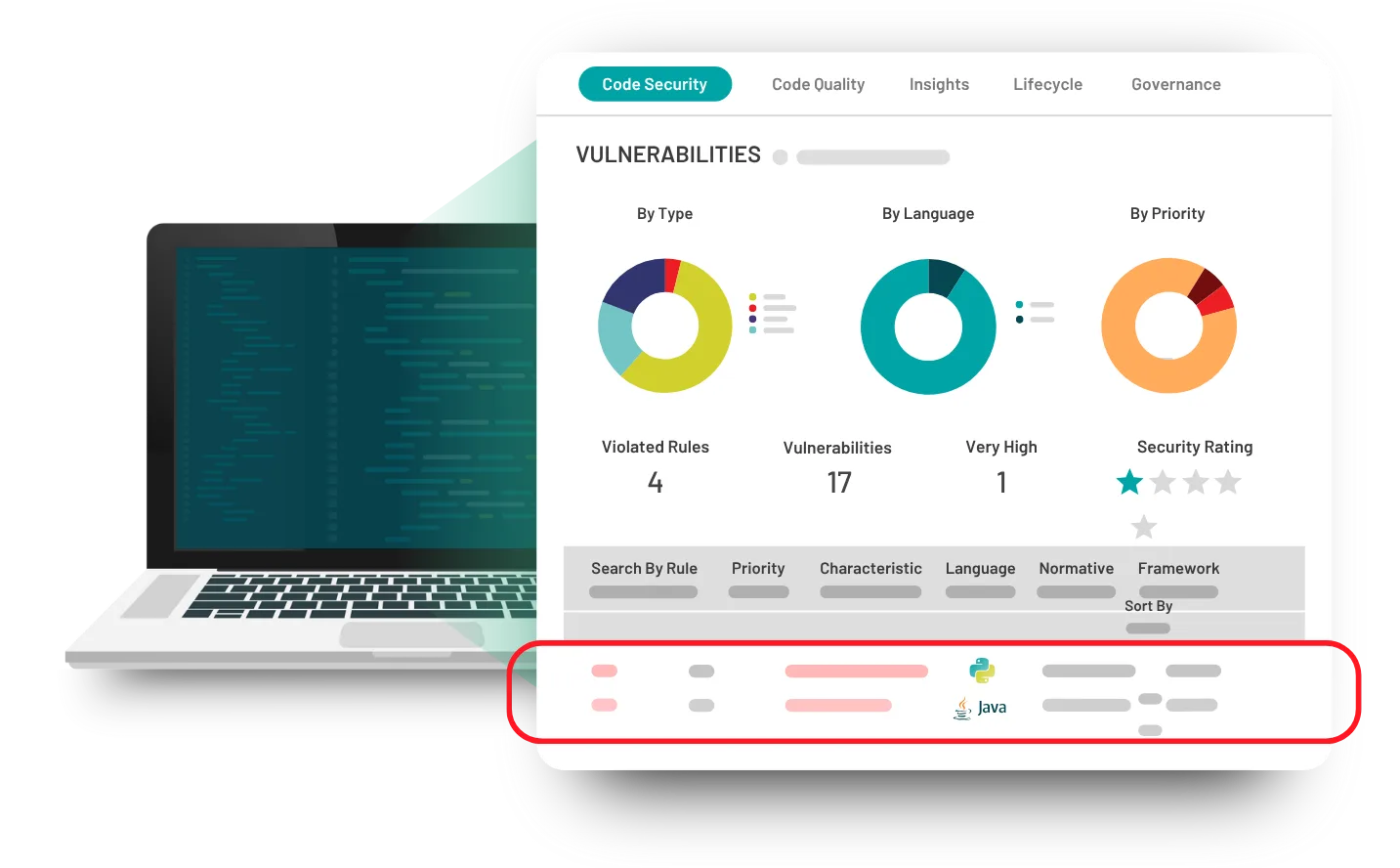
Kiuwan takes a hybrid approach to static analysis. The Local Analyzer runs on your machine or CI server and scans source code without sending it externally.
Encrypted results then upload to the Kiuwan cloud, where the platform calculates metrics, generates reports, and provides team dashboards.
This means source code stays local while teams get centralized reporting, trend analysis, and collaboration features through the cloud interface.
Kiuwan maps findings to OWASP Top 10, CWE, SANS 25, PCI DSS, ISO 25000, CERT, and NIST standards. According to PCI DSS Requirement 6.3, organizations processing payment data must use application security testing to identify vulnerabilities in custom code, which Kiuwan’s compliance mapping directly addresses.
What are Kiuwan Code Security’s key features?
Legacy language support
Most modern SAST tools skip languages like COBOL, RPG4, ABAP, and Natural. Kiuwan supports them alongside modern languages, which matters for organizations running mixed technology stacks with mainframe applications.
| Category | Languages |
|---|---|
| Enterprise | Java, C#, VB.NET, COBOL, ABAP, RPG4, Natural |
| Web | JavaScript, PHP, Python, Ruby, Go, Perl |
| Mobile | Kotlin, Swift, Objective-C |
| Database | PL/SQL, Transact-SQL |
| Other | Groovy, Scala, Oracle Forms, Oracle Apex, JCL, PowerScript |
Technical debt tracking
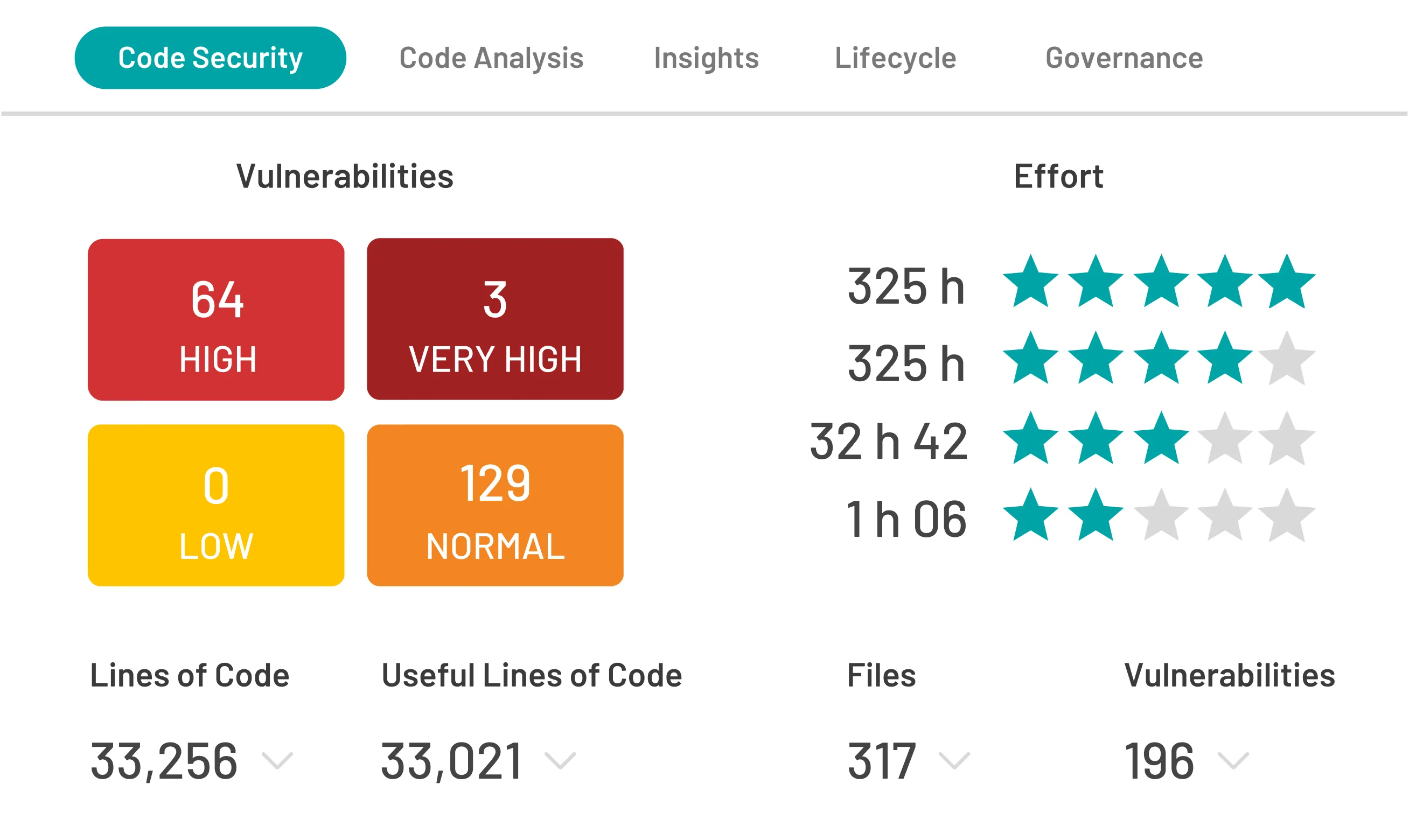
Kiuwan calculates a technical debt score that estimates remediation effort in concrete terms. Development managers can set quality gates that block releases when debt passes a threshold.
The platform tracks how debt changes over time, so teams can see whether code health is improving or degrading.
Customizable rules
Kiuwan ships with thousands of built-in rules. Teams can enable or disable individual rules, adjust severity levels, create custom rules for internal standards, and share rule configurations across projects.
Kiuwan also offers a separate SCA product called Kiuwan Insights. It analyzes open-source components using the NIST database, generates SBOMs, and checks license compliance.
SCA is a companion product, not bundled with Code Security.
How do I get started with Kiuwan Code Security?
- Download the Local Analyzer — Get the Kiuwan Local Analyzer from kiuwan.com. It runs on any machine with Java installed and processes source code locally.
- Run your first scan — Execute the analyzer with your credentials and project path. It auto-detects languages and applies the appropriate rule sets.
- Review in the cloud — Log into the Kiuwan cloud dashboard to see findings, severity ratings, compliance mappings, and technical debt metrics.
- Set up CI/CD — Kiuwan provides a Jenkins plugin and integrates with GitLab CI and GitHub. The analyzer runs in your pipeline and uploads results after each build.
When to use Kiuwan
Kiuwan works well for organizations with mixed technology stacks that include legacy languages. If your codebase spans COBOL, Java, JavaScript, and Python, Kiuwan gives you one scanning command and one dashboard instead of managing four separate tools.
For teams focused on a single modern language, specialized tools like Semgrep or SonarQube may provide deeper analysis. For enterprises needing broader security testing (DAST, IAST), consider platforms like Checkmarx or Fortify .
Kiuwan alternatives
For teams comparing broad-language SAST and code-quality platforms, the closest substitutes for Kiuwan are:
- SonarQube — open-source-rooted code quality plus security with self-hosted Server and SaaS Cloud editions; the most direct overlap on language breadth.
- Checkmarx One — enterprise ASPM with SAST, SCA, DAST, and IaC bundled; chosen when teams want a single console rather than separate tools.
- Veracode — binary-analysis SAST with strong compliance reporting; a fit when audit and policy governance dominate the procurement criteria.
- Snyk Code — developer-first SAST with AI-assisted fixes; preferred when teams already pay for Snyk’s SCA and container scanning.
Kiuwan’s edge sits in legacy-language coverage and EU data-residency. For greenfield modern stacks, the SAST tools hub lists alternatives that may rank higher on developer experience.
Kiuwan pricing
Kiuwan does not publish list prices on kiuwan.com . Kiuwan Code Security and Insights are sold through contact-sales, with quotes shaped by lines-of-code volume, user count, language coverage, and on-prem vs cloud deployment. A free trial is available on request through the kiuwan.com website.
Kiuwan was acquired by IDERA in 2018 and remains positioned for mid-market and enterprise teams that need broad language coverage (30+ languages including legacy COBOL, RPG, and ABAP) plus EU data-residency. There is no public per-developer rate card; production licensing requires a sales conversation.