


Invicti is an enterprise DAST platform built on proof-based scanning, now expanded into a broader application security suite. Alongside dynamic testing it bundles SCA, SAST, IaC, secrets, container, and API security, with ASPM correlation from its 2025 Kondukto acquisition.
It evolved from Netsparker, an established dynamic analysis engine, and reports adoption by 3,600+ organizations. Invicti lists customers including NASA, Cisco, Verizon, ING Bank, and Deloitte.
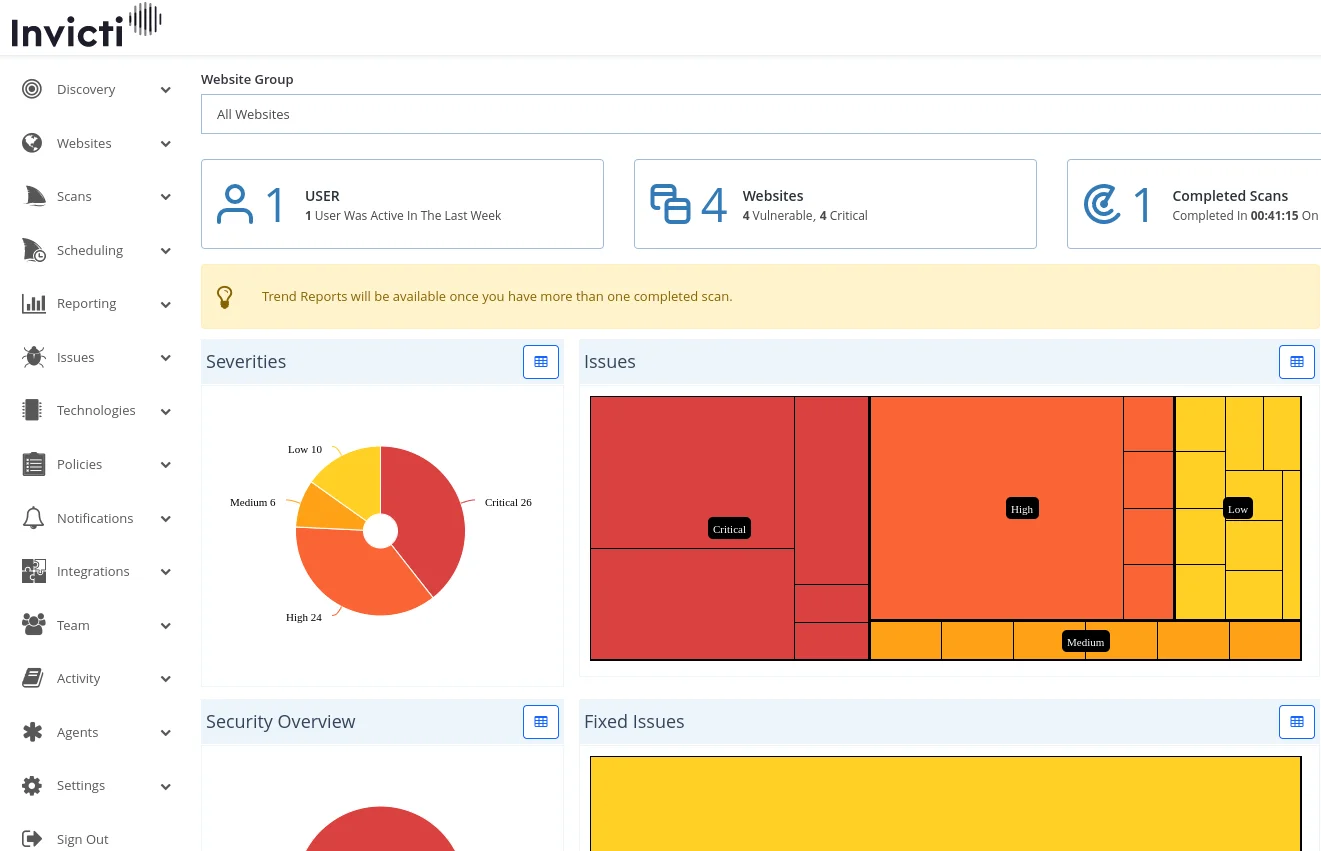
What is Invicti?
Invicti’s main claim is proof-based scanning. When the scanner finds a potential vulnerability, it attempts to safely exploit it to confirm the issue is real.
This produces a proof of exploit for each finding, which cuts down false positive triage significantly.
The platform crawls up to 2,500 pages by default, with expansion possible to 15,000 pages. Typical scans complete in 8-10 hours depending on application size.
| Feature | Details |
|---|---|
| Deployment | Cloud (AWS US, AWS EU) and on-premises (Windows) |
| Scanning approach | DAST with proof-based verification |
| Additional testing | IAST (Shark), SCA, SAST, IaC, container, API security |
| Crawl limit | 2,500 pages default, up to 15,000 |
| Scan duration | 8-10 hours typical, 24-hour max |
| Authentication | Form-based, HTTP Basic, client certificates, OAuth |
| Brute force wordlist | 59 entries default, expandable to 5,000 |
| Editions | AppSec Core, Plus, Enterprise (+ DAST-only, ASPM) |
| Organizations using | 3,600+ |
| Capability | Details |
|---|---|
| Proof-Based Scanning | Automatically exploits detected vulnerabilities in a safe way to confirm they are real. Each confirmed finding includes proof of exploit, reducing false positive triage to near zero. |
| Unified AppSec Platform | One platform spans proof-based DAST, SCA, SAST, container, and API security, with ASPM correlation added through the 2025 Kondukto acquisition. |
| Enterprise Scale | Manages thousands of scan targets with group-based organization, batch scanning, and shared scan profiles. Packaged as five quote-gated offerings sized to different teams. |
What are Invicti’s key features?
Vulnerability Detection
Invicti identifies web application security issues including SQL injection, cross-site scripting (XSS), and other OWASP Top 10 vulnerabilities.
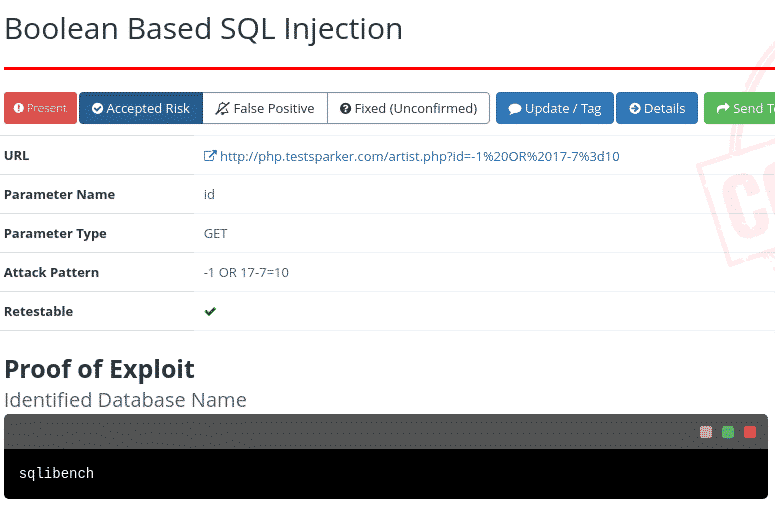
Note: According to Invicti, the platform achieves 99.98% scan accuracy through proof-based scanning. When a finding is marked as confirmed, the scanner has actually exploited it safely and can show evidence of the vulnerability.
Software Composition Analysis
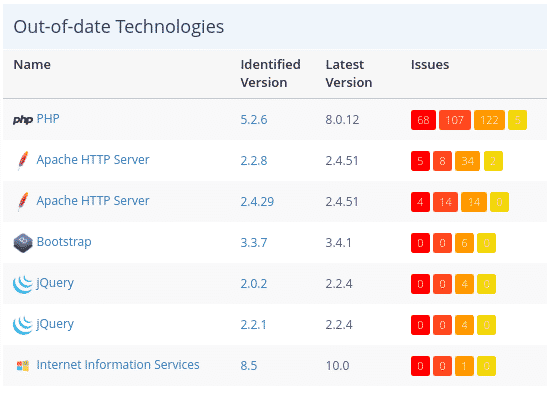
Beyond vulnerability scanning, the platform catalogs technologies within web applications and flags outdated or vulnerable libraries.
DevSecOps Integration
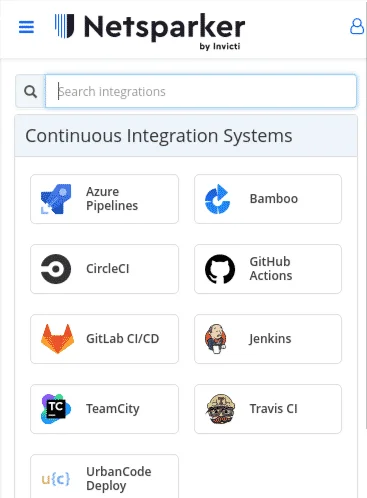
Most organizations incorporate Invicti into their CI/CD pipelines to catch vulnerabilities before production.
Invicti Shark (IAST)
Invicti Shark is the platform’s IAST sensor. It runs inside the application while the DAST scanner attacks from outside, catching vulnerabilities and hidden assets that external-only scanning misses.
Shark supports .NET, Java, PHP, and Node.js, and reports file names, line numbers, and stack traces per finding. It communicates with the scanner through the iast.invicti.com bridge and is meant for staging rather than production.
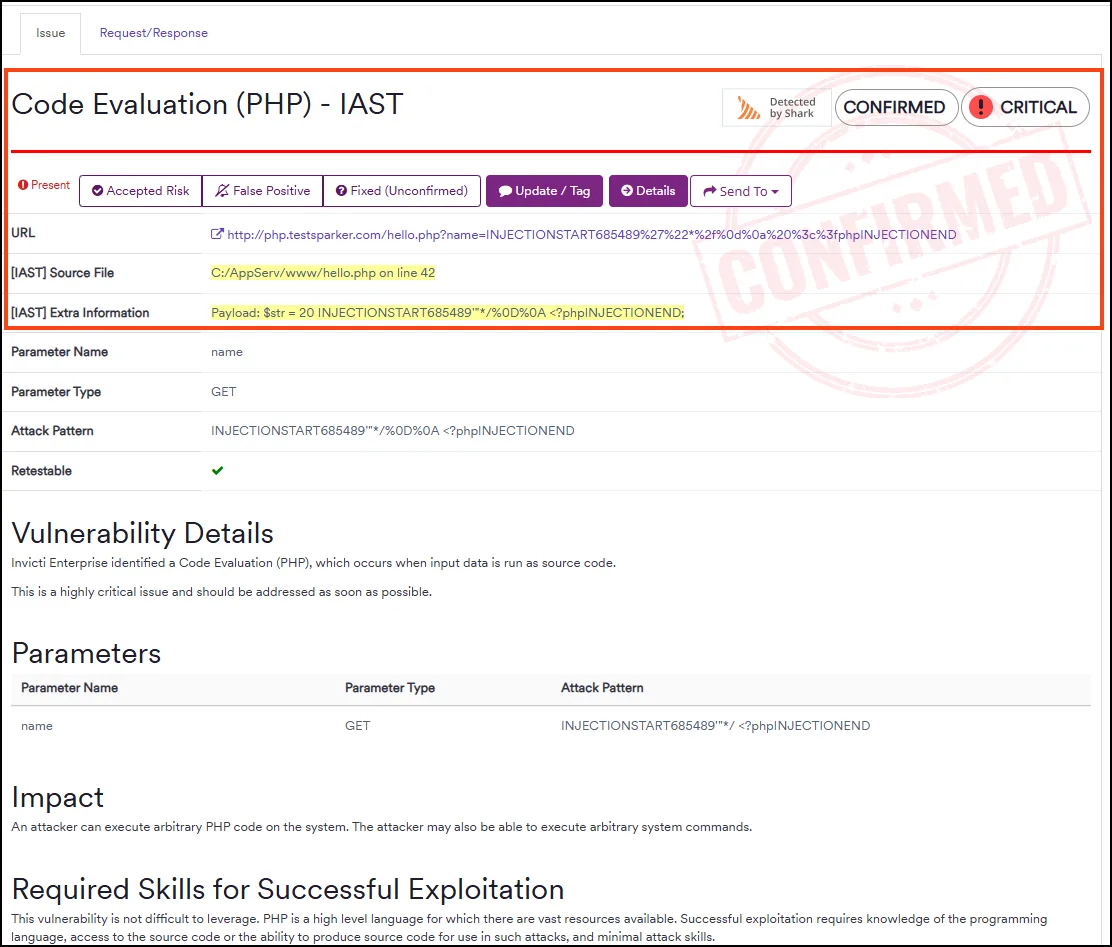
Because Shark watches payloads land inside the runtime, it confirms which findings actually reached vulnerable code. It also discovers admin panels, undocumented API endpoints, and backup files the crawler never links to. And it flags OWASP API Top 10 issues like BOLA, IDOR, and BFLA that need runtime context.
Shark shares its heritage with AcuSensor , the equivalent IAST agent for the sibling Acunetix scanner. Pick Shark if you run Invicti, AcuSensor if you run Acunetix, or a standalone agent like Contrast Assess for IAST without a paired DAST scanner.
Invicti ASPM
Invicti ASPM is the platform’s application security posture management layer. It comes from Kondukto, an orchestration platform Invicti acquired in August 2025, and sits on top of your existing scanners rather than replacing them.
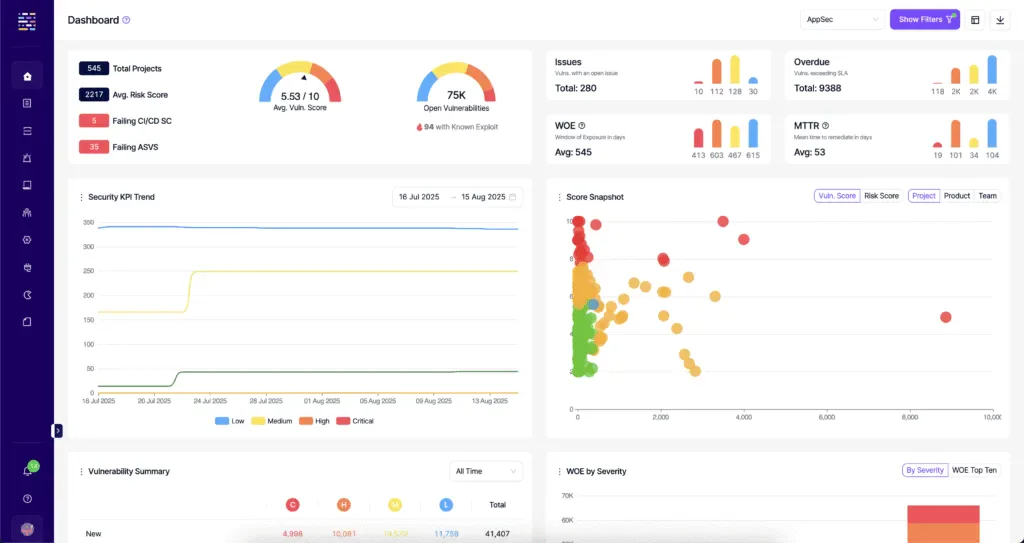
It pulls results from SAST, SCA, DAST, container, and IaC tools through 110+ integrations, then normalizes, deduplicates, and routes them into one queue. The differentiator over ArmorCode or DefectDojo is the proof-based DAST engine: Invicti’s own findings arrive with exploit proof, not just a confidence score.
After a developer ships a fix, Invicti ASPM triggers a targeted rescan and closes the ticket automatically if the issue is gone, or reopens it if not. SBOM and open-source license risk tracking, release-gate thresholds, and MTTR dashboards round out the posture view.
The orchestration runs through the open-source KDT CLI (cli.kondukto.io), which wires CI/CD pipelines into the platform. Scanner-agnostic alternatives without a bundled DAST engine include Cycode
, Apiiro
, and ArmorCode
.
What does Invicti integrate with?
Invicti pushes findings into developer and security workflows, and its ASPM layer connects 110+ tools across scanners, pipelines, trackers, and WAFs.
 GitHub Actions
 GitLab CI
 Jenkins
 Azure Pipelines
 CircleCI
 Bamboo
 TeamCity
 Bitbucket
Jira
Azure Boards
GitHub Issues
GitLab Issues
Bitbucket
Jira
Azure Boards
GitHub Issues
GitLab Issues ServiceNow
 Cloudflare
 AWS WAF
 F5 BIG-IP
 Imperva
 Splunk
Scan results flow into ticketing systems automatically, and scans run on a schedule or as a CI/CD pipeline step. Single sign-on through Okta, Azure AD, and PingFederate is included rather than sold as an add-on.
Discovery Feature
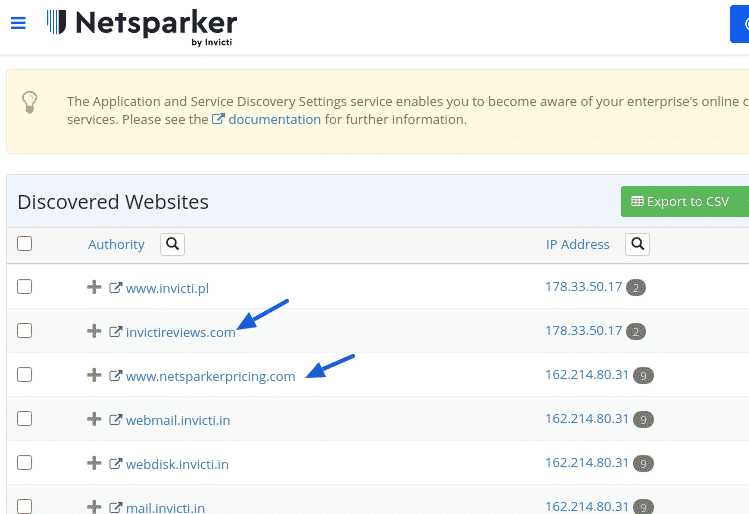
The Discovery function activates automatically upon account creation, automatically identifying websites potentially associated with your organization through multiple data sources:
- Business email domain matching
- Out-of-scope links from scans
- Websites hosted on identical IP addresses
- SSL certificate organization names
- Domain keyword and second-level domain analysis
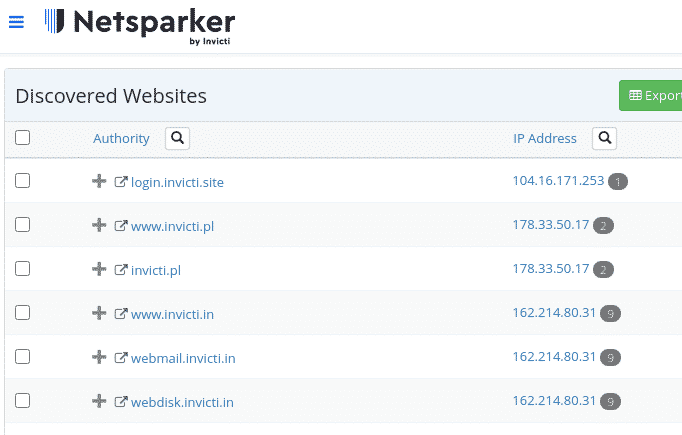
Since automated discovery isn’t perfect, filtering capabilities help eliminate unrelated results.
Website Management
Adding Targets
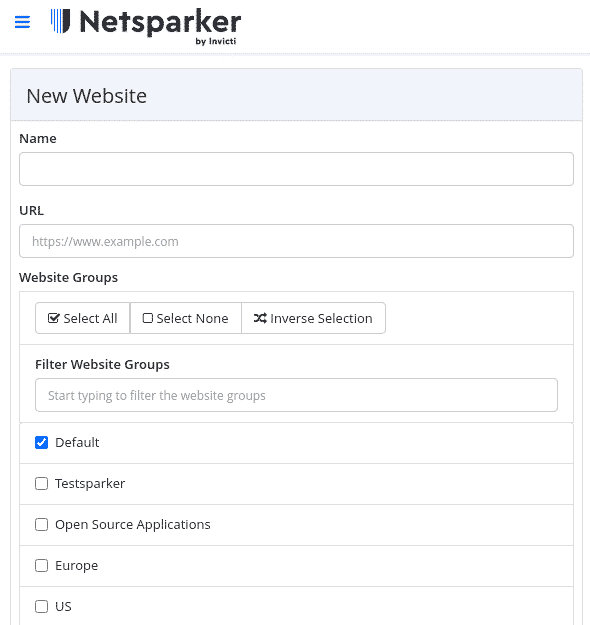
You can add websites individually or import multiple targets via CSV.
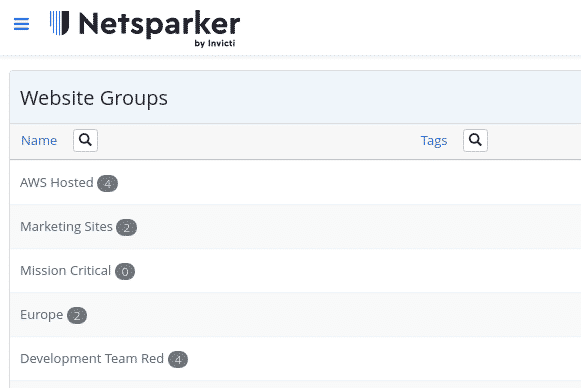
Websites support membership across multiple groups for organizational flexibility based on:
- Hosting infrastructure
- Technology stack
- Geographic location
- Team assignment
- Priority levels
Group Scanning
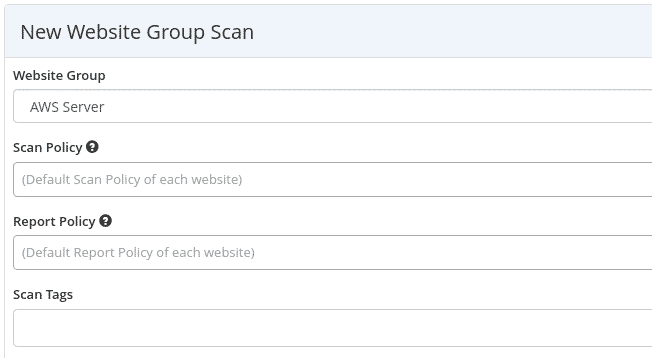
Group assignments enable batch scanning operations across related targets.
Scan Configuration
Scan Profiles
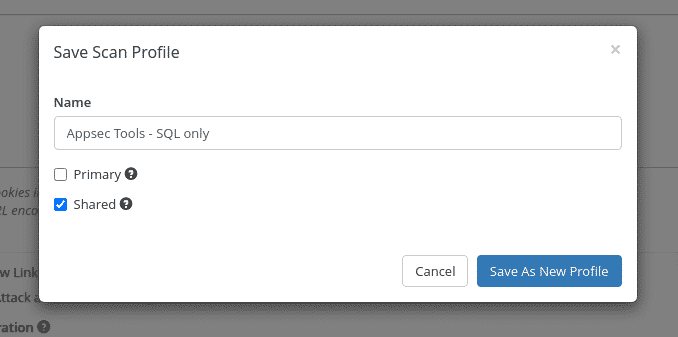
Save and share scan configurations across team members.
Scan Policies
Pre-built Options
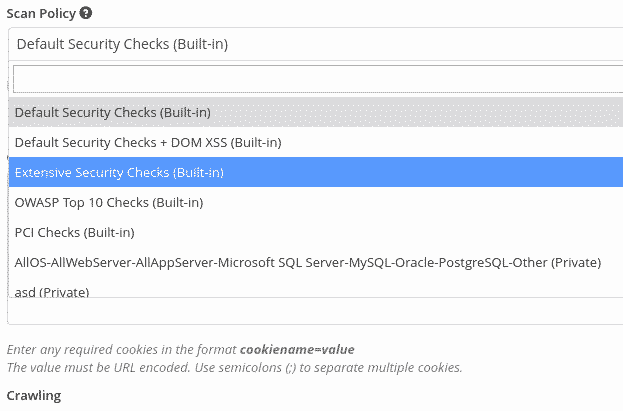
Select from standard policies including OWASP Top 10 or PCI compliance checks.
Custom Policy Creation
Security Checks Configuration
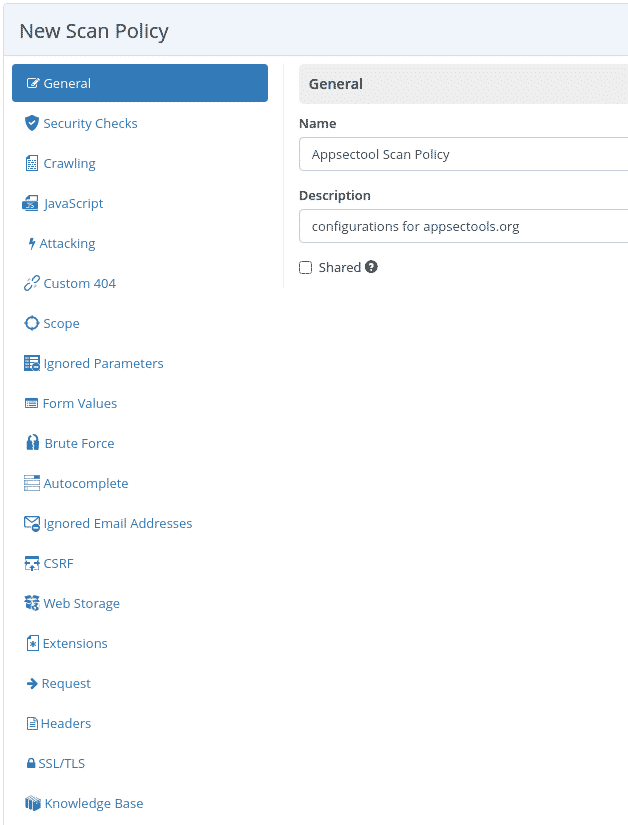
Customize which vulnerability types to scan, such as focusing exclusively on out-of-band SQL injection detection.
Crawling Parameters
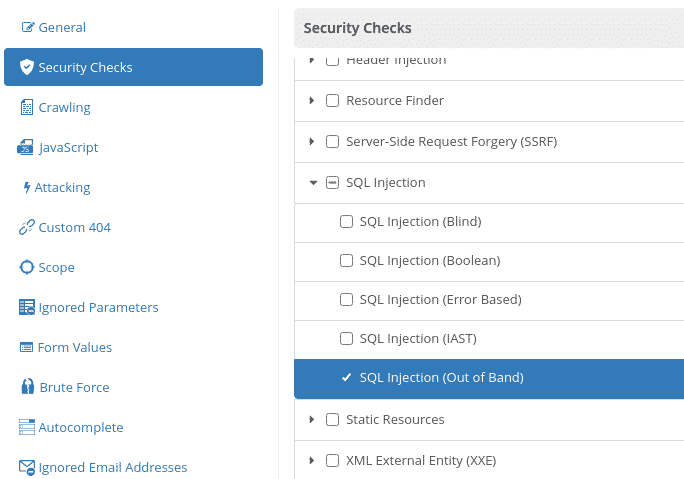
The platform crawls up to 2,500 pages by default, with expansion possible to 15,000 pages.
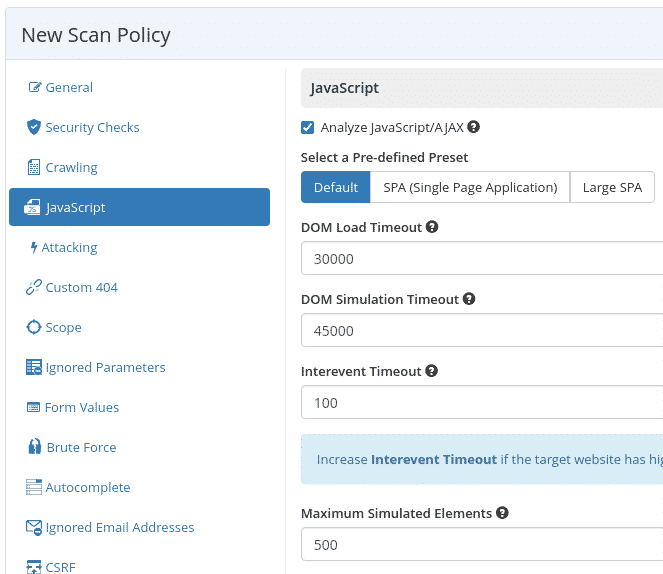
JavaScript Handling
For single-page applications, use predefined presets and adjust DOM load timeouts and simulated element limits.
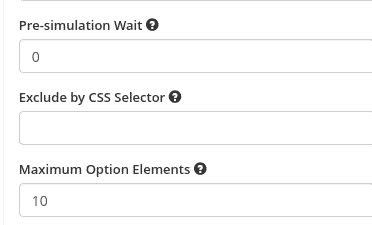
CSS Selector Exclusion
Exclude specific website sections from scanning using CSS selectors.
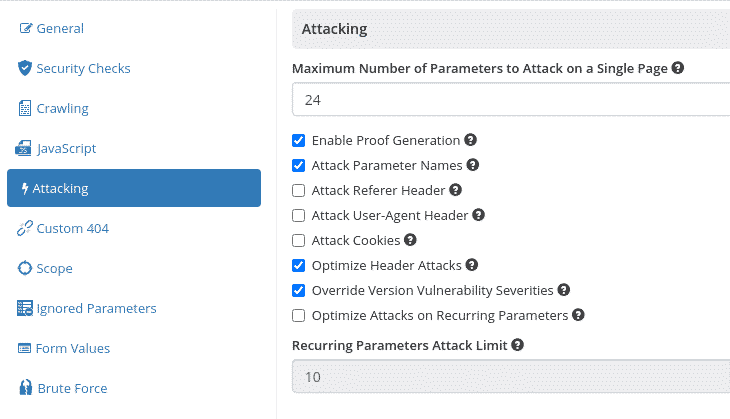
Proof-Based Scanning
Disable proof generation by unchecking the “Enable Proof Generation” option.
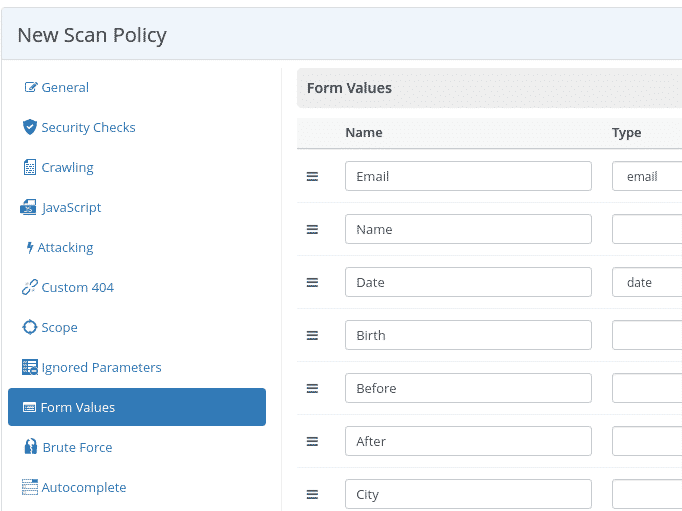
Form Value Configuration
Customize default form values used when attacking contact forms.
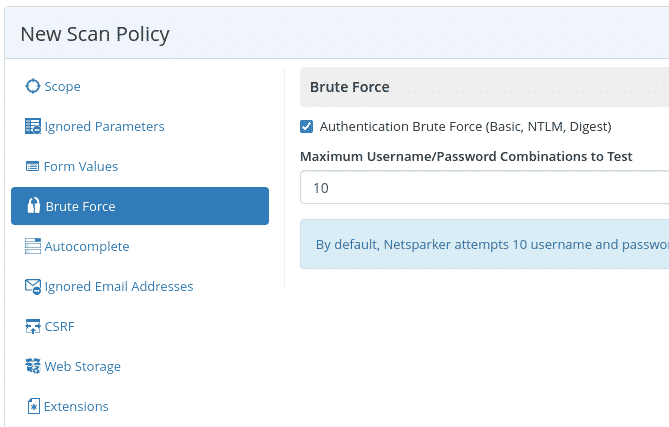
Brute Force Settings
The tool attempts authentication forms using basic username/password combinations.
The default wordlist contains 59 entries, expandable to 5,000 with an Internal Agent or Invicti Standard.
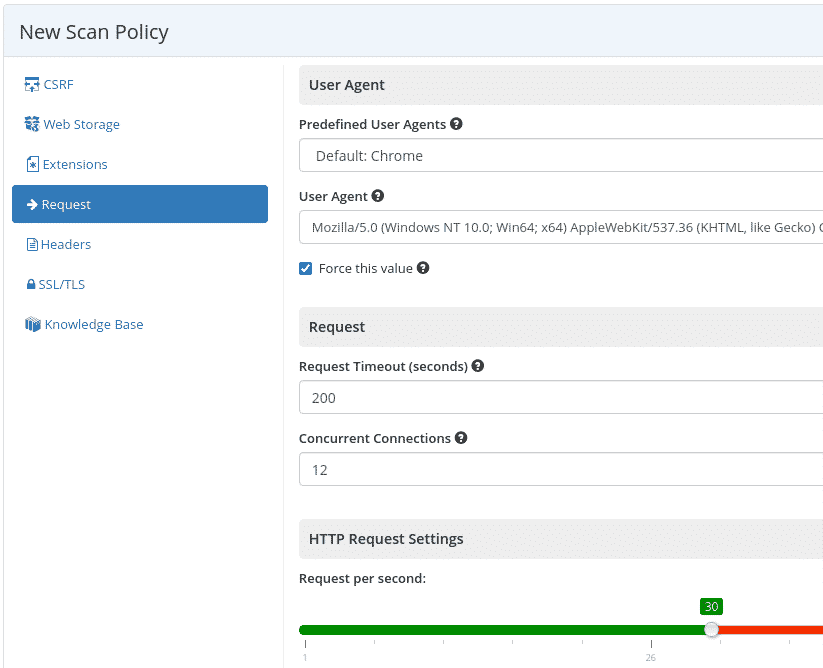
Request Configuration
Set the user-agent string and adjust request rate per second to control scan speed.
Invicti editions and packaging
Invicti restructured its packaging after the 2025 Kondukto acquisition. Five named offerings replace the older Standard, Team, and Enterprise editions, all quote-gated with no published list pricing.
- AppSec Core — the full scanning bundle: DAST, SAST, SCA, IaC, secrets detection, container security, API security, and SBOM, plus orchestration, developer training, SSO, and agentic prioritization.
- AppSec Plus — everything in Core plus AI-guided fixes and the ASPM correlation layer.
- AppSec Enterprise — adds bring-your-own scanner ingestion, bug bounty intake, RBAC and custom roles, pentest reports, and the full integration catalog.
- Enterprise DAST — a DAST-only package for teams that want proof-based scanning without the wider platform.
- ASPM — a standalone posture-management package for orchestrating findings from existing scanners.
Deployment spans cloud, bring-your-own-cloud, on-premises, and air-gapped. Standard support is included, with premium and guided-success tiers available on request.
How much does Invicti cost?
Invicti does not publish list prices on its website. Pricing depends on the package (AppSec Core, Plus, Enterprise, Enterprise DAST, or ASPM), the number of scan targets, and the deployment model.
To get a quote, contact Invicti sales through invicti.com — they request the target count, deployment preference, and any ASPM/Kondukto module needs. Procurement typically takes 1-2 weeks for an enterprise deal.
Per AppSec Santa policy, I do not publish dollar amounts unless the vendor displays them publicly on its official site. Invicti has historically used custom enterprise pricing only.
If budget is the deciding factor, look at sibling product Acunetix (per-FQDN licensing with 5-target minimum) or Burp Suite Professional (published per-user annual pricing on portswigger.net).
How do I get started with Invicti?
- Choose your package — AppSec Core bundles the full scanning suite (DAST, SAST, SCA, container, API). AppSec Plus adds AI-guided fixes and ASPM. Standalone Enterprise DAST and ASPM packages cover narrower needs.
- Add your targets — Add websites individually or import multiple targets via CSV. Organize them into groups by hosting infrastructure, technology stack, geography, or team assignment.
- Configure scan policies — Select from built-in policies (OWASP Top 10, PCI compliance) or create custom ones. Choose which vulnerability types to test and set crawling limits.
- Run scans and review findings — Launch scans manually, on schedule, or via CI/CD triggers. Proof-based findings include exploit evidence. Push results to Jira, Azure DevOps, or other ticketing systems.
When to use Invicti
I’d reach for Invicti (my former employer) when proof-based scanning matters more than price. Teams overwhelmed by DAST false positives benefit most, because each finding arrives already validated with an exploit proof.
It fits enterprises that want one vendor across DAST, SCA, SAST, container, and ASPM rather than integrating separate point tools. The Discovery feature also helps when the real problem is unknown internet-facing assets, not just scanning the ones you already track.
It is a weaker fit for small teams on a tight budget or anyone who needs published pricing up front. For developer-owned CI/CD scanning at lower cost, StackHawk or the sibling Acunetix are lighter options.
Operational Notes
Firewall Whitelisting
Whitelist scanning traffic by source IP.
Invicti AWS (US):
- 54.88.149.100
- 54.85.169.114
Invicti AWS (EU):
- 3.122.64.138
Default Contact Form Behavior
The platform uses invicti@example.com by default in contact forms during scans, which can generate numerous emails. Adjust form values in scan configuration to avoid this.
Scan Duration
Scans should not exceed 24 hours. Contact support@invicti.com for speed optimization guidance if scans run long.
What are Invicti’s limitations?
The biggest friction is pricing opacity. Nothing is published, so every evaluation starts with a sales conversation and a custom quote, which slows down smaller teams that just want a number.
Proof-based validation only covers the DAST engine. Findings from the bundled SAST, SCA, and third-party scanners still depend on those tools’ own accuracy, so the 99.98% figure does not extend across the whole platform.
The breadth can also be more than a focused team needs. If you only want a fast API or CI/CD scanner, a single-purpose tool is lighter, and the Shark IAST layer only works alongside Invicti’s own DAST rather than as a standalone agent.
What are alternatives to Invicti?
If Invicti’s enterprise pricing or proof-based scanning model is the wrong fit, four alternatives cover most buyer shapes:
- Burp Suite Professional — manual-first DAST favored by penetration testers. Strong intercepting proxy plus 500+ BApp Store extensions, with a published per-user annual price on portswigger.net. Good when human testing is the primary workflow.
- Acunetix — Invicti’s sibling product under the same parent company. Same proof-based scanning engine, simpler configuration, per-FQDN licensing with a 5-target minimum. Better for SMB and mid-market teams scanning under 50 sites.
- StackHawk — developer-first DAST built around CI/CD integration and OpenAPI-driven API scanning. Lighter-weight than Invicti and priced for application teams rather than central security.
- OWASP ZAP — free, open-source DAST proxy with a manual UI and an automated baseline scan. Useful as a first scanner or for cost-sensitive teams, though it lacks Invicti’s discovery and ASPM layers.
For a deeper comparison, see Invicti alternatives or browse all DAST tools reviewed on AppSec Santa.