


Horusec is an open-source SAST orchestration tool that coordinates 20+ security engines into a unified vulnerability report. Created by ZupIT, it supports 18+ languages and includes a web dashboard for vulnerability management.
Horusec provides multi-language scanning by orchestrating established tools like Bandit, Brakeman, GoSec, and SpotBugs rather than building its own analysis engine.
The orchestration model means Horusec inherits each underlying scanner’s strengths — taint analysis paths through wrapped Bandit and Brakeman engines, rule-based pattern matching for CWEs from each tool’s signature set, and limited cross-file dataflow that depends on the depth of the specific scanner Horusec invokes.
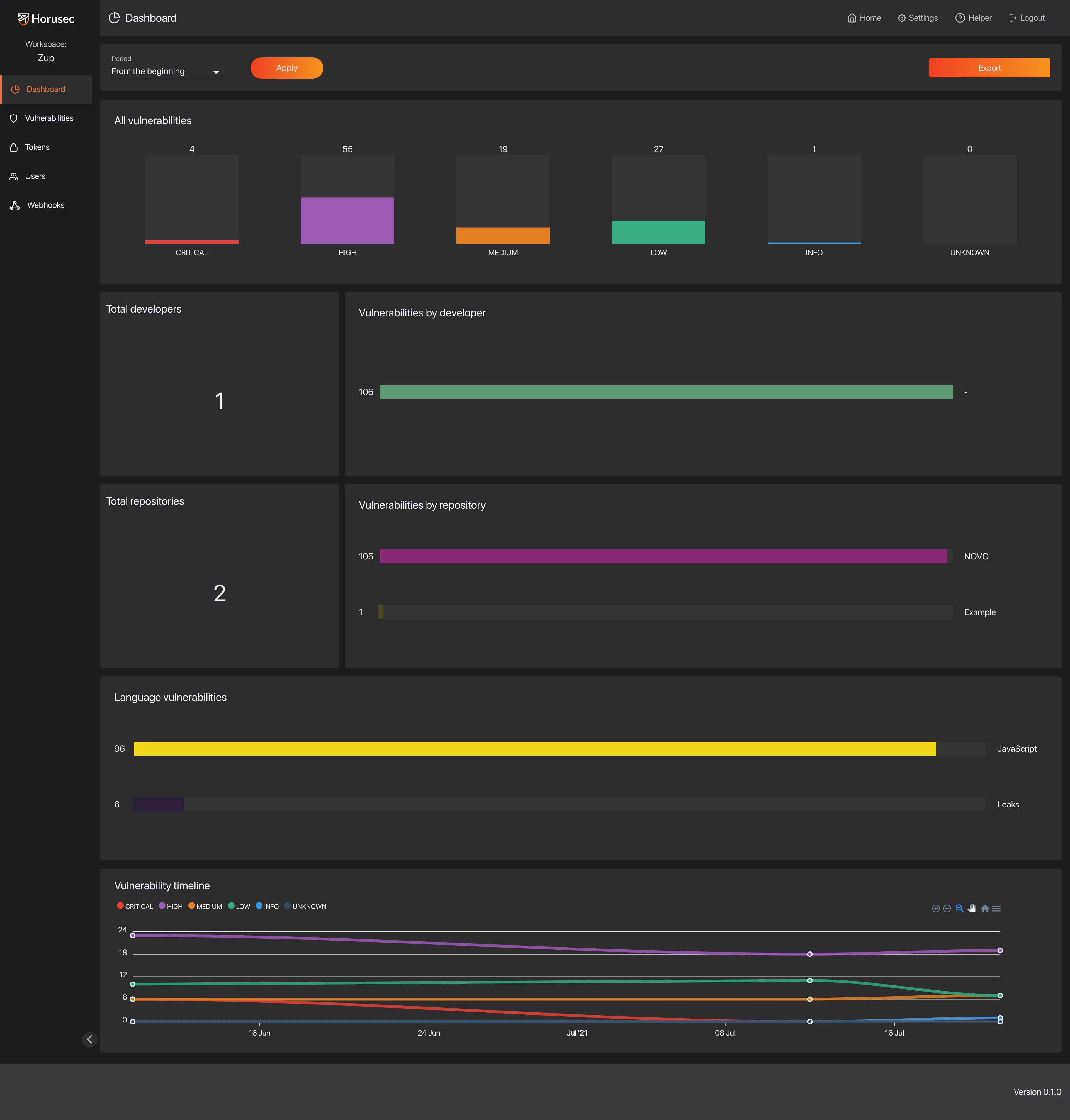
What is Horusec?
Rather than implementing its own analysis engine, Horusec runs established security tools and consolidates their findings. OWASP recommends using multiple static analysis tools for broader coverage, since each tool has different strengths and detection capabilities.
Horusec automates this by detecting languages in your repository and selecting the appropriate scanners. Results merge into a single report with deduplication and unified severity ratings.
Horusec orchestrates 20 security tools, including Bandit (Python), Brakeman (Ruby), GoSec (Go), SpotBugs (Java), and Checkov (IaC). Language auto-detection selects the right tools for each repository.
A built-in secrets scanner identifies hardcoded API keys, database credentials, private keys, and cloud provider credentials across all file types. Horusec Manager, the web dashboard, adds centralized vulnerability management, workspace organization, false-positive tracking, trend analysis, and role-based access control.
What are Horusec’s key features?
Multi-tool orchestration
| Language | Tools used |
|---|---|
| Python | Bandit, Safety |
| Go | GoSec, Nancy |
| JavaScript/TypeScript | npm-audit, ESLint security |
| Java/Kotlin | SpotBugs, Dependency-Check |
| Ruby | Brakeman, Bundler-audit |
| C# | Security Code Scan |
| Infrastructure | Checkov, TFSec, Trivy |
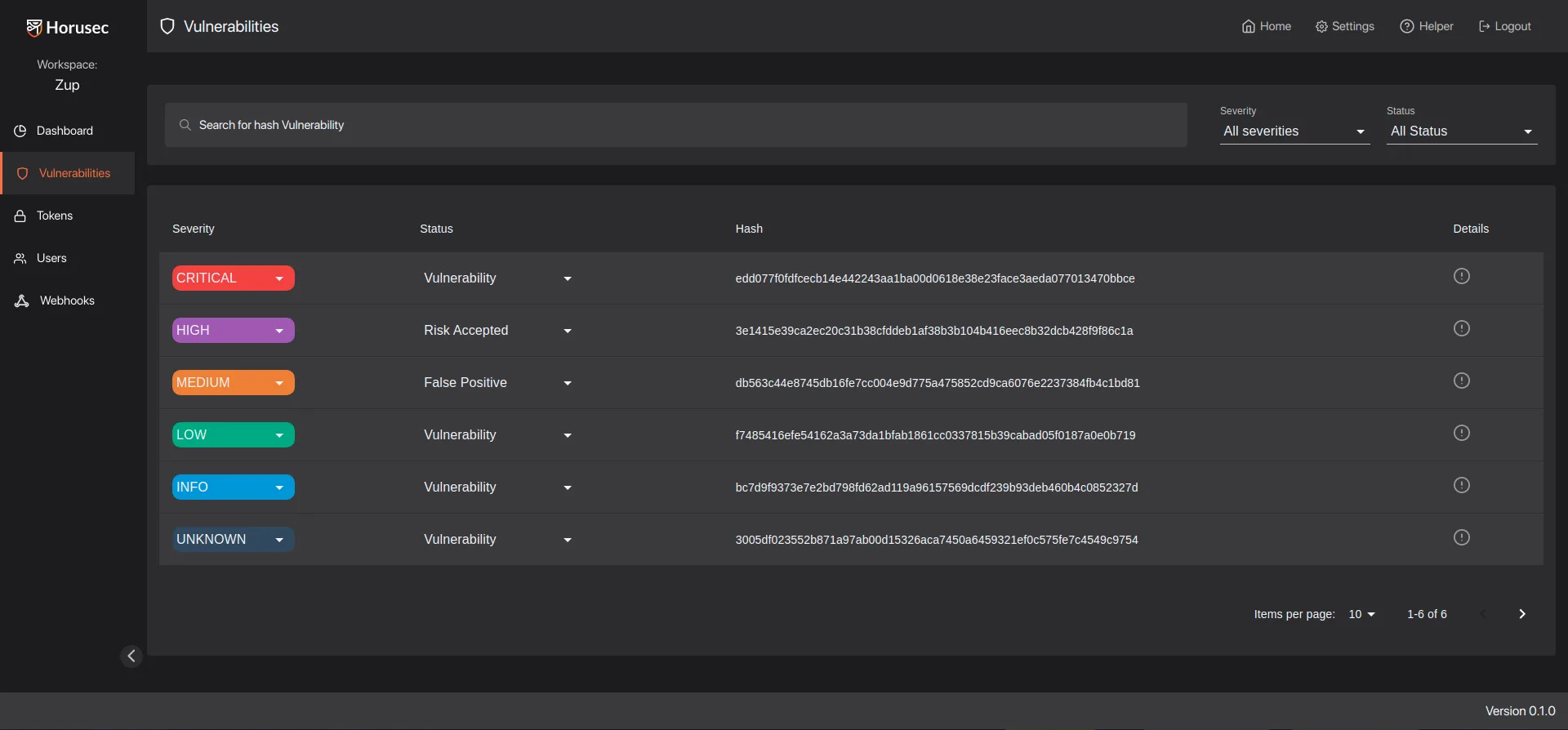
Horusec’s detection quality depends on the security tools it orchestrates. For Python, you get Bandit’s detection capabilities.
For Ruby, Brakeman’s. The value is in unified reporting and management, not deeper analysis than individual tools provide.
Horusec maintenance status (2026)
Horusec’s release cadence has stalled. The most recent tagged release on github.com/ZupIT/horusec is v2.8.0 from June 2022, and the latest commits on the default branch date to August 2023. The project is still public, the Apache 2.0 license still applies, and the existing analyzers continue to work — but with no release in roughly four years, the practical recommendation for new SAST programs in 2026 is to treat Horusec as maintenance mode, not actively developed.
Two implications: first, expect the bundled analyzer versions (Bandit, Brakeman, GoSec, ESLint security) to lag behind upstream releases; running each scanner standalone catches newer rule packs sooner. Second, if you need vendor-backed support or steady rule updates, evaluate Semgrep Pro, Trivy for the polyglot use case, or Bearer for data-flow-aware secrets and PII detection. Horusec is still useful as a one-command unified scan for Apache-2.0-only environments, but factor the slowdown into procurement.
What are alternatives to Horusec?
For teams comparing polyglot SAST orchestrators or OSS scanners with active maintenance, the closest substitutes for Horusec are:
- Semgrep — rule-driven SAST with a 2,000+ community rule registry, weekly releases, and free + Pro tiers; preferred when you want the orchestration model with steady upstream rule updates.
- Trivy (Aqua Security) — open-source scanner that covers SAST patterns, IaC, container images, and SBOMs; chosen when you want one binary spanning multiple security categories.
- Bearer — open-source SAST focused on data-flow analysis for sensitive data and PII; a fit when secrets and data leakage are higher priority than generic CWE coverage.
- Snyk Code — commercial SAST with the DeepCode AI engine and free tier; chosen when you want active vendor support and IDE-native fix suggestions over a polyglot OSS aggregator.
Browse the SAST tools hub for the full active set, or jump to open-source SAST tools for the OSS-only shortlist.
How do I get started with Horusec?
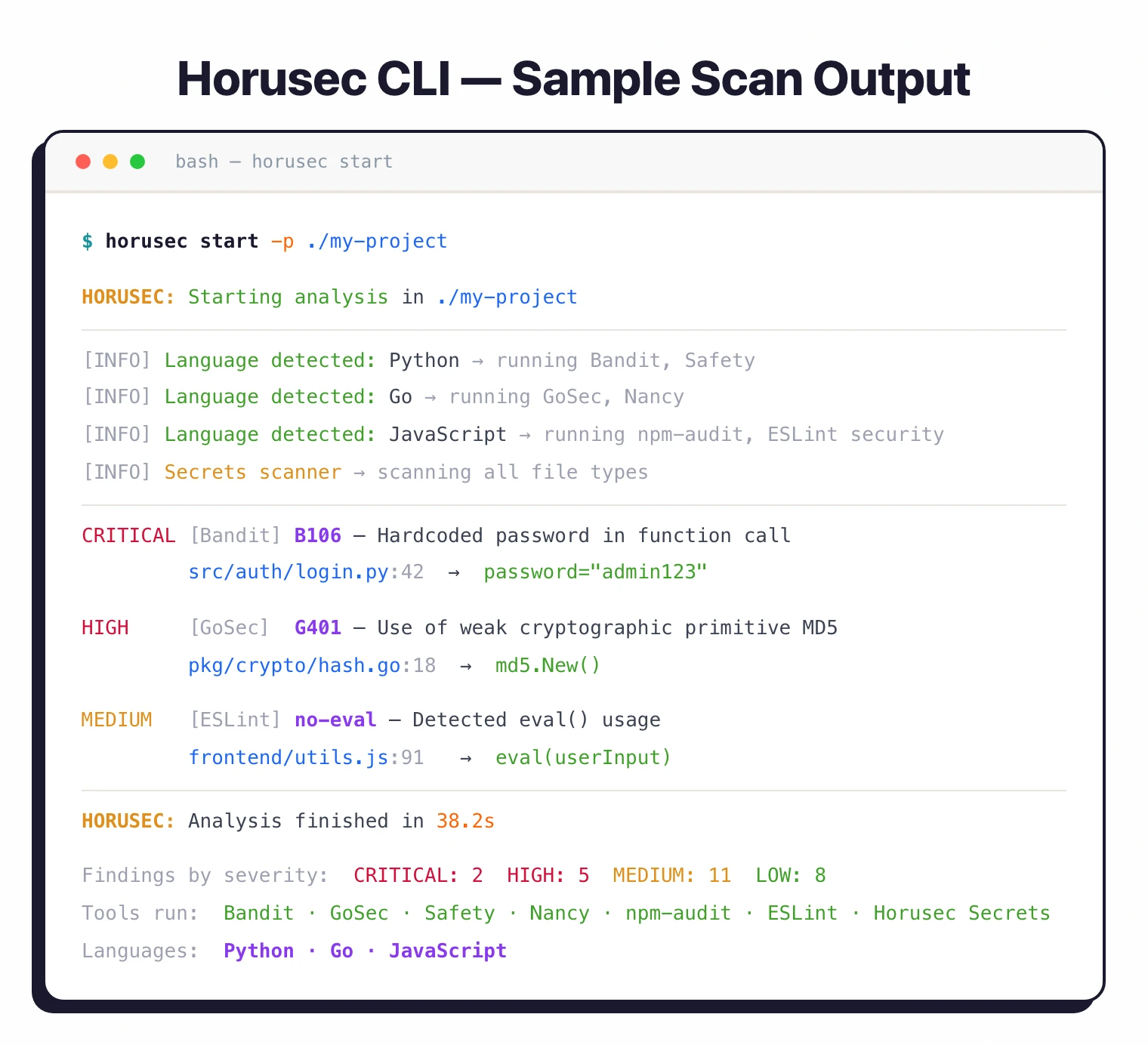
Install the CLI with brew install horusec on macOS, or run the Linux install script: curl -fsSL https://raw.githubusercontent.com/ZupIT/horusec/main/deployments/scripts/install.sh | bash. Then run horusec start in your project directory — it auto-detects languages and runs the appropriate scanners.
Results display in the terminal with severity levels; use -o json or -o sarif for machine-readable output. For team use, deploy Horusec Manager with Docker Compose from the horusec-operator repository.
When to use Horusec
Horusec is a good fit for teams with multi-language codebases that want a single scanning command instead of managing multiple tools individually. The Apache 2.0 license makes it suitable for any organization.
For single-language projects, the specialized underlying tools (Bandit, Brakeman, etc.) may be more appropriate run directly. For commercial support and deeper analysis, consider Checkmarx or Semgrep .