


Graudit is a lightweight SAST tool built on grep and POSIX regular expressions. It scans codebases for security vulnerabilities using signature databases that match dangerous function calls and insecure patterns.
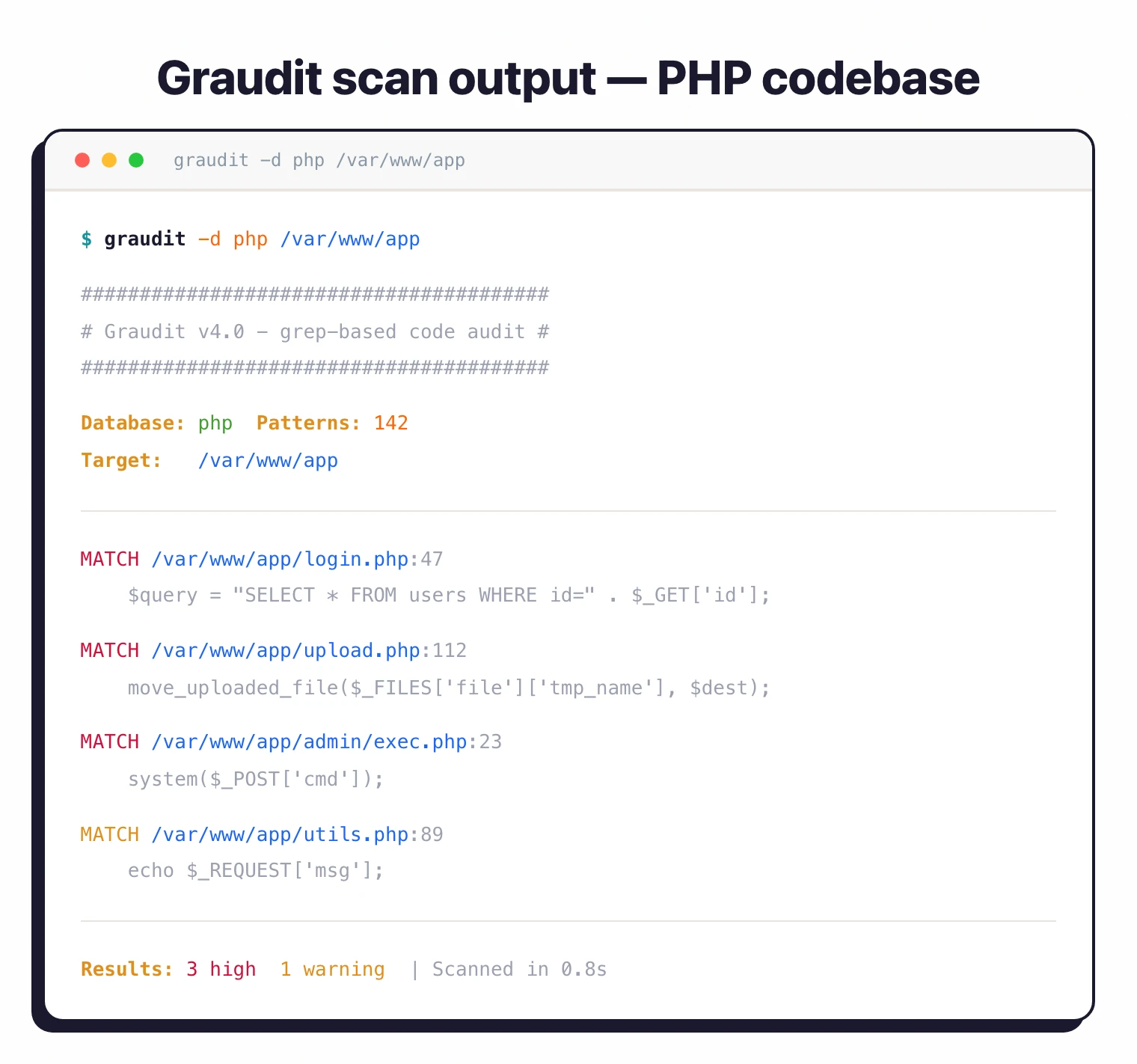
A long-standing community-maintained scanner, Graudit has earned its place as a reconnaissance tool for security researchers. It is included by default in Kali Linux.
What is Graudit?
Graudit takes a simple approach to source code static analysis: rule-based pattern matching with grep. It runs on any POSIX system without compilation or setup, requires only standard utilities (grep, sed, awk, bash), and processes large codebases at near-disk speed.
The tool ships with 26+ signature databases for common web languages. Security researchers can create and modify rules using familiar regular expression syntax — each database is a plain-text list of patterns that flag dangerous function calls (eval, system, exec), known weak crypto APIs, and credential-shaped strings. The trade-off is depth: Graudit treats source as text, so it cannot perform taint analysis on proprietary code, track variable bindings, or follow data flow across function boundaries the way semantic analyzers do. That makes it a fast triage layer, not a primary CI gate.
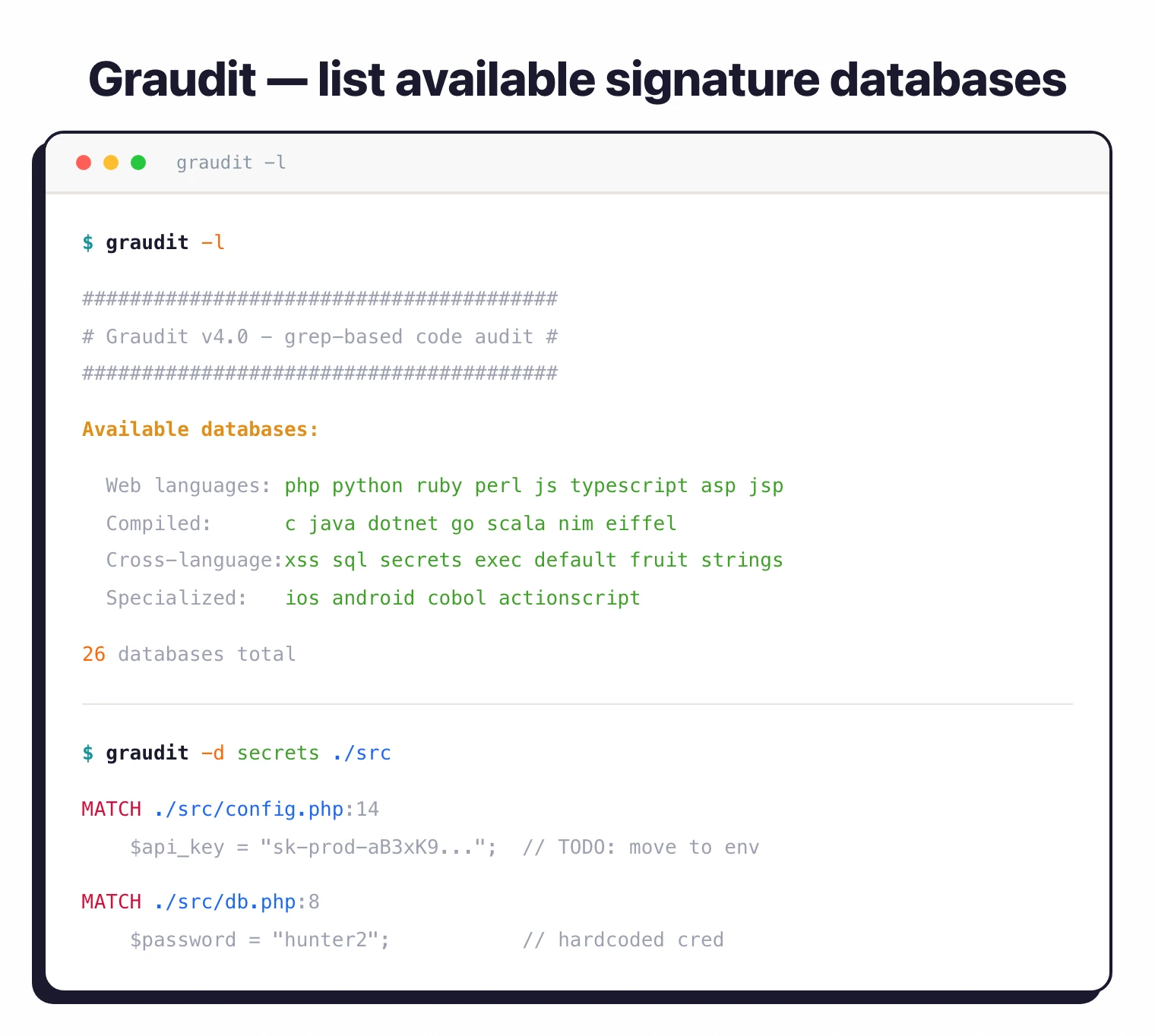
Graudit ships 26 curated signature databases for PHP, Python, Java, C, Ruby, JavaScript, Perl, ASP, and more. Each database targets language-specific security issues like SQL injection, XSS, and command execution.
The only requirement is standard POSIX utilities available on any Unix-like system. There are no package managers, no compilation, and no runtime environments to set up — you copy the script onto your $PATH and scan.
What are Graudit’s key features?
| Feature | Details |
|---|---|
| Signature databases | 26 language/pattern databases |
| Detection method | POSIX extended regular expressions via grep |
| Dependencies | Standard POSIX utilities (grep, sed, awk, bash) |
| Installation | git clone, apt (Kali Linux), brew (macOS), make install |
| Output modes | Color, colorblind (-b), vim-friendly (-L), no-banner (-B) |
| Latest version | v4.0 (December 2025) |
| License | GPL-3.0 |
| GitHub stars | 1,700+ |
Signature databases
All 26 databases included with Graudit:
| Category | Databases |
|---|---|
| Web languages | php, python, ruby, perl, js, typescript, asp |
| Compiled languages | c, java, dotnet, go, scala, eiffel, nim |
| Legacy/specialized | cobol, actionscript, ios, android |
| Cross-language patterns | xss, sql, spsqli, secrets, strings, exec, default, fruit |
How do I get started with Graudit?
Clone the repo with git clone https://github.com/wireghoul/graudit.git, or install via apt install graudit on Kali Linux or brew install graudit on macOS. To scan, run graudit -d php /path/to/project against a specific language database, and use -l to list the available databases.
Graudit shows matches with file paths and line numbers. Add -A 3 for context lines around each match, or -B for machine-readable output.
Custom rules are plain text: create a file with one regex pattern per line and point Graudit at it with graudit -d /path/to/custom.db /path/to/project.
Graudit vs modern SAST tools
Graudit’s regex-database approach is fundamentally different from modern dataflow-based scanners, and the right framing matters when you compare them.
Semgrep
runs on an abstract syntax tree (AST), so a Semgrep rule for eval() understands the code structure around the call — variable bindings, function boundaries, and import context. Graudit treats the same line as text and matches on the regex eval\s*\(. Semgrep produces fewer false positives but takes longer to run; Graudit is near-instant but flags every textual occurrence including comments and strings.
Snyk Code and GitHub CodeQL go further — they perform interprocedural taint analysis that traces tainted input from a source (HTTP parameter) to a sink (SQL query) across function boundaries and files. That class of finding is impossible to express in a Graudit signature, because the relevant code patterns aren’t on adjacent lines.
The honest framing for Graudit in 2026: a recon-grade source code static analysis scanner. Use it for fast first-pass auditing of unfamiliar codebases, signature-driven secret hunts, or environments where installing a runtime is impossible. For CI gates and false-positive-sensitive workflows, pair it with a semantic analyzer or replace it with one outright.
When to use Graudit
Graudit works best as a fast first-pass scanner for security researchers auditing unfamiliar codebases. It catches common vulnerabilities without any setup overhead.
For production security programs, pair Graudit with semantic analysis tools like Semgrep or CodeQL that understand code structure and can track data flow.
Graudit pricing and licensing
Graudit is free and open source under the GPL-3.0 license. There is no paid tier, no SaaS layer, and no commercial fork: you clone github.com/wireghoul/graudit
, drop the graudit shell script onto your $PATH, and start scanning. The signature databases ship inside the repo as plain .db files, which keeps the scanner self-contained and easy to audit.
Because the tool is grep-driven and dependency-free, deployment is trivial in air-gapped or container-restricted environments. Most teams treat Graudit as a complementary recon tool alongside a primary SAST scanner, not as a paid replacement for one.