


Escape is an API-native DAST platform built for teams that ship REST and GraphQL APIs.
It runs 140+ security tests with a focus on business logic flaws — the BOLA, IDOR, and access control bugs that traditional web scanners were never designed to catch.
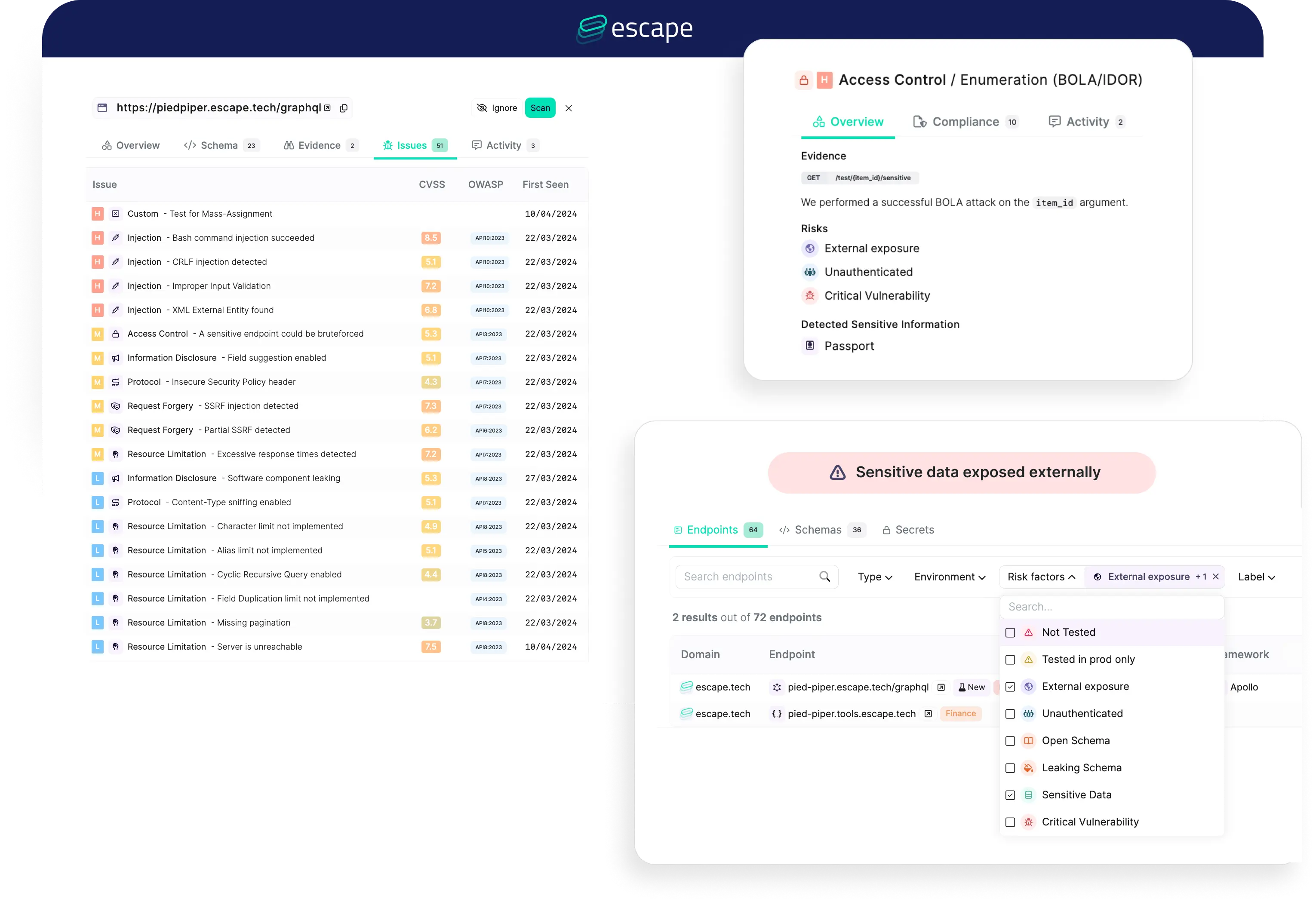
The platform is agentless. No traffic monitoring, no proxy setup.
Point it at your API schema or let it crawl, and it generates intelligent attack payloads using AI.
Founded in 2020 and Y Combinator backed. SOC 2 Type II compliant, used by 2,000+ security teams.
Key features at a glance
| Feature | Detail |
|---|---|
| Attack Scenarios | 140+ covering injection, auth, access control, data exposure |
| API Support | REST, GraphQL (native), gRPC |
| Authentication | OAuth 2.0, AWS Cognito, Basic, Digest, JWT, browser-based, MFA |
| CI/CD Integrations | GitHub Actions, GitLab CI, Jenkins, Azure DevOps, Bitbucket, CircleCI |
| Scan Mode | Agentless — no agents, no traffic monitoring |
| Compliance Reports | OWASP Top 10, SOC 2, PCI-DSS |
| Open Source | GraphQL Armor (100,000+ weekly npm downloads) |
| Deployment | Cloud SaaS, private locations with mTLS support |
| Incremental Scanning | Yes — tests only changed endpoints in CI/CD |
What is Escape?
Most DAST tools started as web crawlers that send payloads to HTML forms. Escape took a different path — it was built from day one for APIs.
The scanner reads your OpenAPI spec or GraphQL schema and generates test cases that understand your API’s data model.
Instead of blindly fuzzing parameters, it reasons about what should and shouldn’t be allowed, then crafts requests to check those assumptions.
This matters most for authorization testing. BOLA (Broken Object Level Authorization) sits at #1 on OWASP’s API Security Top 10, and it’s the kind of bug that generic scanners consistently fail to find.
Escape creates multiple user sessions, generates resources as one user, and tries to access them as another.
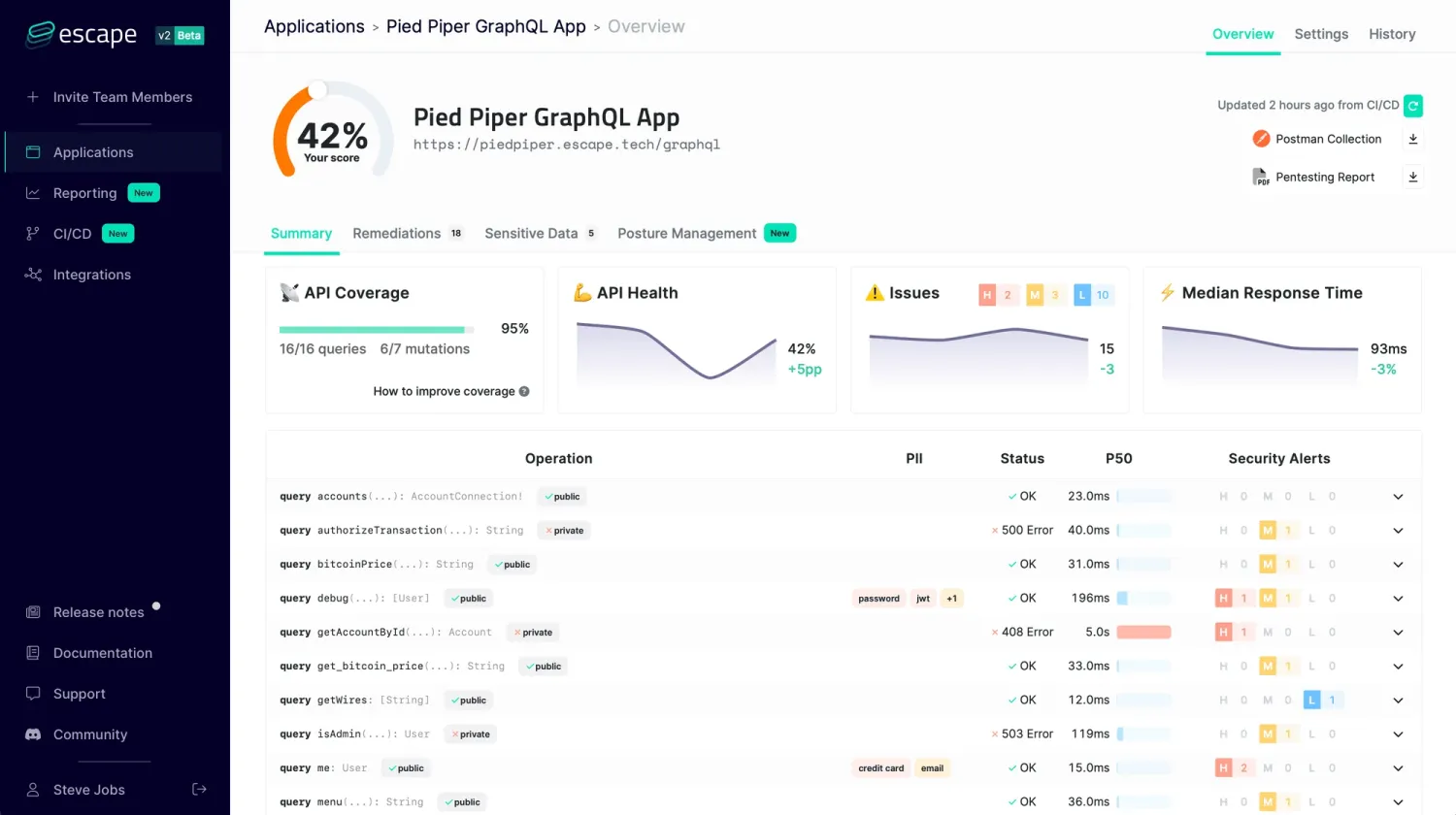
Escape’s BLST engine goes beyond signature-based detection. It identifies resources that should be isolated between users, operations that should require elevated privileges, and data that should be filtered by ownership.
These tests need context about how the API works, which Escape builds from schemas and observed behavior.
| Capability | Details |
|---|---|
| BOLA & IDOR Detection | Creates resources as one user, attempts access as another. Catches the authorization flaws that top OWASP’s API Security Top 10 and that traditional scanners consistently miss. |
| Native GraphQL Testing | Introspects schemas, generates type-aware payloads, tests nested resolver authorization. Detects batching attacks, query complexity abuse, and introspection leaks. |
| AI-Powered Payloads | Uses AI to generate realistic test inputs based on field types, schema constraints, and observed response patterns. Finds edge cases that template-based fuzzing overlooks. |
GraphQL security
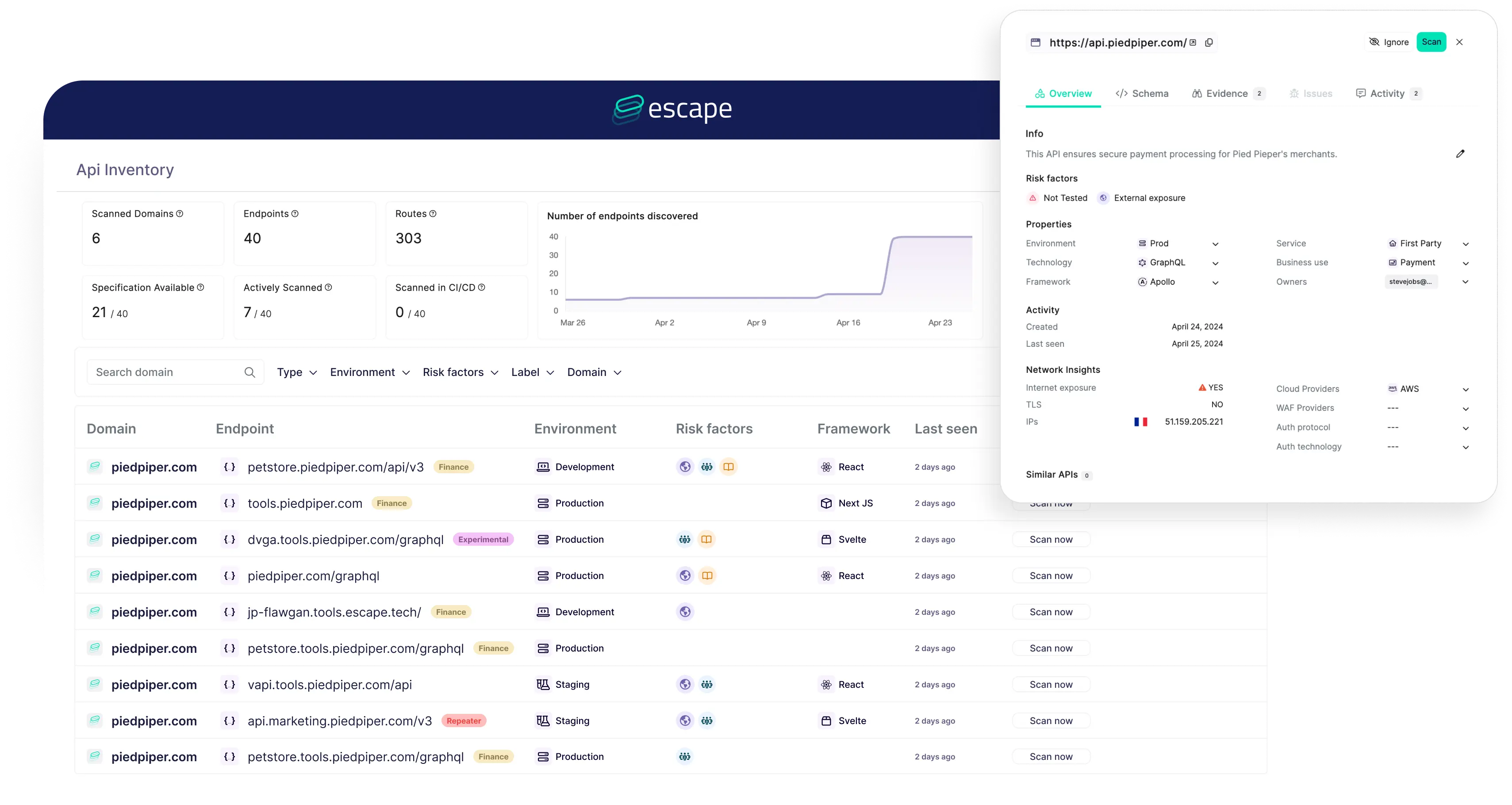
Escape has the strongest GraphQL support in the DAST market.
Rather than wrapping GraphQL requests in HTTP-level tests, the scanner understands the query language natively.
It introspects schemas to discover all queries and mutations. It generates type-aware test payloads.
It tests nested resolver authorization, where permissions on a parent object don’t always cascade to child resolvers. It detects batching attacks and query complexity issues that can lead to denial of service.
The open-source GraphQL Armor middleware (100,000+ weekly npm downloads) protects GraphQL APIs against these same attack classes in production.
Authentication handling
Modern APIs use complex auth flows.
Escape handles OAuth 2.0 (authorization code, client credentials, ROPC), AWS Cognito, JWT refresh and rotation, Basic and Digest auth, browser-based flows, and even MFA/captcha scenarios.
The OWASP API Security Top 10 lists Broken Authentication (API2) alongside Broken Object Level Authorization (API1) as the two most critical API risks, and Escape’s multi-user session testing directly targets both.
Multi-user testing is built in. Define two or more user roles with different permission levels and Escape automatically tests authorization boundaries between them.
How to use Escape
- Set up credentials — Sign up at escape.tech, get your API key, and set it as
ESCAPE_API_KEYenvironment variable. - Connect your API — Provide an OpenAPI/GraphQL schema URL, or let Escape’s agentic crawler discover endpoints automatically.
- Define user roles — Set up at least two user sessions with different permission levels for BOLA/IDOR testing.
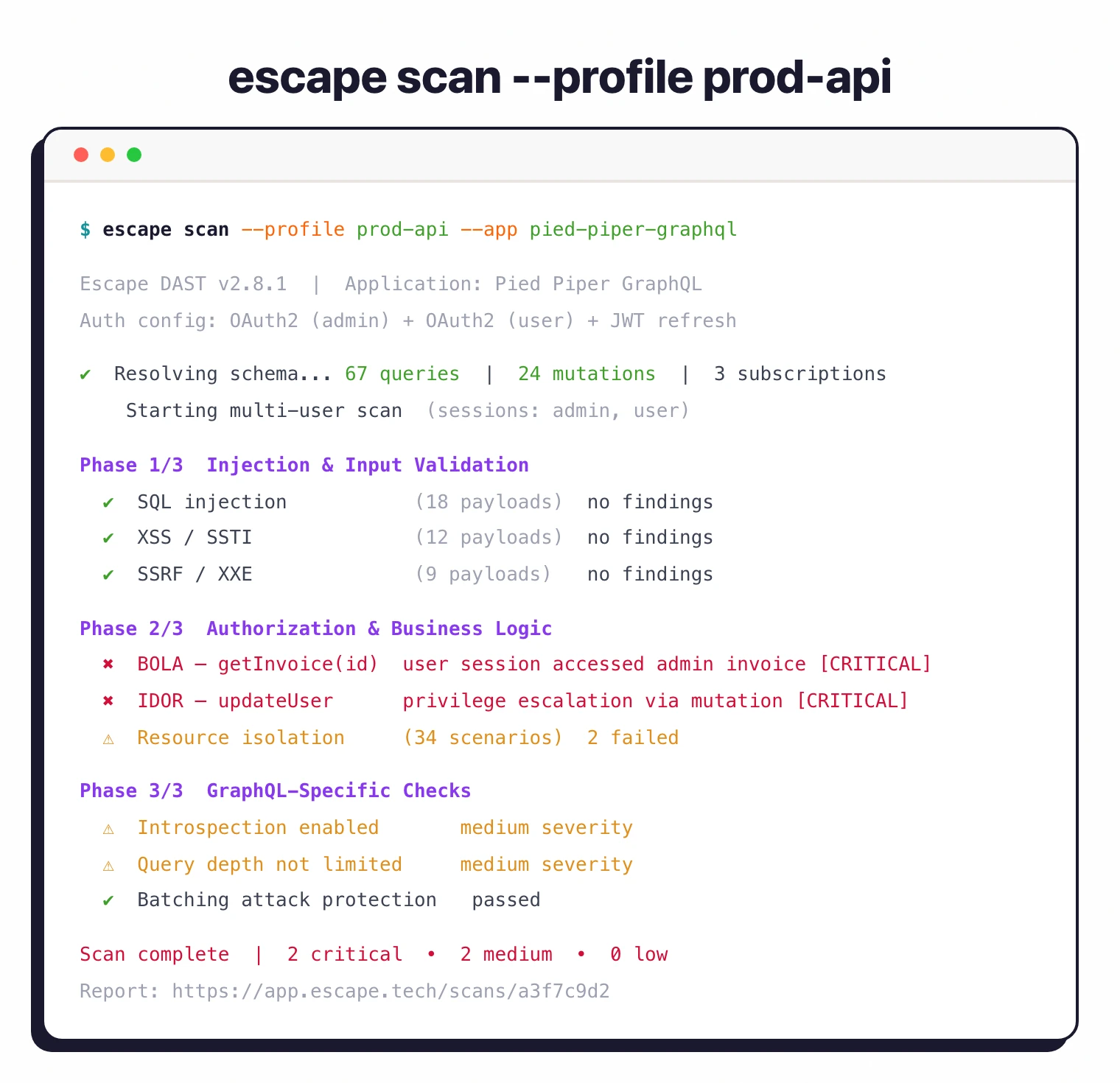
- Run your first scan — Trigger a scan from the Escape dashboard or via the CI/CD integration, then review findings in the dashboard.
CI/CD integration
# GitHub Actions
name: API Security
on: [push, pull_request]

jobs:
  security-scan:
    runs-on: ubuntu-latest
    steps:
      - uses: actions/checkout@v4
      - name: Run Escape scan
        uses: Escape-Technologies/action@v0
        with:
          api_key: ${{ secrets.ESCAPE_API_KEY }}
          profile_id: ${{ secrets.ESCAPE_PROFILE_ID }}
Escape also supports incremental scanning in CI — it tests only endpoints that changed in the PR, which keeps scan times short without sacrificing coverage.
What does Escape integrate with?
These integrations are how I connect Escape into a broader CI/CD security workflow — alongside siblings in the DAST tools landscape like StackHawk , with results pushed to Jira and Slack so triage stays where developers already work.
 GitHub Actions
 GitLab CI
 Bitbucket
 Jenkins
 Azure DevOps
 CircleCI
 Jira
Jira Slack
Slack Datadog
When to use Escape
Escape is the right pick for teams building API-first applications — especially if you run GraphQL.
The BOLA/IDOR detection is a genuine differentiator over traditional DAST tools that focus on injection and XSS.
Good fit when you need:
- Authorization and business logic testing for REST or GraphQL APIs
- Native GraphQL scanning (not HTTP-level proxying)
- BOLA/IDOR detection with multi-user session testing
- Fast CI/CD scanning with incremental mode
- Agentless deployment with no traffic monitoring required
If your stack is mostly traditional server-rendered web apps, a general-purpose DAST like Burp Suite or Invicti will cover more ground.
For teams that want free CI/CD scanning as a baseline, Dastardly pairs well alongside Escape.
Our what is DAST guide explains how dynamic testing fits into a broader AppSec strategy.
Escape fills a gap for API-heavy architectures where traditional scanners come up short.
How much does Escape cost?
Escape does not publish list prices on escape.tech. Paid plans are quoted by sales after a scoping conversation, so budget figures only become firm once you reach the proposal stage.
What drives cost is straightforward: the number of applications under scan, the depth of the testing scope (REST + GraphQL + agentic crawling), and whether you need private locations with mTLS for internal APIs. There is a self-serve free tier that lets you scan a single API to evaluate the platform, plus the open-source GraphQL Armor middleware (100,000+ weekly npm downloads) at no cost.
I treat Escape as a mid-market platform — it sits in the same price band as Bright Security rather than near budget scanners. If you need a published-price option in the DAST tools landscape , StackHawk is the most procurement-friendly alternative.
What are alternatives to Escape?
If Escape’s API-first scope or pricing posture does not fit, these are the alternatives I’d weigh in the DAST tools landscape :
- Invicti — Enterprise DAST with proof-based scanning that covers REST, SOAP, gRPC, and GraphQL alongside web app scanning. Better fit when you need a single platform for both APIs and traditional server-rendered web apps.
- Bright Security — Developer-first DAST with strong CI/CD integration and OpenAPI-driven test generation. Stronger choice when shift-left workflow ergonomics matter more than business-logic depth.
- StackHawk — CI-native DAST around the ZAP engine with API spec imports and PR-blocking gates. Best when engineering owns the security pipeline and your APIs are mostly REST.
- Burp Suite Professional — Per-user annual license — verify pricing on portswigger.net before budgeting. The pentester standard for manual API testing; pairs with Escape rather than fully replacing it.
- Akto — Open-source API security testing with traffic-based test generation. Worth evaluating when you want to start with free tooling and add a commercial layer later.