
37 Best DAST Tools for 2026 (by a 10-yr AppSec insider)
Independent ranking — no vendor pays to appear here. See methodology.
Over a decade in AppSec, DAST is the product I sold most. I compare 37 tools by use case — ZAP, Burp Suite, Invicti, InsightAppSec, Qualys.
At a glance
The best DAST tools in 2026: ZAP, Burp Suite, and Invicti, plus InsightAppSec, Qualys WAS, Veracode, and Fortify WebInspect for enterprise scale.
- Best free, open-source scanner (CI/CD): ZAP — Apache 2.0, official GitHub Actions, Docker, SARIF output
- Best for manual penetration testing: Burp Suite — intercepting proxy plus an active scanner and 3,000+ BApp extensions
- Best for proof-based scanning: Invicti — confirms exploitability before a finding reaches the queue (my former employer)
- Best for the Rapid7 stack: InsightAppSec — Universal Translator for SPAs and Attack Replay verification
- Best cloud-native scanning at scale: Qualys WAS — TruRisk scoring inside the Qualys Cloud Platform
- Best for unified SAST + DAST reporting: Veracode Dynamic Analysis — one platform, one dashboard
- Best for regulated and federal estates: Fortify WebInspect — scales to hundreds of apps (now OpenText)
How I picked: 37 DAST tools evaluated on crawl depth, SPA and API coverage, authentication handling, false-positive behavior, and CI/CD fit — using vendor documentation, public benchmarks, and G2 reviews. No vendor paid to appear, rank higher, or be excluded. Last reviewed June 2026.
Over a decade in application security, DAST was the product I sold and demoed most. I have walked buyers through nearly every scanner on this page and watched what each one actually does once it is pointed at a real application.
Selling in this market up close, you learn quickly where the demo ends and the product begins.
Today I am comparing 37 of them, free and commercial alike, by the job each one is best at: CI/CD scanning, manual pentesting, API testing, and enterprise compliance.
So which one do you actually need? It depends on what you are scanning and your budget. The goal is to match a tool to your stack, not a vendor’s roadmap.
So what are the best DAST tools in 2026? ZAP and Burp Suite anchor the free-to-pentest end: ZAP is the open-source standard for CI/CD, and Burp is the proxy every pentester reaches for.
Invicti leads on proof-based scanning that confirms exploitability before a finding hits triage. For enterprise-scale programs, InsightAppSec, Qualys WAS, Veracode, and Fortify WebInspect are the platforms I keep returning to.
First, what is DAST?
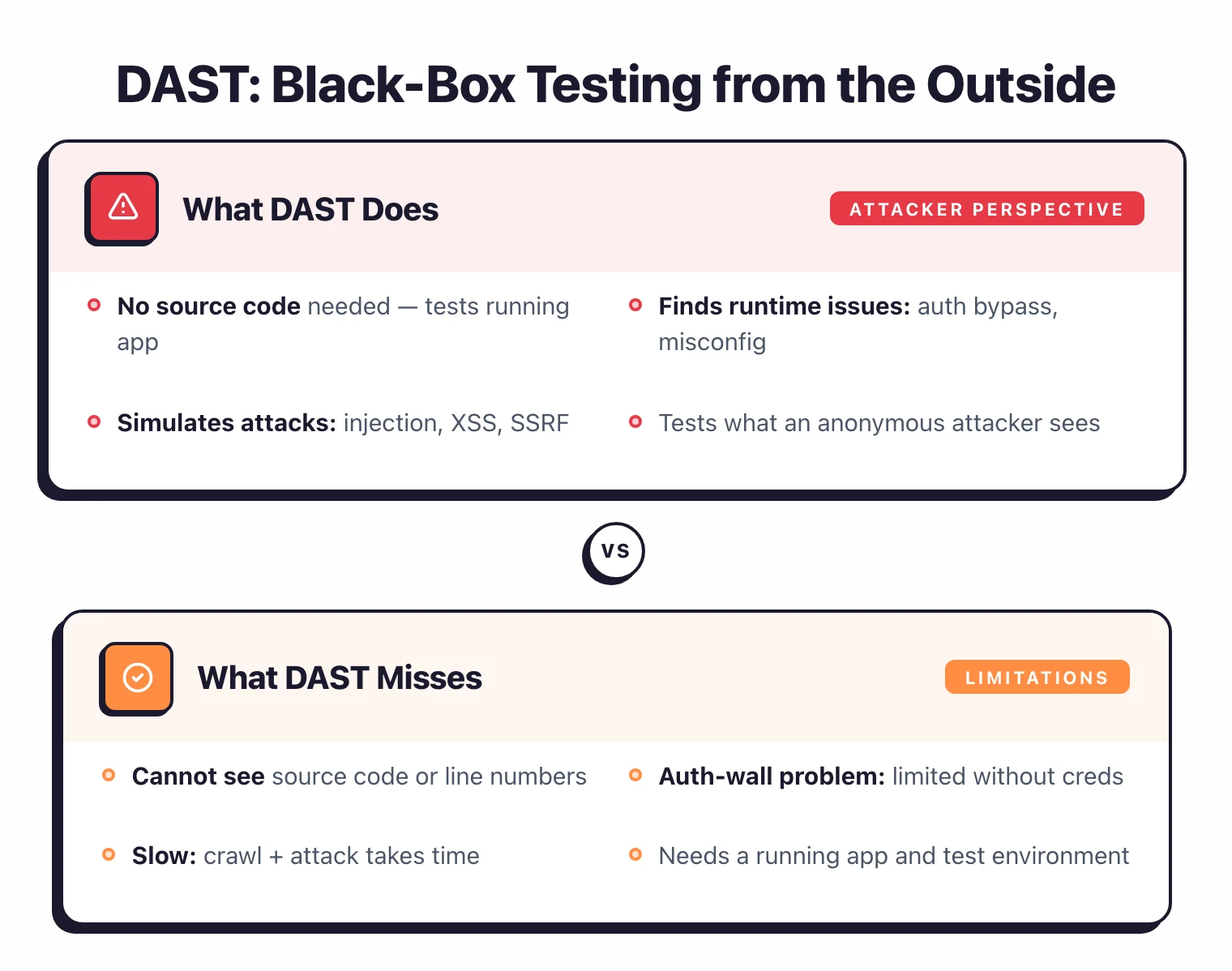
DAST is a black-box method that crawls and attacks your running web application from the outside, simulating a real attacker to find runtime flaws without touching source code. It is language-independent and catches misconfigurations, authentication flaws, and injection bugs that static analysis never sees.
It will not tell you the exact file and line where a bug lives, only what is broken, not where to fix it. For the full definition, see what is DAST .
Okay, enough preamble. Let’s get into my picks.
The 37 best DAST tools (2026)
Here is how all 37 active DAST tools compare at a glance, grouped by license — free and open-source, freemium, and commercial. Four older tools (Sentinel Dynamic, Probely, w3af, Arachni) have been discontinued, acquired, or archived and are listed separately.
| Tool | License | Standout |
|---|---|---|
| Free / Open Source | ||
| Darkmoon | Free (GPL-3.0) | Self-hosted AI pentesting with an MCP tool gatekeeper |
| Dastardly NEW | Free | Free CI/CD scanner from PortSwigger; Burp engine |
| Nikto | Free (OSS) | Fast web server scanner; 8,000+ checks; Kali default |
| Nuclei | Free (OSS) | 12,000+ community templates; ProjectDiscovery |
| Strix NEW | Free (OSS) | Autonomous AI agents pentest apps and validate exploits with real PoCs |
| Wapiti | Free (OSS) | Python black-box fuzzer; XSS/SQLi/XXE detection |
| ZAP (Zed Attack Proxy) | Free (OSS) | Most popular OSS DAST; now ZAP by Checkmarx |
| Freemium | ||
| Aikido | Freemium | All-in-one platform bundling DAST, SAST, SCA, IaC, and secrets (canonical home: ASPM) |
| Bright Security | Freemium | Developer-first; Docker client, HAR file import |
| Burp Suite | Freemium | Industry standard for pentesting; new Burp AI |
| Caido NEW | Freemium | Modern Burp alternative; Rust-based intercepting proxy, clean UI |
| ZeroThreat | Freemium | AI-powered DAST with automated pentesting and agentic workflows |
| Commercial | ||
| Acunetix | Commercial | Straightforward scanner; multi-platform (Linux, Mac, Windows, SaaS) |
| AppCheck | Commercial | Former internal pentest tool (SEC-1 / Claranet); tailor-made solutions |
| AppTrana | Commercial | Fully managed WAAP by Indusface with integrated DAST, WAF, and DDoS |
| Astra Security | Commercial | Automated scanner + managed pentest for SMBs; risk scoring |
| Beagle Security | Commercial | Non-technical user friendly; WordPress plugin |
| Black Duck Web Scanner | Commercial | Formerly Synopsys Web Scanner; now part of Black Duck Software |
| Checkmarx DAST NEW | Commercial | ZAP-powered engine + DAST Tunneling; ASPM correlation across SAST/SCA/IAST |
| Detectify | Commercial | Crowdsourced vulnerability intel; EASM |
| Escape NEW | Commercial | Business logic testing; BOLA/IDOR detection; API-native |
| Fluid Attacks | Commercial | Holistic DAST+SAST+SCA+PTaaS; AI-powered remediation |
| Fortify WebInspect | Commercial | Enterprise-level; scales to hundreds of apps (now OpenText) |
| GitLab DAST | GitLab Ultimate | Native GitLab CI/CD; browser-based SPA scanning |
| HCL AppScan (DAST) | Commercial | AppScan 360° platform; AI-assisted testing with FIPS 140-3 compliance |
| InsightAppSec | Commercial | Rapid7; Universal Translator, Attack Replay |
| Intruder | Commercial | Easy to start; monthly subscription + pentest services |
| Invicti | Commercial | Proof-based scanning; IAST + SCA; scales to thousands of apps |
| Offensive360 NEW | Commercial | Headless-Chromium DAST on the same air-gappable appliance as its SAST |
| Pentest Tools | Commercial | Suite of web vulnerability scanners and niche security tools |
| Qualys WAS | Commercial | Cloud-native; AI-powered scan optimization |
| RunSybil NEW | Commercial | AI pentest agent (Sybil); black-box testing of apps, APIs, and cloud |
| StackHawk | Commercial | Developer-first; built on ZAP; HawkAI API discovery |
| Syhunt Dynamic | Commercial | Multi-platform DAST in Syhunt security suite |
| Tenable Web App Scanning | Commercial | REST, GraphQL & SOAP API scanning; ASM integration |
| Trace NEW | Commercial | AI whitebox pentest; reads source, exploits on staging, certified sign-off |
| Veracode Dynamic Analysis | Commercial | Crashtest Security integrated; unified SAST + DAST platform |
| Discontinued / Acquired (4) | ||
| Probely ACQUIRED | Was Commercial | Acquired by Snyk (Nov 2024); now powers Snyk API & Web |
| Sentinel Dynamic RENAMED | Was Commercial | Formerly WhiteHat / NTT; acquired by Synopsys, now Black Duck Continuous Dynamic |
| w3af UNMAINTAINED | Open Source | Python web scanner; limited maintenance since 2020 |
| Arachni ARCHIVED | Open Source | Ruby web scanner; archived 2021, replaced by Ecsypno SCNR |
Below the table I go deep on twelve picks that cover the main jobs — CI/CD scanning, manual pentesting, API testing, and enterprise compliance. They are listed alphabetically, not by rank.
1. Acunetix — Best for fast, straightforward web scanning
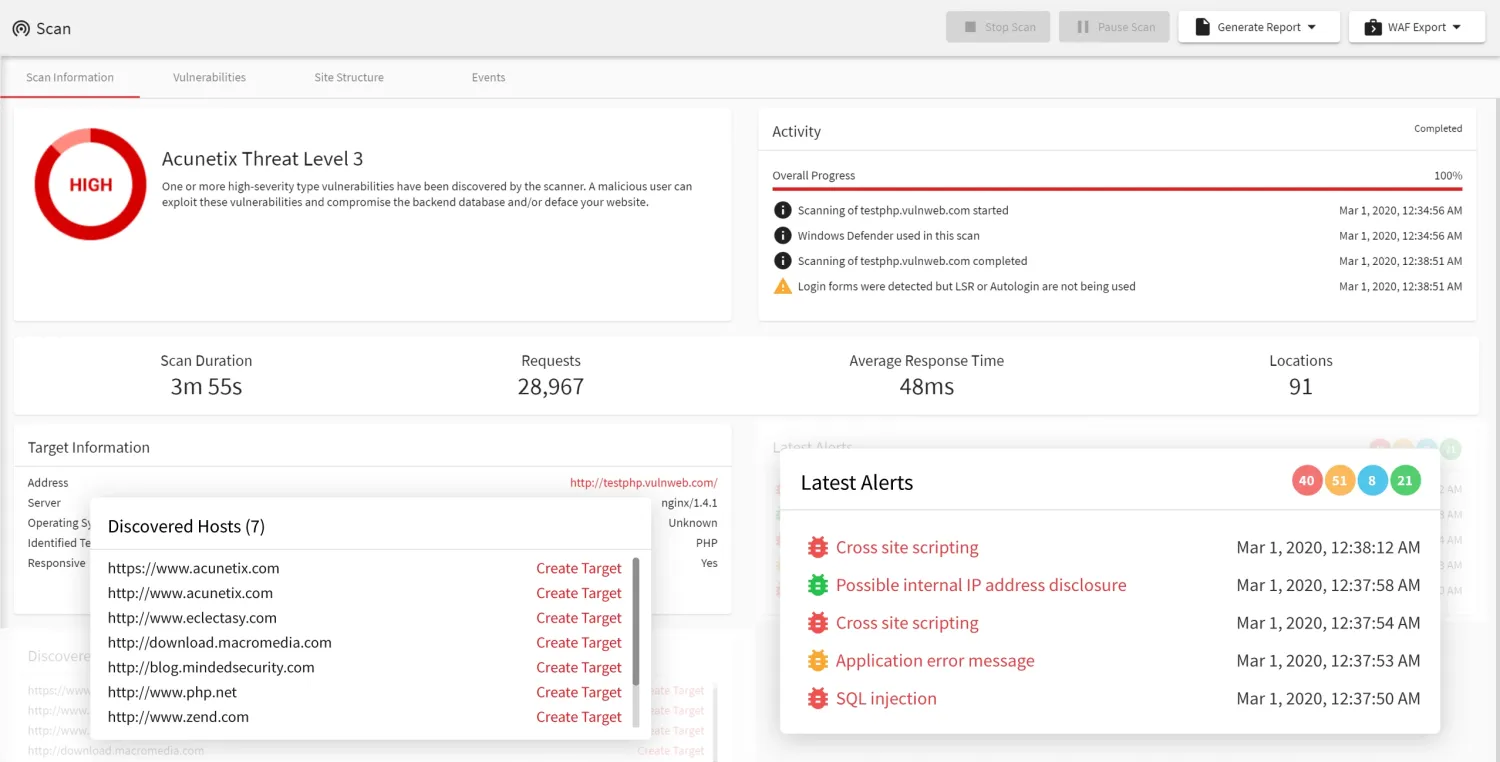
Acunetix is a proof-based DAST scanner that runs 7,000+ vulnerability checks against running web apps and APIs, confirming each finding by safely exploiting it before you triage. Its guided workflow suits teams without deep security expertise who want automated coverage without a steep learning curve.
There is no free tier, and licensing starts at a 5-target minimum on a 2-year subscription.
- License: Commercial
- Engine: C++ scanning engine with full Chromium-based SPA rendering and proof-based confirmation
- Deployment: Self-hosted, multi-platform, with a REST API for CI/CD pipelines
2. Bright Security — Best for developer-first DAST in CI/CD
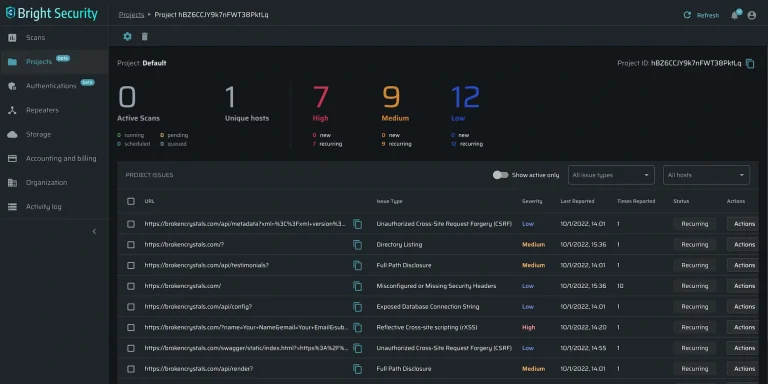
Bright Security (formerly NeuraLegion) is a developer-first DAST that runs from the CLI or Docker and surfaces findings inside pull requests. The vendor reports an AI validation loop holds false positives under 3%. Coverage spans the OWASP Top 10, API Top 10, and LLM Top 10.
It has no intercepting proxy or manual request manipulation, so hands-on pen testing still needs a tool like Burp Suite.
- License: Freemium
- Engine: Own crawler plus AI vulnerability validation
- Deployment: SaaS, Docker, CLI, Kubernetes (air-gapped capable)
3. Burp Suite — Best for manual penetration testing
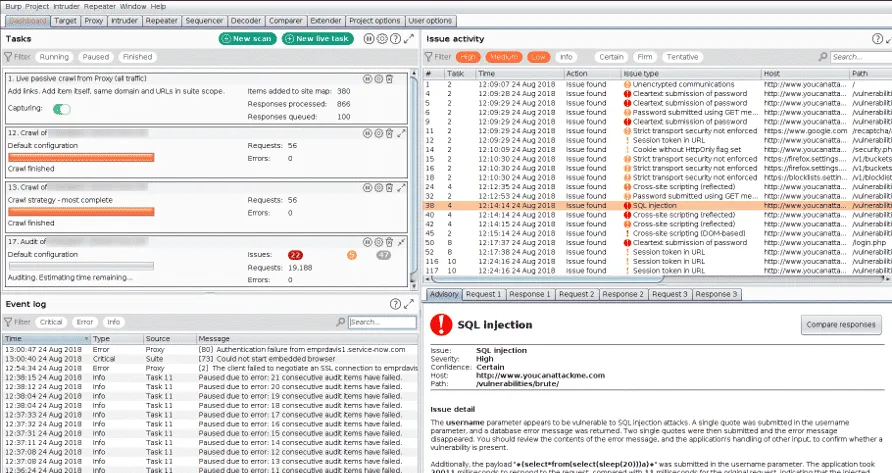
Burp Suite is the manual pentest proxy I reach for first: its intercepting proxy captures HTTP/HTTPS/WebSocket traffic, and Repeater and Intruder replay requests one at a time. The Pro tier ($499/year) adds an active scanner and 3,000+ BApp Store extensions for JWT and access-control testing.
The Pro edition is a desktop tool built for hands-on testers, not pipeline automation; that is what the separately-licensed DAST edition handles.
- License: Freemium (Community free; Professional $499/year)
- Engine: Intercepting proxy plus an active and passive scanner using PortSwigger’s research-backed detection engine
- Deployment: Desktop (Windows, macOS, Linux); DAST edition runs from Docker for CI/CD
- Pricing: Professional $499/user/year
4. Escape — Best for API and business-logic testing
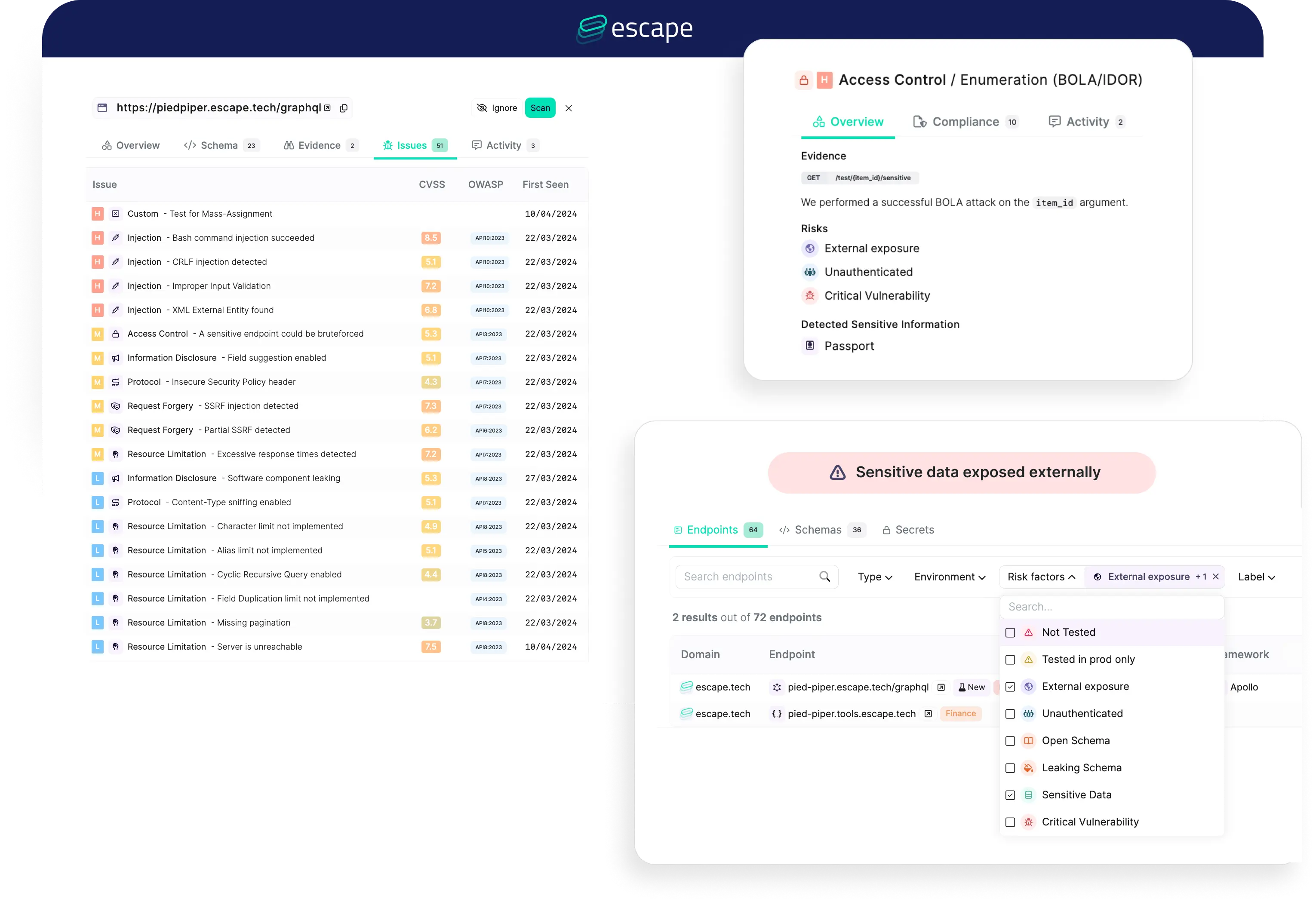
Escape is an API-native DAST scanner built for REST and GraphQL, running 140+ attack scenarios with a focus on BOLA, IDOR, and access-control flaws generic crawlers miss. It creates resources as one user, then probes whether another user can reach them.
For traditional server-rendered web apps, a general-purpose scanner like Burp Suite or Invicti covers more ground.
- License: Commercial (free tier for one API; GraphQL Armor middleware open-source)
- Engine: Own API-native scanner that reads OpenAPI/GraphQL schemas and uses AI to generate authorization-probing payloads
- Deployment: SaaS, with private locations and mTLS for internal APIs
5. Fortify WebInspect — Best for large enterprises scaling to hundreds of regulated apps
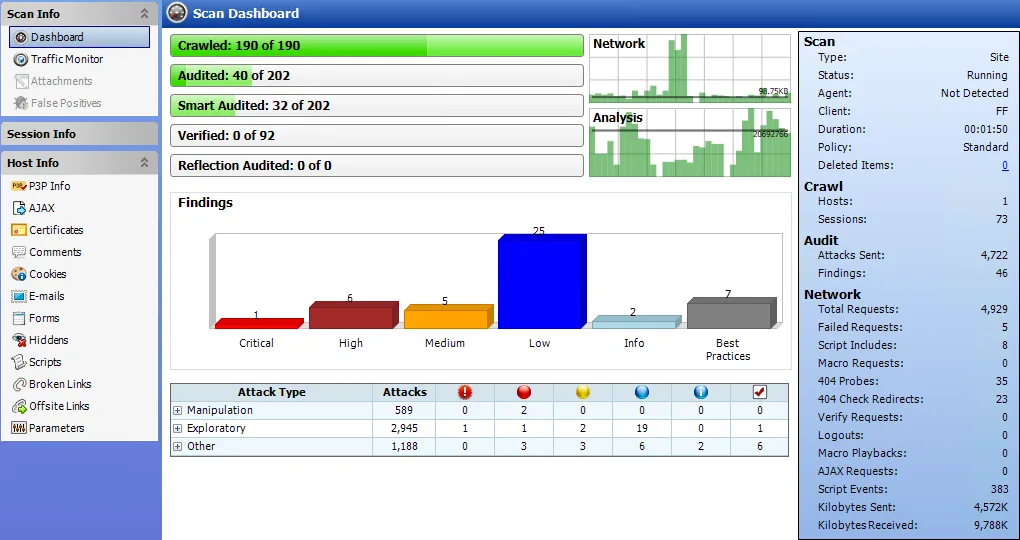
WebInspect is an enterprise compliance DAST scanner from OpenText that crawls and attacks running apps, mapping findings to pre-configured PCI DSS, NIST 800-53, HIPAA, and ISO 27K policies. Kubernetes-based horizontal scaling splits scans across containers, so it fits when you run hundreds of regulated apps and need on-premises deployment.
Setup is heavier than lighter scanners, and pricing is quote-only with no free tier.
- License: Commercial
- Engine: Own crawler/scanner with a Chromium-based JavaScript engine for SPA rendering
- Deployment: On-premises, SaaS (Fortify on Demand), or managed service
6. HCL AppScan — Best for regulated and federal enterprise DAST
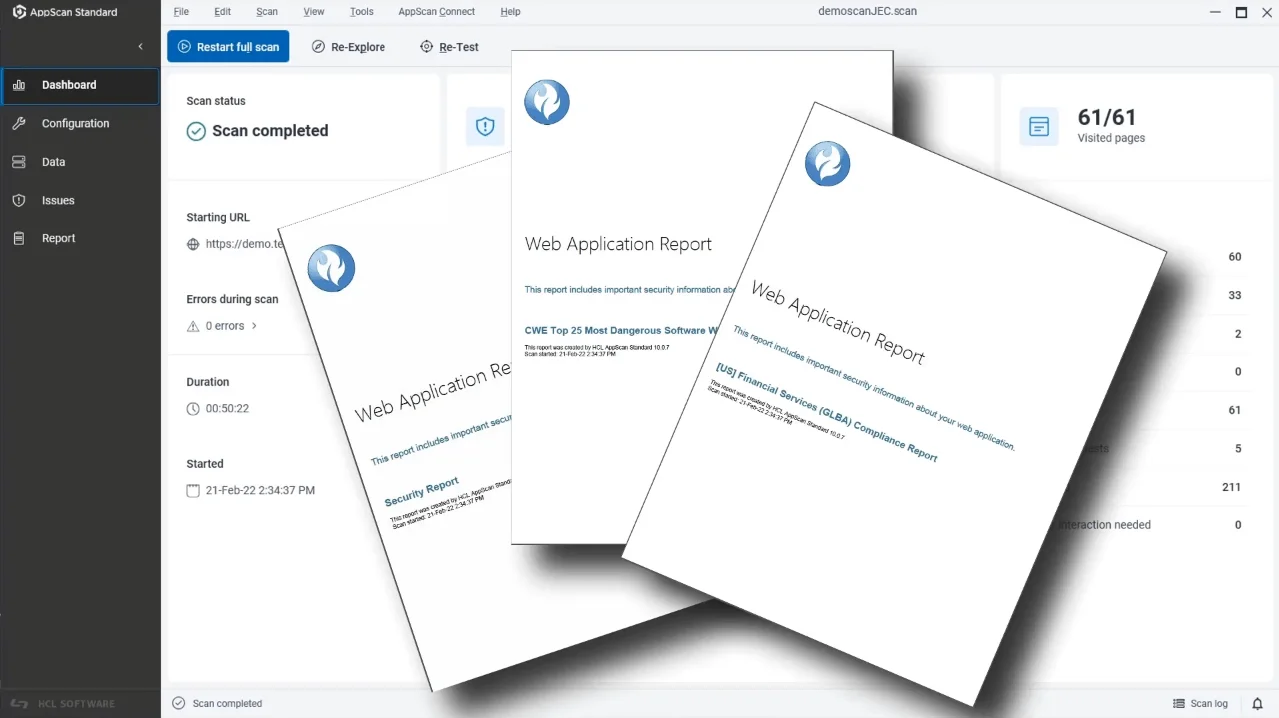
HCL AppScan DAST is the enterprise DAST scanner at the core of the AppScan 360° platform, inherited from IBM AppScan after HCL’s 2019 acquisition. Its FIPS 140-3 compliance and compliance-mapped reports for PCI DSS, HIPAA, GDPR, and SOC 2 make it one of few options cleared for US federal use.
HCL quotes licensing through sales rather than publishing prices, and it sits at upper-enterprise cost next to platforms like Invicti.
- License: Commercial
- Engine: Own crawler / black-box DAST within the AppScan 360° platform (DAST, SAST, IAST, SCA)
- Deployment: SaaS (AppScan on Cloud), on-premises (Standard/Enterprise), and hybrid via the Presence Docker agent
7. InsightAppSec — Best for Rapid7-stack teams wanting attack replay
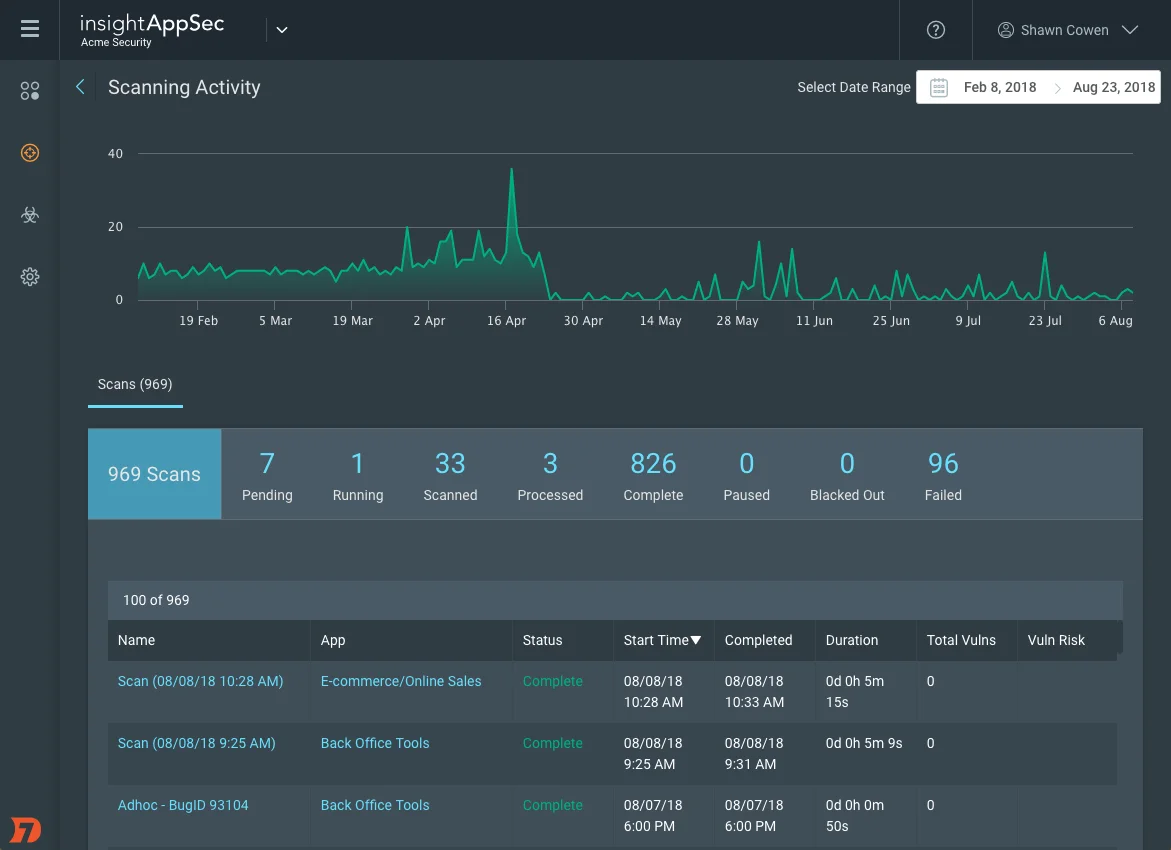
InsightAppSec is Rapid7’s developer-verification DAST: its Universal Translator normalizes React, Angular, and Vue traffic for crawling SPAs, and Attack Replay packages each finding with the triggering HTTP request, reproduction steps, and fix guidance so developers confirm bugs locally. If you already run the Rapid7 Insight platform, it fits.
Findings are not proof-validated, so teams optimizing for zero false positives should weigh proof-based scanners instead.
- License: Commercial
- Engine: Own crawler with Universal Translator (Chromium-based, JS-executing); 95+ attack types
- Deployment: SaaS cloud console plus optional on-premise scan engines (v7.5)
8. Invicti — Best for proof-based enterprise scanning
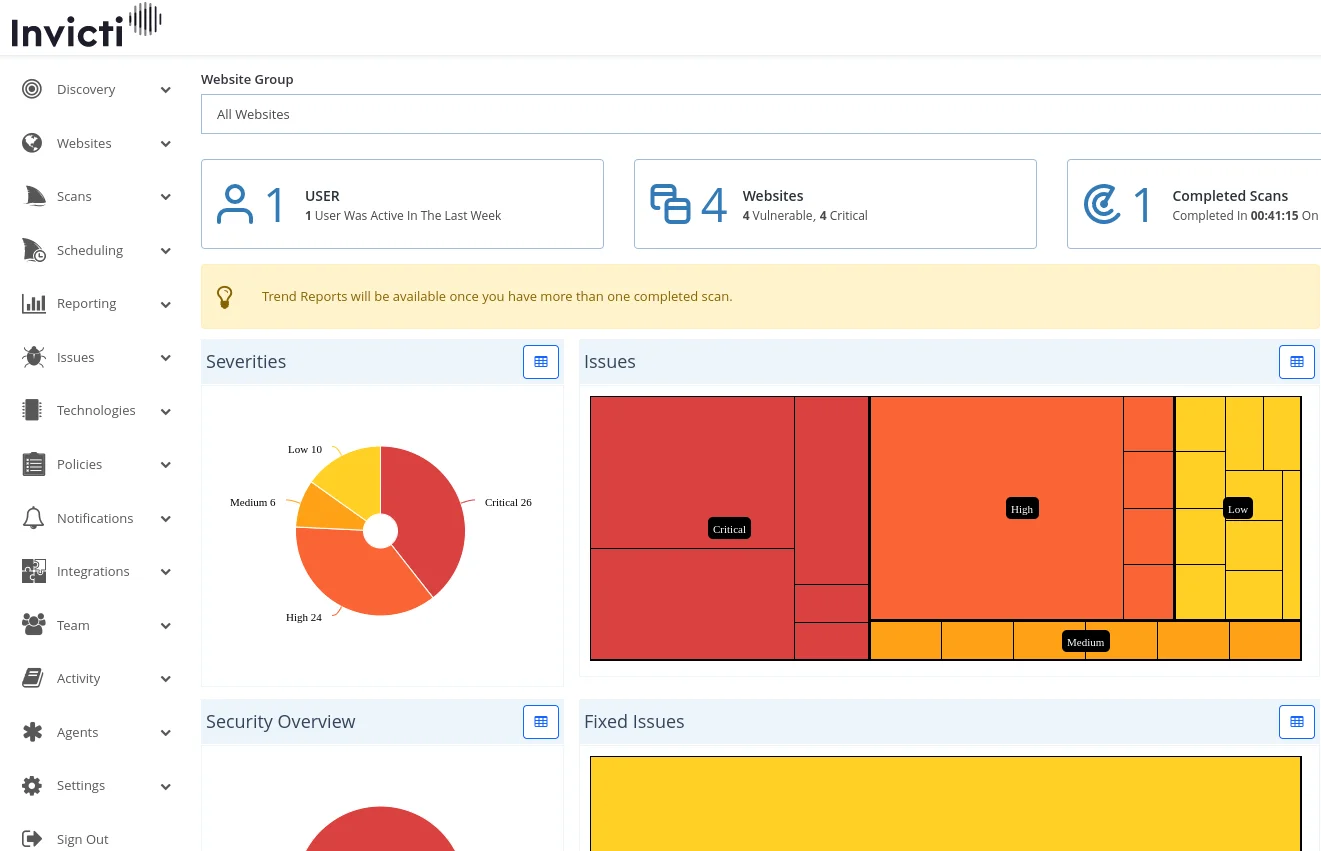
Invicti (my former employer) is a proof-based DAST scanner: when it flags a vulnerability, it safely exploits the finding and attaches a proof-of-exploit, which the vendor claims yields 99.98% accuracy. If DAST false positives are flooding triage, that auto-validation is the reason to look here.
Proof validation covers only the DAST engine, so the bundled SAST, SCA, and third-party findings still depend on those tools’ own accuracy.
- License: Commercial (enterprise-only, no free tier)
- Engine: Own proof-based DAST crawler (Chromium-rendered, 2,500 pages default up to 15,000)
- Deployment: SaaS (AWS US/EU), self-hosted on-premises (Windows/WSL), and air-gapped
9. Nuclei — Best for template-based CVE and misconfiguration scanning
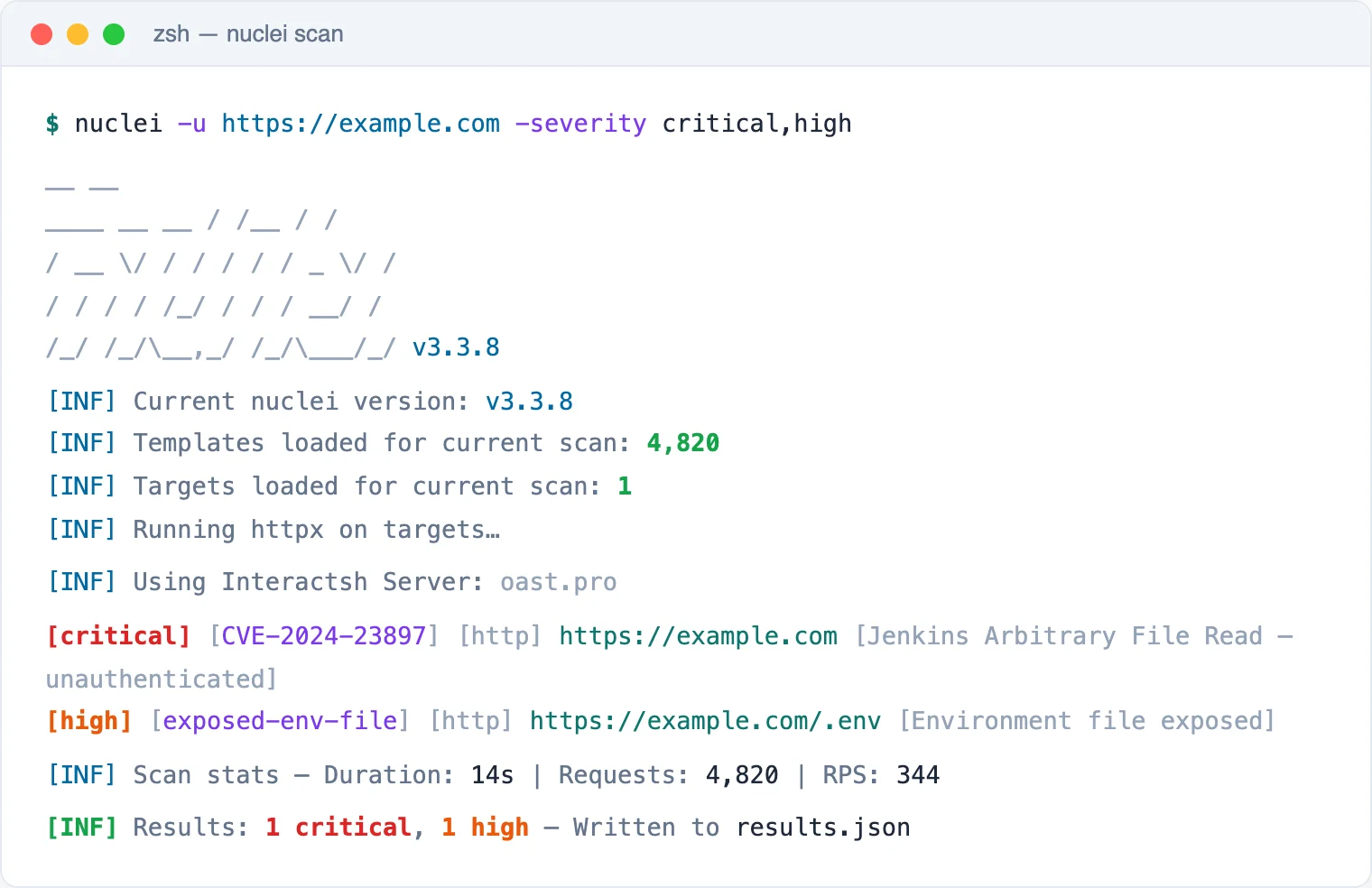
Nuclei is a template-based scanner from ProjectDiscovery that runs 12,000+ community YAML templates for CVEs, misconfigurations, exposures, and default credentials across HTTP, DNS, TCP, SSL, Websocket, and headless protocols. New CVE templates often land within hours of disclosure, so it fits checking many targets for known issues quickly.
It runs predefined checks rather than crawling, so it will not find custom application-logic flaws.
- License: MIT (open-source)
- Engine: Template-based scanner (YAML templates, multi-protocol)
- Deployment: Self-hosted CLI (Go binary or Docker), CI/CD pipelines, optional ProjectDiscovery Cloud
10. Qualys WAS — Best for cloud-native scanning at enterprise scale
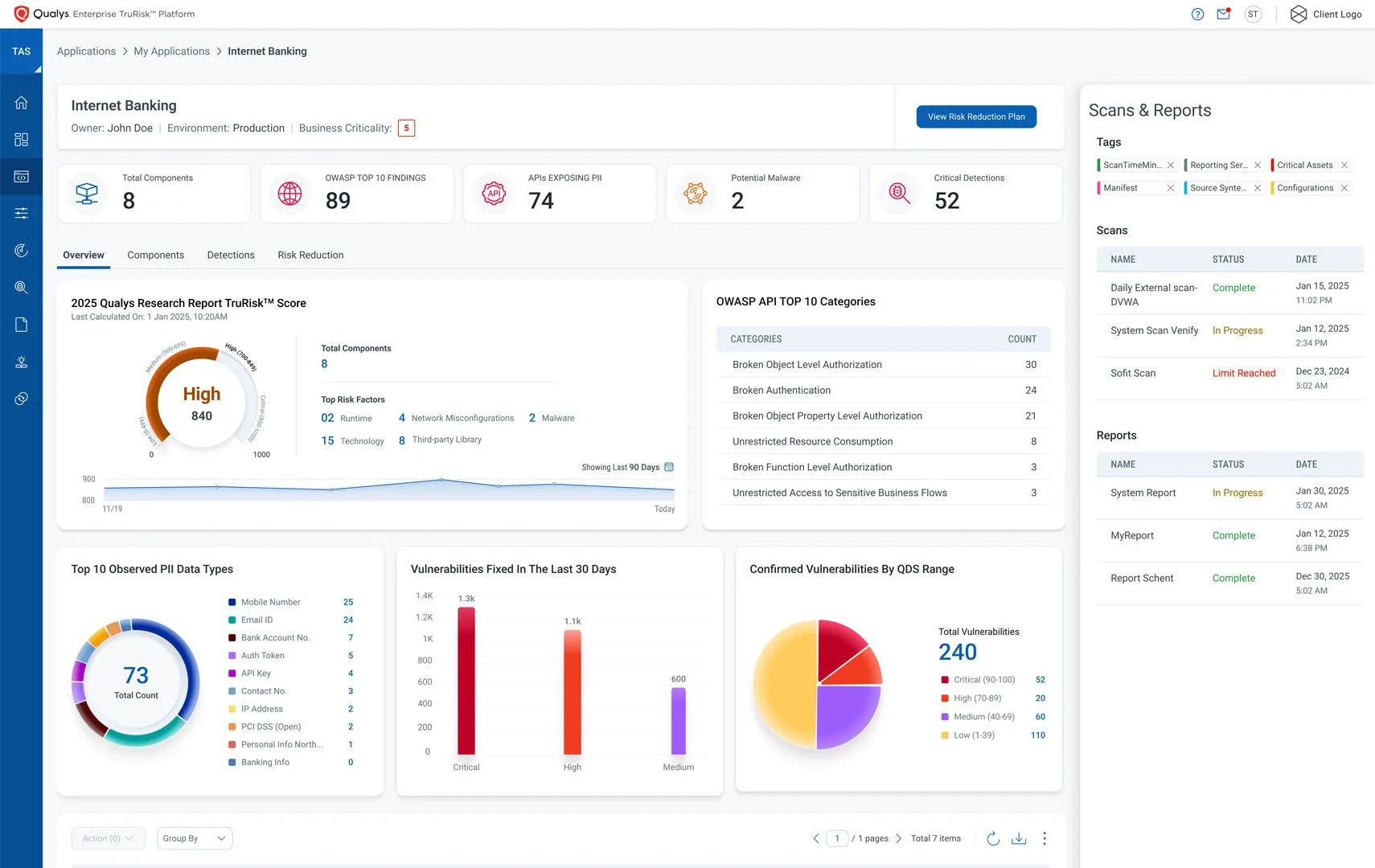
Qualys WAS is platform-integrated DAST: it crawls web apps and APIs, probes for SQL injection, XSS, and misconfigurations, then scores findings by business risk with TruRisk. Because results sit inside the Qualys Cloud Platform next to infrastructure and asset data, it fits teams already running Qualys at scale.
The platform-correlation advantage largely disappears if you are not already in the Qualys ecosystem.
- License: Commercial
- Engine: Own cloud crawler with AI scan optimization and Chromium rendering
- Deployment: Cloud SaaS, with scanner appliances for internal apps behind firewalls
11. Veracode Dynamic Analysis — Best for unified SAST + DAST reporting
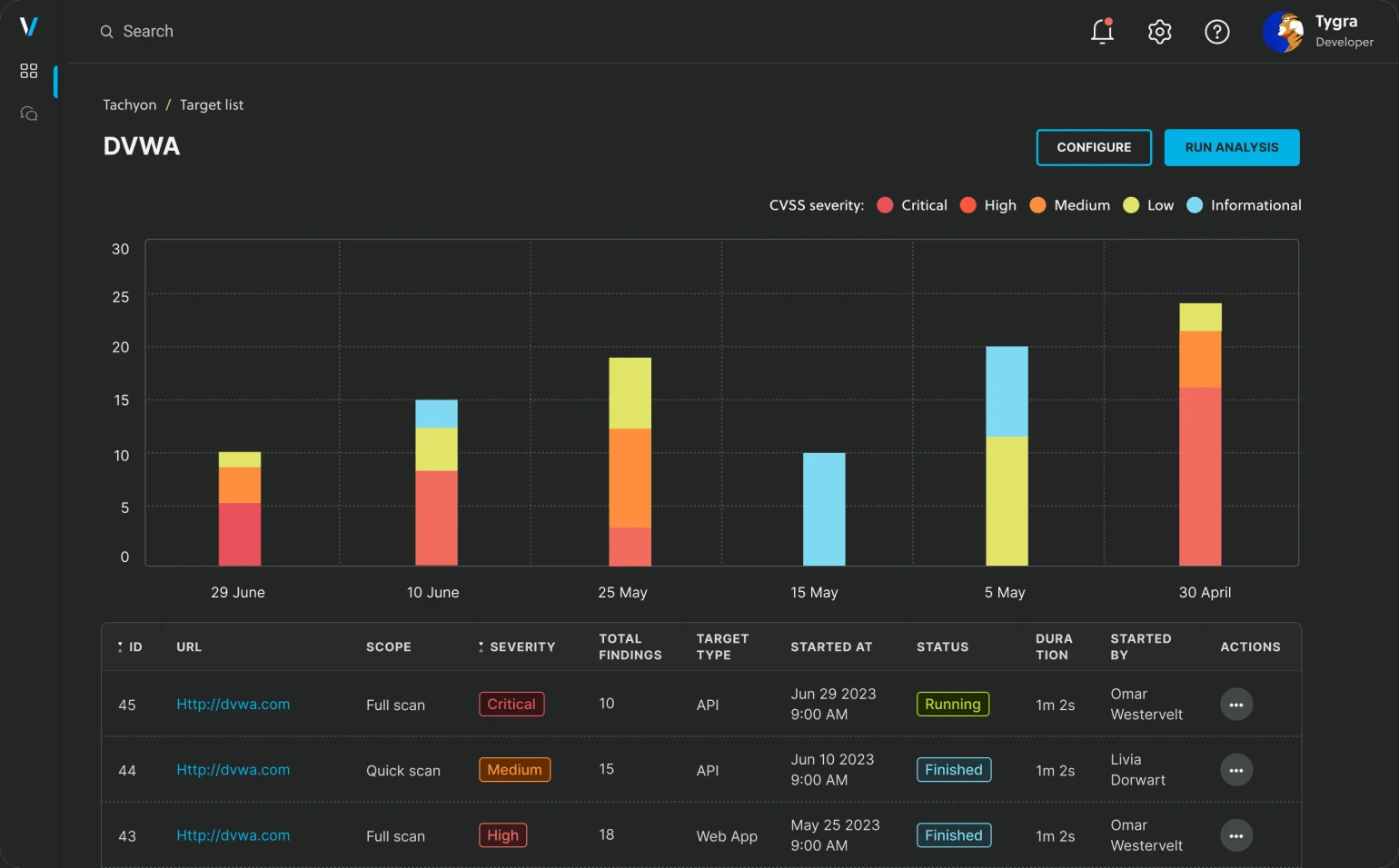
Veracode Dynamic Analysis is enterprise DAST that runs parallel SaaS scans across hundreds of applications, with React, Angular, and Vue SPA support from the 2022 Crashtest Security acquisition and REST, SOAP, and GraphQL testing via OpenAPI import. Findings land in the same dashboard as Veracode SAST and SCA.
It is SaaS-only and runs as one component inside the broader Veracode platform alongside SAST and SCA.
- License: Commercial
- Engine: DAST within a broader AppSec platform; full browser rendering with Crashtest-derived SPA support
- Deployment: SaaS
12. ZAP — Best for free, open-source CI/CD scanning
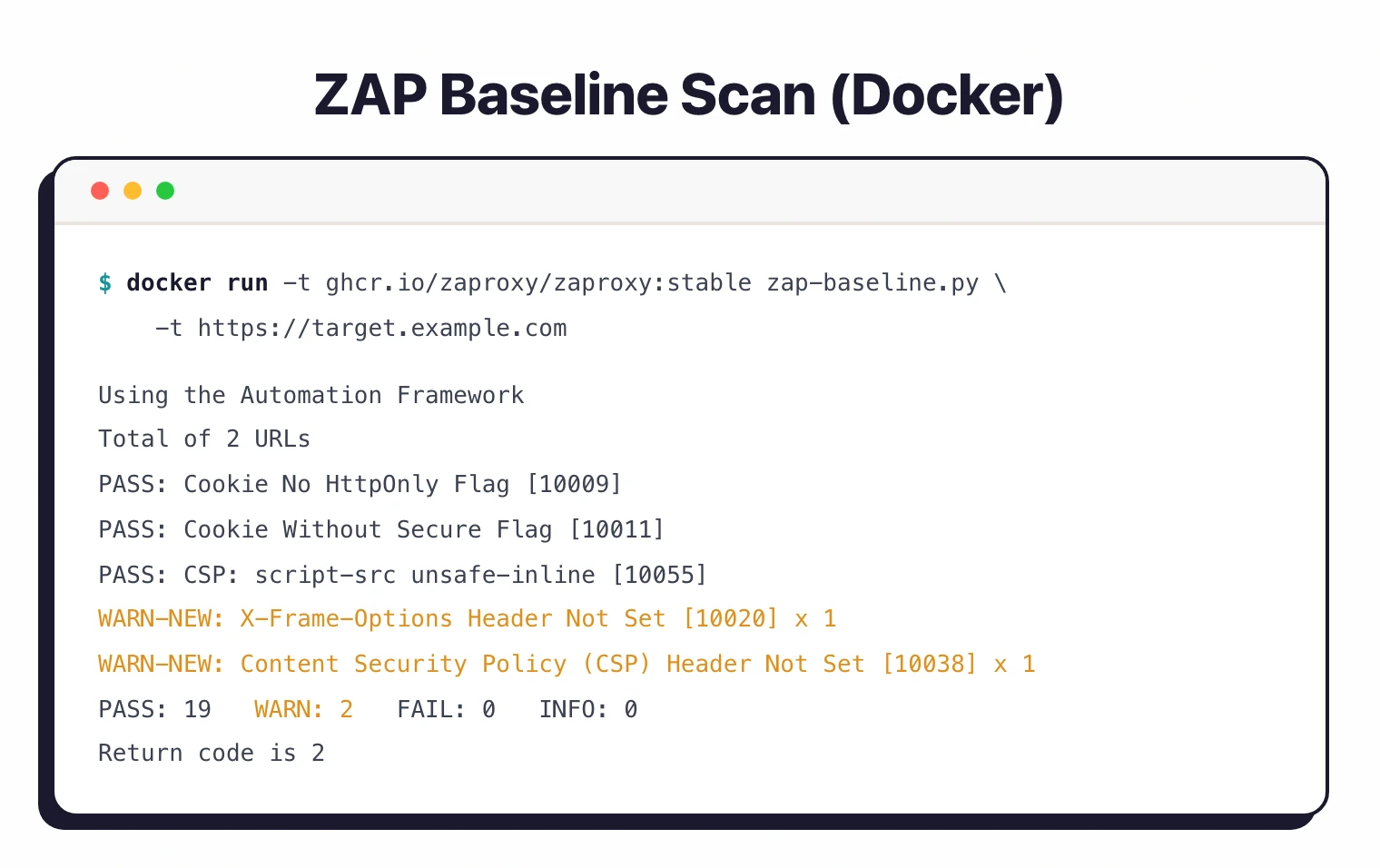
ZAP is the open-source DAST standard: an intercepting proxy plus traditional and AJAX spiders and an active scanner, all under Apache 2.0 with no paid tiers or feature gates. Its YAML automation framework, GitHub Actions, and Docker images make it the default pick for CI/CD scanning at zero licensing cost.
It carries a steeper initial learning curve and ships no vendor support SLAs or compliance dashboards out of the box.
- License: Free (open-source, Apache 2.0)
- Engine: Own crawler plus intercepting proxy (traditional spider + AJAX spider + active/passive scanner)
- Deployment: Desktop (Windows/macOS/Linux), Docker, CI container
What Are the Major DAST Market Changes?
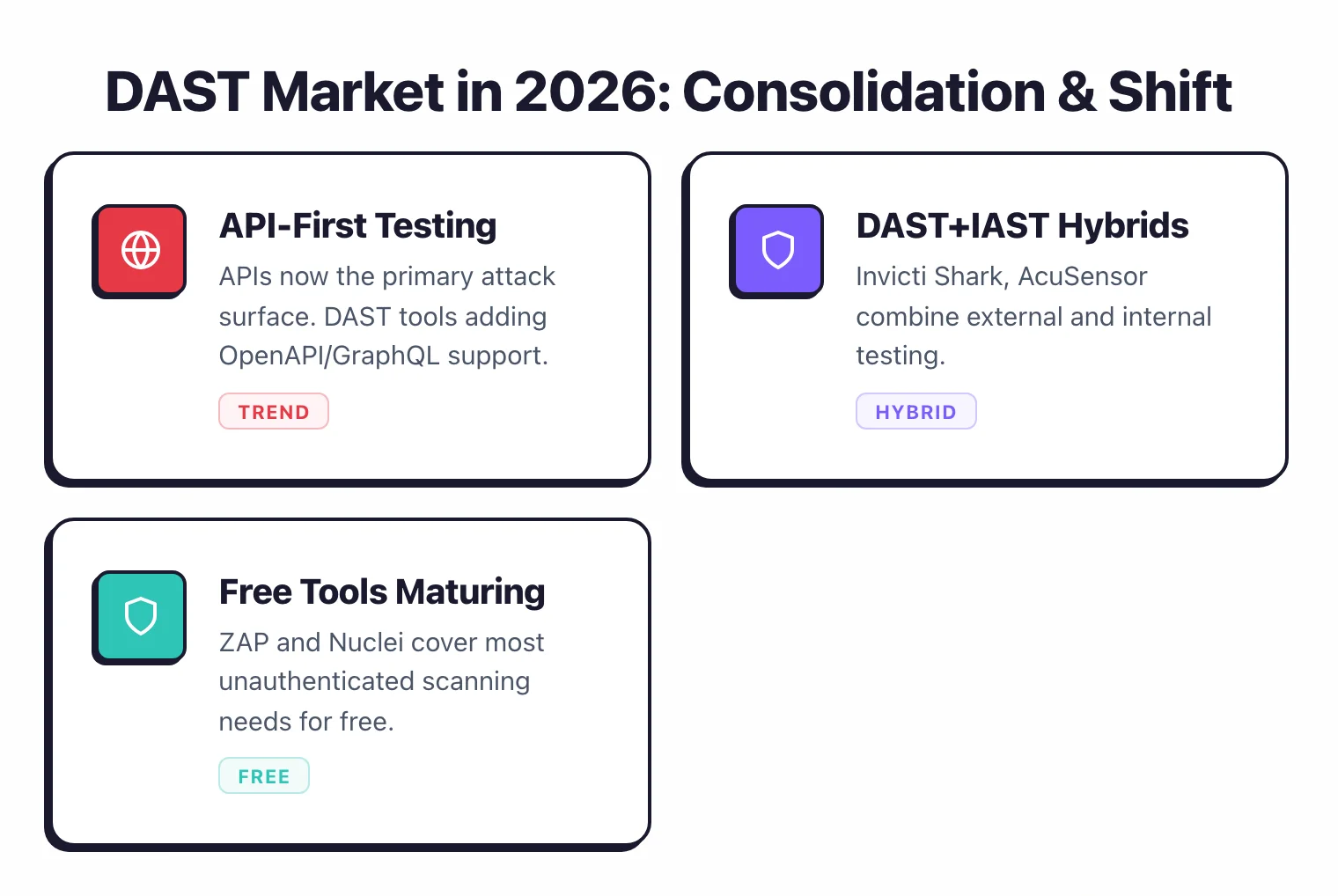
The DAST vendor market has consolidated heavily since 2022, with acquisitions, mergers, and rebrandings reshaping the names. If you are comparing tools and run into unfamiliar ones, here is what changed:
- Acunetix + Netsparker merged into Invicti — Invicti is the enterprise platform; Acunetix continues as the standalone product.
- ZAP joined Checkmarx (September 2024) — ZAP is now “ZAP by Checkmarx,” still free and Apache 2.0 licensed.
- Synopsys Web Scanner became Black Duck Web Scanner — Synopsys sold its Software Integrity Group in 2024; it now operates as Black Duck Software.
- Fortify WebInspect moved to OpenText — OpenText bought Micro Focus in 2023, which had earlier acquired HP’s Fortify line.
- Veracode bought Crashtest Security (2022) — folded into Veracode ’s unified SAST + DAST platform.
- Snyk bought Probely (November 2024) — Probely’s DAST engine now powers Snyk API & Web, launched April 2025.
- WhiteHat Sentinel Dynamic rebranded — Synopsys acquired WhiteHat in 2022; the product is now Black Duck Continuous Dynamic.
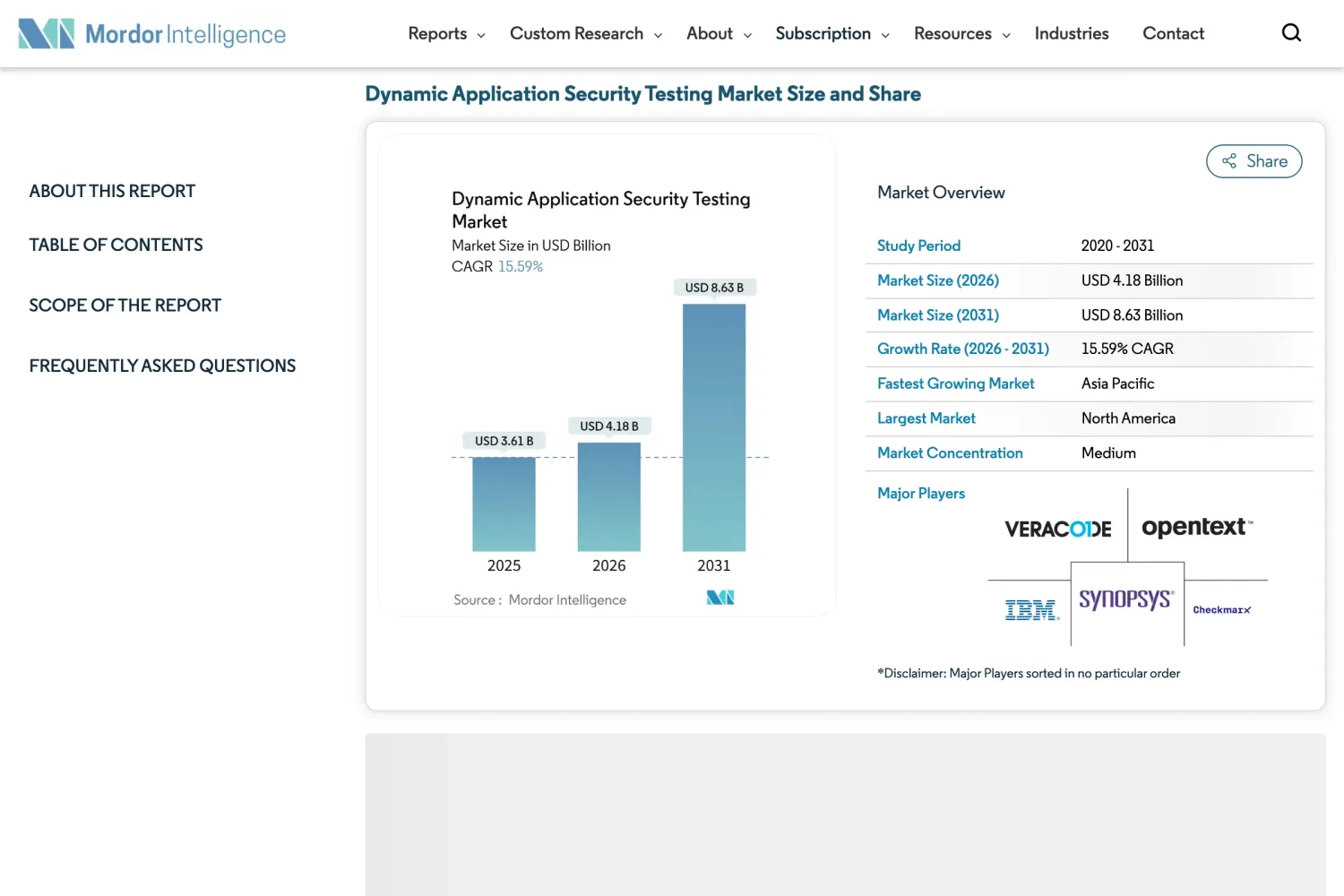
The DAST market reached $3.61 billion in 2025 and is projected to hit $8.63 billion by 2031, a 15.59% CAGR, according to Mordor Intelligence.
How I evaluate DAST tools
I evaluated each tool against the same six criteria, using only public evidence: vendor documentation, public benchmarks, and G2 reviews. Each criterion reflects a failure mode I have seen teams hit in production.
- Crawl depth — Can the scanner reach deep application states, authenticated pages, and multi-step flows? A scanner that only crawls the homepage misses most of your attack surface.
- JavaScript and SPA support — Modern apps render in the browser. I checked whether each tool uses a headless browser engine or falls back to static HTML parsing, which misses React, Angular, and Vue routes.
- Authentication handling — Most real vulnerabilities sit behind a login. I weighed login-sequence recording, session-token refresh, and handling of MFA-protected targets.
- API scanning — REST and GraphQL are now the primary attack surface. I looked at OpenAPI/Swagger import, GraphQL introspection, and whether the tool actually fires payloads at each parameter.
- False-positive behavior — A scanner that alerts on everything gets ignored. Invicti’s proof-based scanning and Nuclei’s template precision both stood out here.
- Pipeline integration — I looked at scan scoping, exit-code behavior, and native GitHub Actions and GitLab CI support. Scans under 10 minutes are viable as PR gates; longer ones belong in nightly schedules.
Where a capability comes from vendor marketing rather than verifiable documentation, I note it. No vendor pays to appear, rank higher, or be excluded.
For the full rubric I run in procurement engagements — 79 metrics across 13 categories, see the DAST tools comparison .
The bottom line
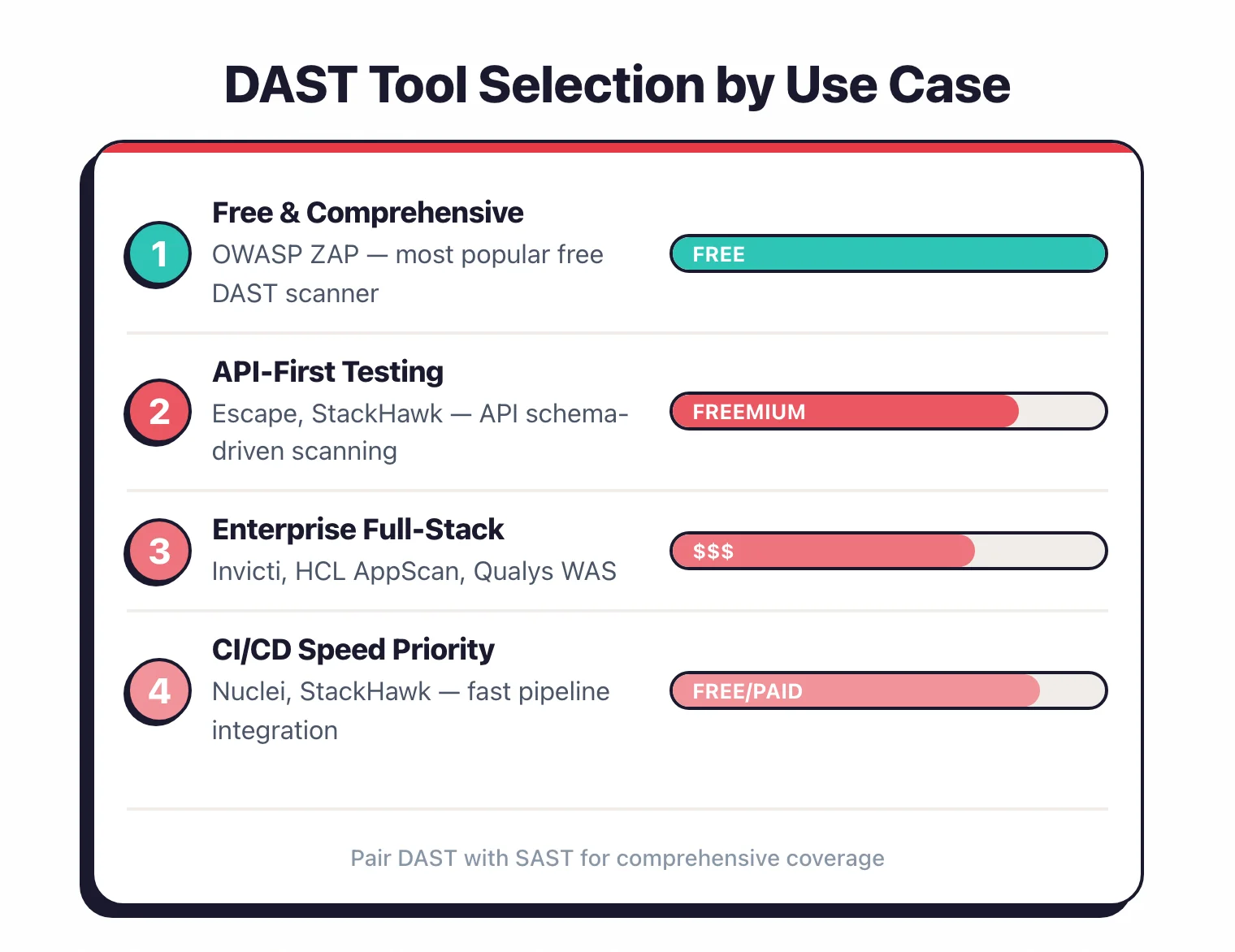
So which one do you pick?
There is no single best DAST tool. It comes down to what you are scanning, your budget, and whether you need automated CI/CD scans or hands-on pentesting.
Free and CI/CD-first? ZAP is the open-source standard, Nuclei is fastest for template-based CVE checks, and Dastardly gives you a 10-minute PR gate. For developer-driven scanning in the pipeline, Bright Security and StackHawk fit well.
For an AI-native option, open-source Strix runs autonomous agents that exploit apps and validate each finding with a real proof-of-concept. Darkmoon takes the same agentic approach with a privacy-first twist: the model never executes tools directly and real IP addresses are swapped for placeholders before a prompt leaves the machine.
Manual testing? Burp Suite is the standard every pentester reaches for. For API and business-logic flaws like BOLA and IDOR, Escape and 42Crunch go where generic crawlers cannot. See my DAST tools for APIs guide for the full list.
Scanning at enterprise scale? Invicti (my former employer) and Acunetix lead on proof-based accuracy, while Veracode Dynamic Analysis unifies SAST and DAST reporting.
For teams already on a platform, InsightAppSec and Qualys WAS fit Rapid7 and Qualys estates. For regulated and federal work, HCL AppScan and Fortify WebInspect bring FIPS and compliance reporting.
Whichever you shortlist, run a short scan against your own app first, ideally an authenticated, JavaScript-heavy page. The tool that finds real, reproducible bugs on your stack with the least noise is the one worth paying for.
Frequently Asked Questions
What is DAST (Dynamic Application Security Testing)?
What is the difference between DAST and SAST?
Are there free DAST tools available?
Can DAST tools scan Single-Page Applications (SPAs)?
Can DAST tools be integrated into CI/CD pipelines?
How long does a DAST scan take?
What is the best free DAST tool in 2026?
What are the best DAST tools for API security?
Related DAST Resources
Explore Other Categories
DAST covers one aspect of application security tools. Browse other categories below.

Written & maintained by
Suphi CankurtEight years on the vendor side of application-security sales — thousands of evaluations and demos. I started AppSec Santa in 2022 to put that insider view to work for buyers. Independent of any vendor, paid by none, and honest about what fits whom.