

Codacy is a code quality and security platform that scans 40+ languages for security vulnerabilities, code smells, complexity, and duplication. It is a SAST tool that runs multiple underlying analysis engines — including Semgrep, ESLint, Bandit, Brakeman, and SpotBugs — to provide broad coverage from a single platform.
Founded in 2012, Codacy is used by over 200,000 developers. The Codacy Analysis CLI is open source under AGPL-3.0. The company has 52 employees across 9 countries.
What is Codacy?
Codacy provides automated code review that catches security issues and quality problems on every commit and pull request. It connects directly to GitHub, GitLab, or Bitbucket and runs analysis automatically without CI configuration for basic usage.
The platform wraps 30+ open-source and proprietary analysis tools behind a unified interface. For Python, it runs Bandit, Pylint, Ruff, and Semgrep.
For JavaScript, ESLint and Semgrep. For Ruby, Brakeman, RuboCop, and Semgrep.
Each language has its own set of tools, all managed through a single dashboard.
Why Codacy fits the code-quality-plus-security niche
Codacy sits in a narrow but useful slot: teams that want a single dashboard for code quality, security, and coverage rather than three separate stacks. Most SAST vendors lead with security and treat quality metrics as a side product.
Codacy starts from the opposite end — style, complexity, duplication, and coverage — then layers Semgrep, Bandit, Brakeman, and Gosec on top to add security findings.
That positioning suits two audiences. Engineering teams that already think in pull-request gates appreciate the unified annotations: one bot comment instead of one per scanner.
Compliance-aware orgs get a single audit trail for every finding category, which matters when SOC 2 or ISO 27001 evidence collection has to span quality and security at the same time.
The trade-off is depth: Codacy orchestrates other engines rather than building its own SAST core, so detection ceilings are bounded by the underlying tools. Teams that already run Semgrep + ESLint + Bandit directly may not gain new findings, only a unified UI on top of them.
| Capability | Details |
|---|---|
| 40+ Languages | Scans Python, Java, JavaScript, TypeScript, Go, C#, Ruby, Rust, PHP, Kotlin, Swift, Scala, Dart, Elixir, Shell, and more using 30+ underlying analysis tools. |
| AI Code Guardrails | Scans AI-generated code from Copilot, Cursor, and similar tools for security vulnerabilities in the IDE. AI Risk Hub provides compliance reporting for AI-assisted development. |
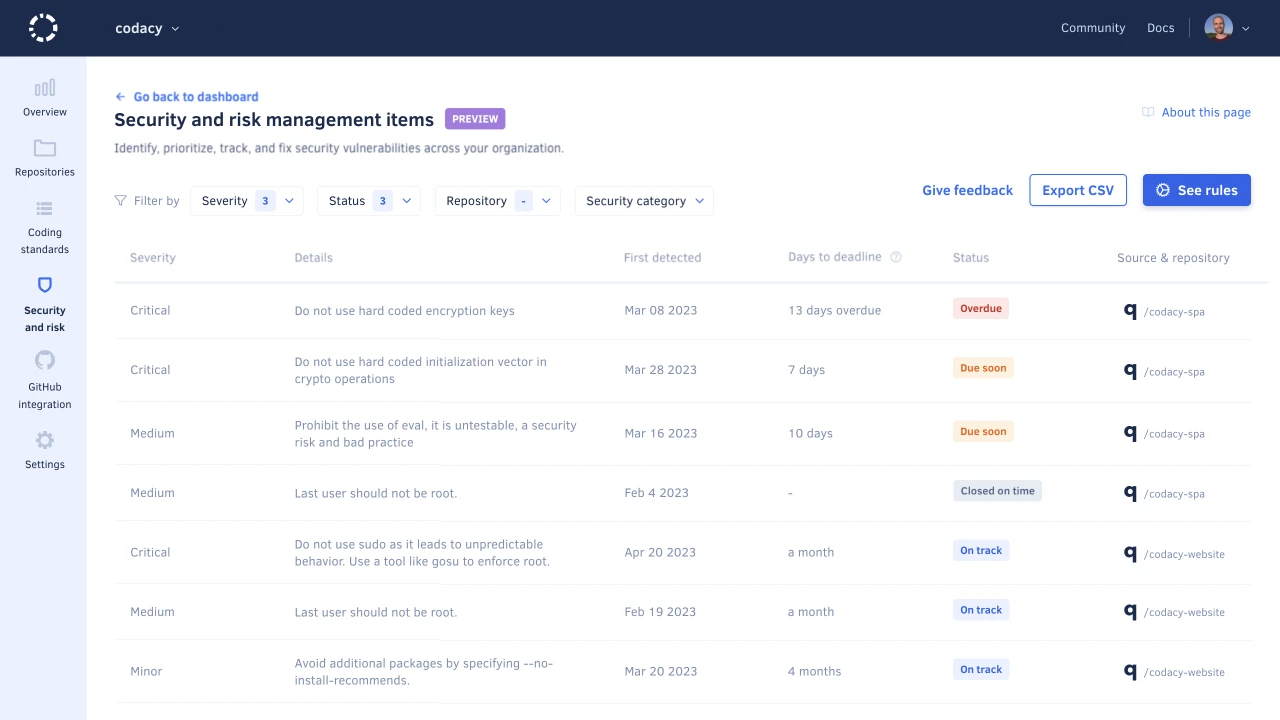
| Pull Request Analysis | Inline issue annotations, coverage summaries, quality gate checks, and suggested fixes on every pull request. AI Reviewer adds AI-powered context to findings on GitHub. |
What are Codacy’s key features?
Security analysis (SAST)
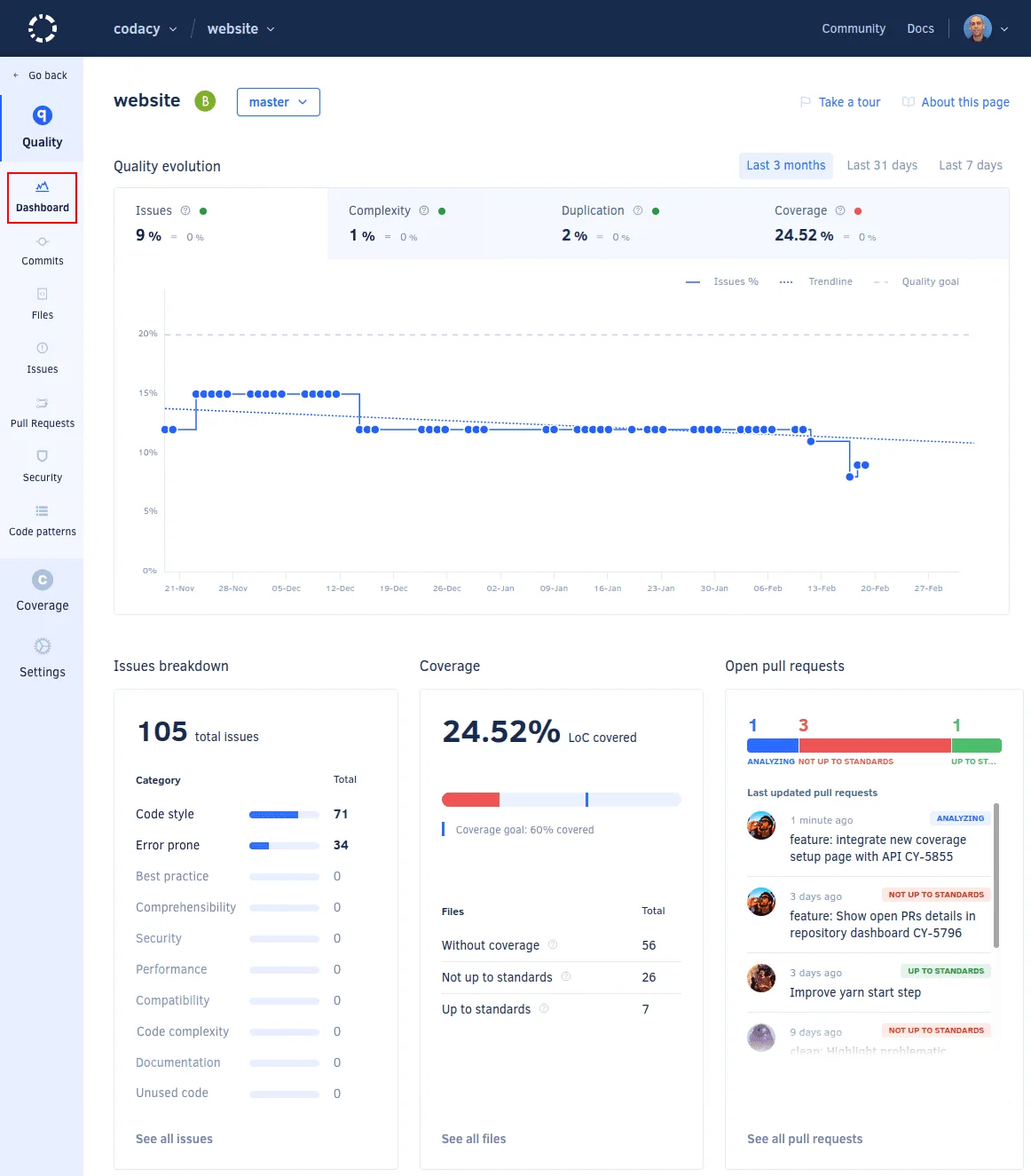
Codacy runs security-focused tools like Semgrep, Bandit, Brakeman, Gosec, and Flawfinder against your codebase.
Detection covers OWASP Top 10 categories including injection, XSS, and authentication flaws, plus secrets detection for hardcoded credentials and API keys.
According to OWASP, using multiple complementary scanning tools increases vulnerability coverage, which is the approach Codacy takes by orchestrating 30+ analyzers.
AI features
Codacy has three AI-specific capabilities:
- AI Guardrails — Scans AI-generated code in the IDE (VS Code, Cursor, IntelliJ, Windsurf) for security issues before it reaches a pull request
- AI Risk Hub — Risk assessment and compliance tracking for AI-generated code across repositories
- AI Reviewer — Combines rule-based analysis with AI context to review GitHub pull requests. Triggered by adding a
codacy-reviewlabel to PRs
Codacy doesn’t build its own analysis engines. It orchestrates 30+ tools like Semgrep, ESLint, PMD, Checkov, Bandit, Brakeman, SpotBugs, and others.
The docs list exactly which tools run for each language. This means Codacy’s detection capabilities are only as good as the tools it wraps.
Software composition analysis
Codacy scans dependencies for known vulnerabilities and checks license compliance. As of December 2025, it also detects malicious packages in the npm supply chain.
Code quality
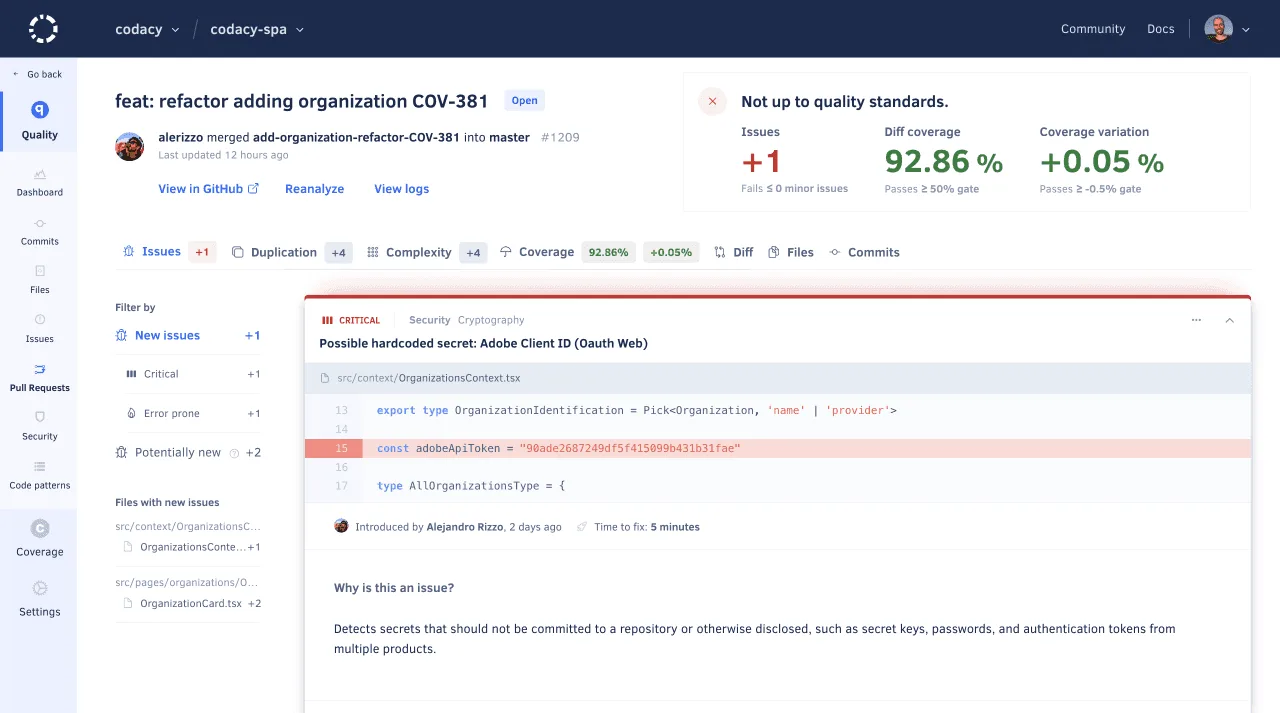
Beyond security, Codacy tracks code complexity, duplication, and style violations. Coverage integration shows test coverage metrics alongside security findings.
Quality gates can block PRs that don’t meet configured thresholds for issues, coverage, or duplication.
How Codacy works
Codacy’s pipeline is webhook-driven rather than CI-config-driven. When you connect GitHub, GitLab, or Bitbucket, Codacy registers a webhook that fires on every push and pull request. The webhook triggers a parallel scan that runs the bundled linters for each detected language: ESLint and Semgrep for JavaScript, Bandit and Pylint for Python, Brakeman and RuboCop for Ruby, SpotBugs and PMD for Java, and so on.
Results from every engine flow into a single aggregation layer. Codacy deduplicates overlapping findings (Semgrep and Bandit both report on Python subprocess issues, for example), maps each finding to its OWASP or CWE category, and posts inline annotations on the pull request diff. Pioneer AI then ranks findings by likely impact, so the top of the list is what reviewers should triage first rather than what the engines emitted alphabetically.
For security-focused workflows, Codacy also runs source code static analysis on every commit, performs rule-based pattern matching for CWEs across 40+ languages, and reuses Semgrep’s data-flow rules where available — but it does not maintain its own taint analysis on proprietary code engine.
What does Codacy integrate with?
 GitHub Cloud
GitHub Enterprise
GitHub Cloud
GitHub Enterprise GitLab Cloud
GitLab Enterprise
GitLab Cloud
GitLab Enterprise Bitbucket Cloud
Bitbucket Server
Bitbucket Cloud
Bitbucket Server VS Code
 IntelliJ
 Cursor
 Windsurf
 Slack
Slack Jira
JiraHow do I get started with Codacy?
- Sign up with your Git provider — Connect your GitHub, GitLab, or Bitbucket account at codacy.com. Codacy reads your repository list automatically.
- Add repositories — Select the repositories you want to analyze. Codacy starts scanning on each push and pull request.
- Configure analysis — Set code patterns, quality gates, and which tools to enable per language through the Codacy dashboard or a
.codacy.ymlconfiguration file. - Review findings in PRs — Codacy posts inline annotations, coverage summaries, and quality gate status directly on pull requests.
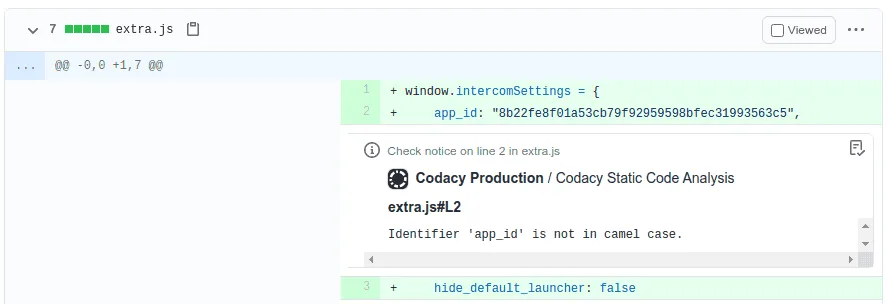
Codacy inline issue annotation on a GitHub pull request diff
How much does Codacy cost?
| Plan | Price | Key limits |
|---|---|---|
| Developer (free) | $0/month | IDE-only scanning, 4 languages (TS, JS, Python, Java) |
| Team | $18/month per dev (annual) | 30 developers, 100 private repos, 49 languages, PR scanning |
| Business | Custom | Unlimited repos, DAST, SBOM exports, SSO, AI Risk Hub |
Open-source projects get the Pro plan for free.
When to use Codacy
Codacy works well for teams that want a single platform combining security scanning, code quality, and coverage tracking without configuring individual tools. The free Developer plan lets individuals try it in their IDE, and the Pro plan covers most use cases for small to mid-size teams.
Because Codacy wraps existing open-source tools, teams already running those tools directly (e.g., Semgrep + ESLint + Bandit) may not get additional detection capabilities. The value is in the unified dashboard, PR integration, quality gates, and AI features.
Customers include Zalando, Babbel, and Bliss Applications. Stim reported increasing test coverage from 23% across 20 repositories to 57% across 40+ repositories within one year of using Codacy.