


Black Duck Web Scanner (formerly Synopsys Web Scanner) is an enterprise DAST tool that runs on the Polaris Software Integrity Platform.
It tests running web applications and APIs for security vulnerabilities using a headless browser engine and proof-based verification.
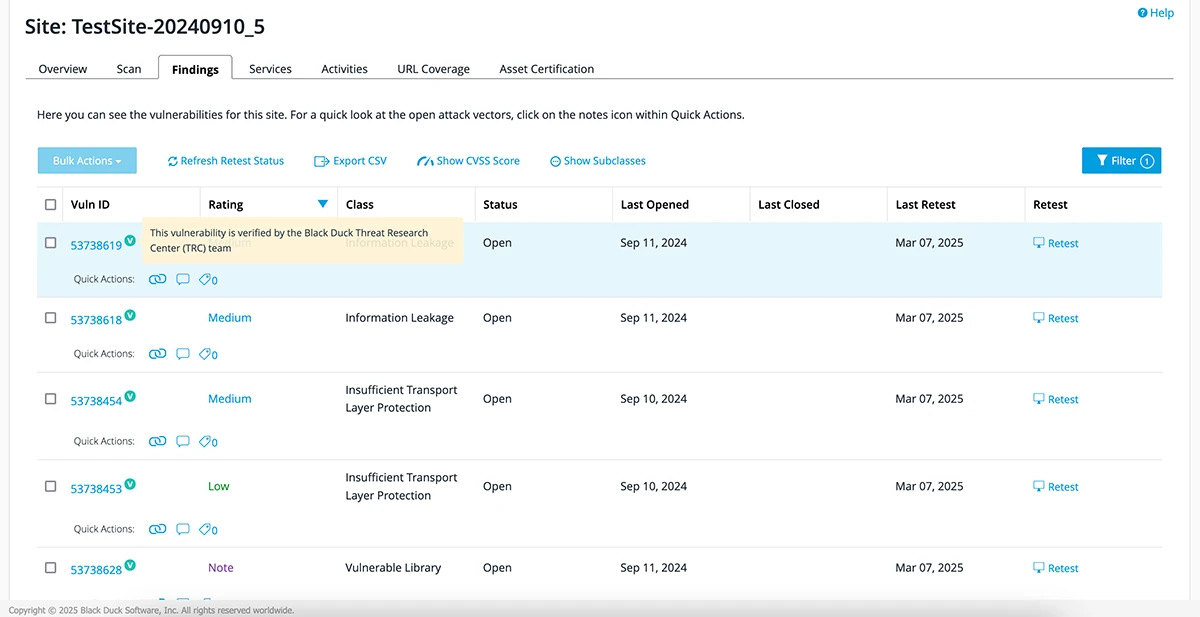
The scanner is part of Black Duck’s larger security portfolio, which includes Coverity (SAST), Black Duck SCA, and Seeker (IAST). Over 4,000 organizations use Black Duck products.
Synopsys divested its Software Integrity Group to Clearlake Capital and Francisco Partners in 2024. The products now operate under the Black Duck Software brand.
What is Black Duck Web Scanner?
Black Duck Web Scanner performs automated security testing against live or staging web applications. It crawls applications using a headless browser that executes JavaScript, handles SPAs, and intercepts AJAX calls.
Then it fires attack payloads and checks responses for vulnerabilities.
What sets it apart from many DAST tools is proof-based verification. When the scanner finds a potential flaw, it attempts to confirm the vulnerability is real and exploitable.
This cuts down false positives and gives development teams concrete evidence of the issue.
The Verizon 2024 Data Breach Investigations Report found that web application attacks remain one of the top breach vectors, making proof-based verification a practical way to focus remediation on confirmed, exploitable risks.
The scanner plugs into the Polaris platform alongside Coverity (SAST) and Black Duck SCA.
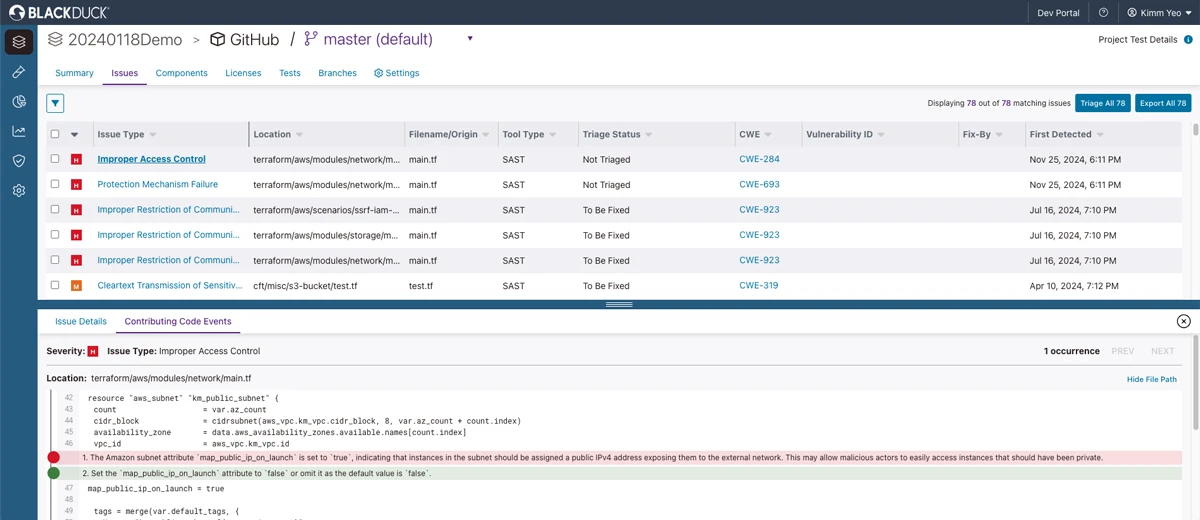
Findings from all three testing methods appear in a single dashboard, letting security teams see whether a code-level flaw identified by SAST is also exploitable at runtime.
| Feature | Details |
|---|---|
| Platform | Polaris Software Integrity Platform |
| Deployment | Cloud (SaaS) and on-premises |
| Detection approach | DAST with proof-based verification |
| Browser engine | Headless browser with full JavaScript execution |
| API testing | REST, GraphQL, OpenAPI/Swagger import |
| Authentication | Form-based, OAuth, SSO, custom auth |
| Integration | SAST + SCA + DAST correlation on Polaris |
| CI/CD | GitHub Actions, GitLab CI, Azure DevOps, Jenkins |
| Compliance | OWASP Top 10 mapping, audit-ready reports |
What are Black Duck Web Scanner’s key features?
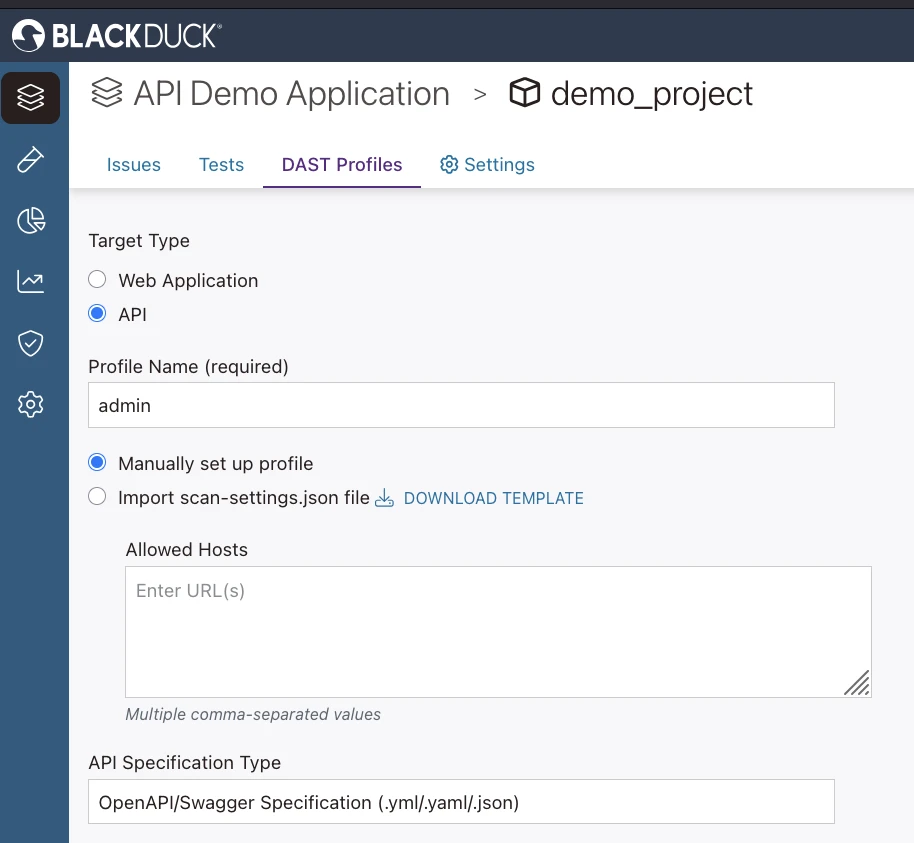
I run authenticated dynamic scans against logged-in user sessions, with form-based, OAuth, SSO, or custom auth profiles handling the multi-step login. The scanner does API security testing (black-box) against REST and GraphQL endpoints by ingesting OpenAPI/Swagger specs. SQL injection / XSS probing fires payload mutation across discovered parameters in error-based, blind, and time-based variants, and proof-based verification confirms each finding by safely exploiting it before triage.
| Capability | Details |
|---|---|
| Proof-Based Verification | When the scanner detects a potential vulnerability, it attempts to exploit it safely to confirm the issue is real. Each confirmed finding includes proof of exploitability, reducing false positive triage. |
| Headless Browser Engine | Full JavaScript rendering for testing modern SPAs, React/Angular/Vue applications, and dynamic content. Intercepts AJAX calls and maintains session state throughout the scan. |
| Correlated Findings | Polaris correlates DAST results with Coverity SAST and Black Duck SCA findings. When static analysis flags a code pattern and dynamic testing confirms it’s exploitable, that finding gets higher confidence. |
Vulnerability Coverage
The scanner tests for the standard set of web application vulnerabilities. According to the OWASP Testing Guide, dynamic testing is essential for detecting runtime flaws that static analysis cannot reach, such as authentication bypass and session management issues:
- SQL Injection: Error-based, blind, and time-based
- Cross-Site Scripting: Reflected, stored, and DOM-based XSS
- XXE: XML External Entity injection
- SSRF: Server-Side Request Forgery
- Insecure Deserialization: Object injection attacks
- Security Misconfiguration: Headers, exposed files, default credentials
- Sensitive Data Exposure: Unencrypted data, leaked tokens
API Security Testing
REST API endpoint discovery and testing, GraphQL query analysis, and OpenAPI/Swagger specification import. The scanner also tests API authentication mechanisms and access control.
Policy Enforcement
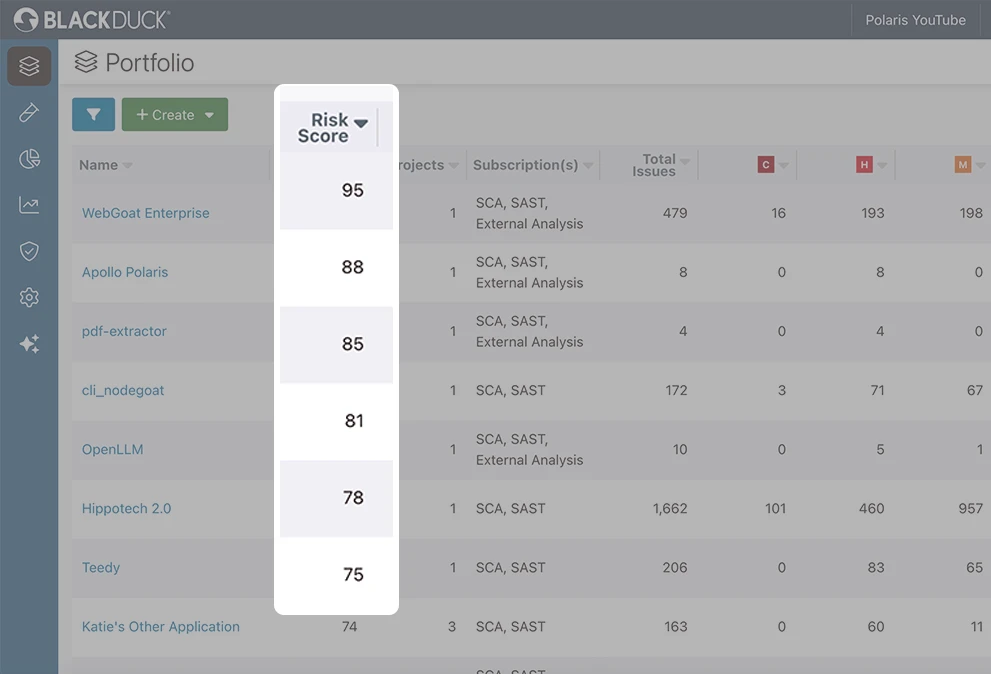
Organizations define security policies that span testing types. For example, you can require no high-severity DAST findings before production deployment while allowing medium-severity issues with mitigation plans.
What does Black Duck Web Scanner integrate with?
 GitHub Actions
 GitLab CI
 Azure DevOps
 Jenkins
 Coverity SAST
Black Duck SCA
Seeker IAST
Software Risk Manager
Coverity SAST
Black Duck SCA
Seeker IAST
Software Risk ManagerFor broader context, see the DAST tools landscape and the proof-based-engine peer Invicti .
How do I get started with Black Duck Web Scanner?
- Access Polaris — Log in to your Polaris organization (cloud) or deploy the on-premises scanner package. Configure your organization and project structure.
- Add your application — Navigate to Projects, create a new project, and configure DAST scanning. Provide the target URL and set up authentication (form-based login, OAuth, SSO, or custom).
- Configure scan settings — Define scan scope (included/excluded URLs), import OpenAPI specs for API testing, and set scan policies based on your organization’s risk tolerance.
- Run and review — Launch scans on-demand or schedule recurring assessments. Review findings in the Polaris dashboard with proof-of-exploit details for each confirmed vulnerability.
CI/CD Integration
GitHub Actions
name: Black Duck DAST Scan
on:
  push:
    branches: [main]

jobs:
  dast-scan:
    runs-on: ubuntu-latest
    steps:
      - uses: actions/checkout@v4

      - name: Run Black Duck Security Scan
        uses: blackduck-inc/black-duck-security-scan@v2
        with:
          polaris_server_url: ${{ secrets.POLARIS_URL }}
          polaris_access_token: ${{ secrets.POLARIS_TOKEN }}
          polaris_application_name: ${{ github.repository }}
          polaris_assessment_types: "DAST"
When to Use Black Duck Web Scanner
Black Duck Web Scanner fits enterprise teams that want DAST integrated with their SAST and SCA tools on a single platform. The proof-based verification is genuinely useful for reducing false positive noise.
Good fit for:
- Organizations already using Coverity or Black Duck SCA that want correlated findings
- Enterprise teams managing large application portfolios with centralized policy enforcement
- Compliance-driven environments needing audit-ready reports
- Teams testing JavaScript-heavy SPAs and modern web frameworks
Not the best fit if:
- You want a free or open-source scanner — try ZAP or Nuclei instead
- You need a standalone DAST tool without a platform — simpler single-purpose tools like StackHawk exist
- You’re a small team scanning a few applications — the enterprise platform adds overhead you may not need
For a deeper look at how DAST fits alongside other testing methods, see the SAST vs DAST vs IAST comparison.