


APIsec is a cloud-based API security tools platform that uses AI to run continuous penetration tests against your APIs.
It generates attack scenarios based on your API specification, then executes them against live endpoints to find vulnerabilities that static scanners miss.
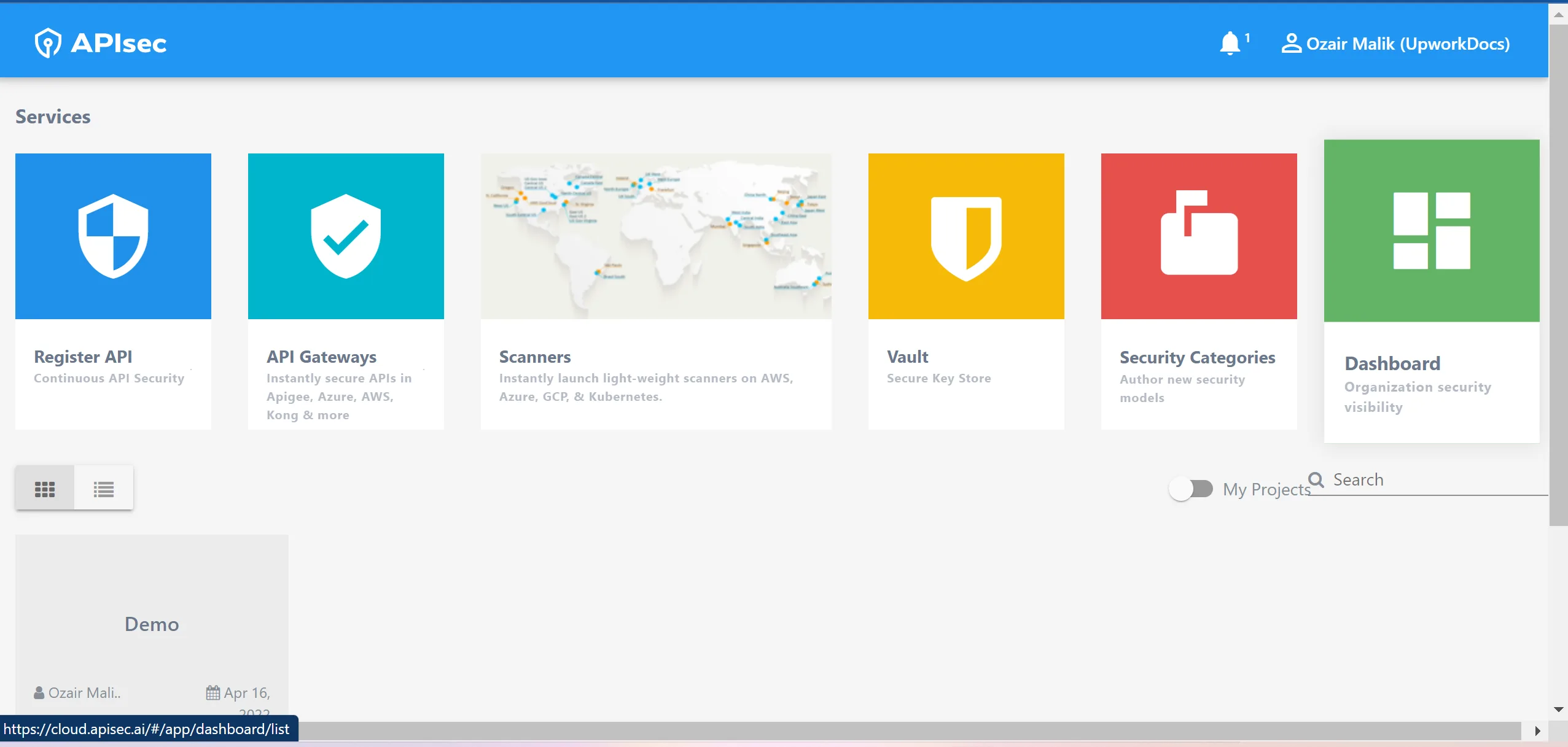
The platform sits inside the broader API security testing approaches landscape as an automated-pentest replacement, distinct from runtime-protection tools.
APIsec is trusted by 5,000+ organizations. Customer logos on the APIsec website include Nike, FedEx, PayPal, Johnson & Johnson, McKesson, Home Depot, Bank of America, Tesla, Coca-Cola, and Cigna.
APIsec claims 80% of Fortune 100 organizations use the platform.
What is APIsec?
APIsec provides automated API penetration testing through a cloud-delivered platform. You upload an API specification (OpenAPI, Swagger, Postman, or RAML), and the platform learns your API’s behavior.
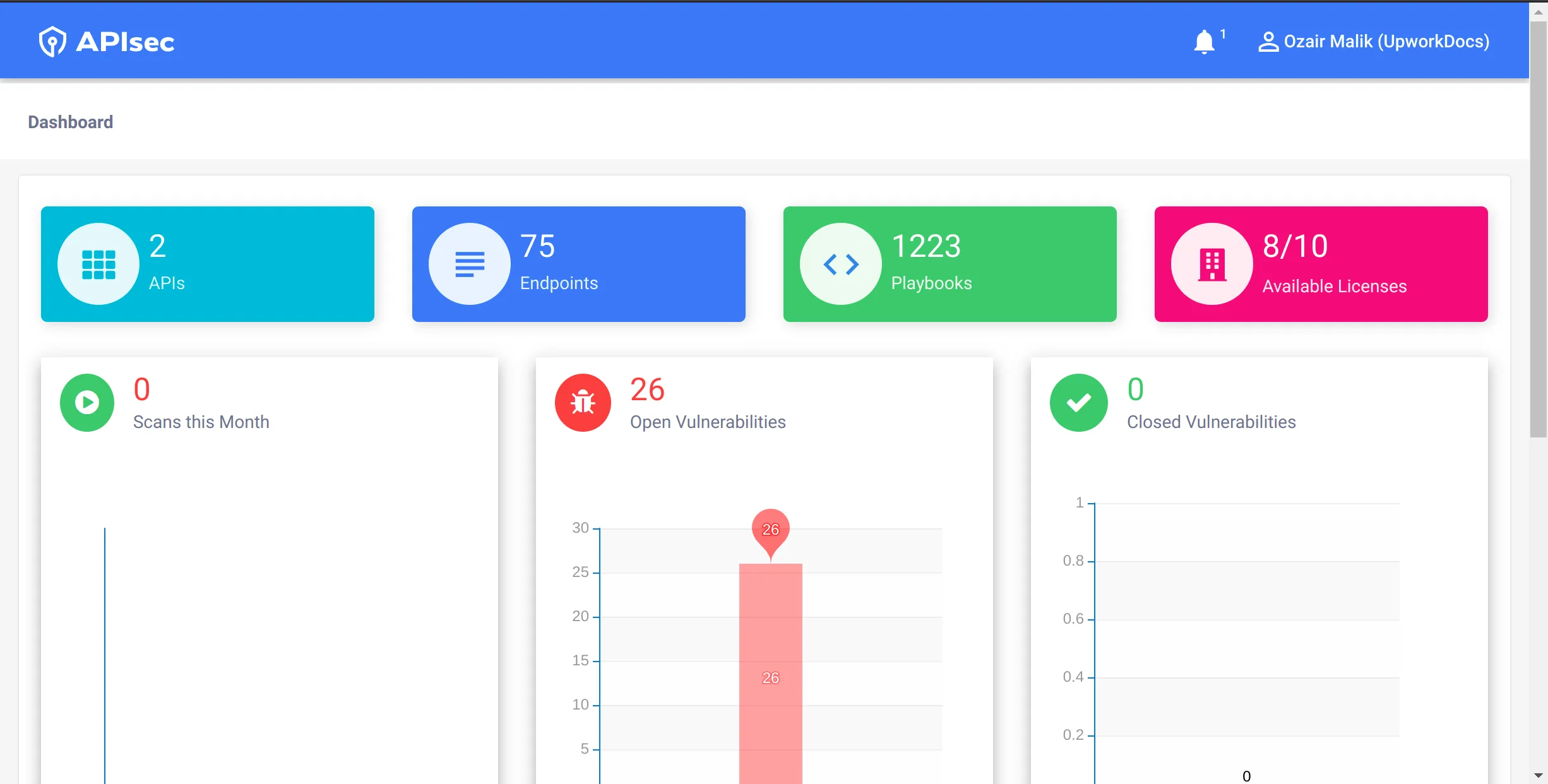
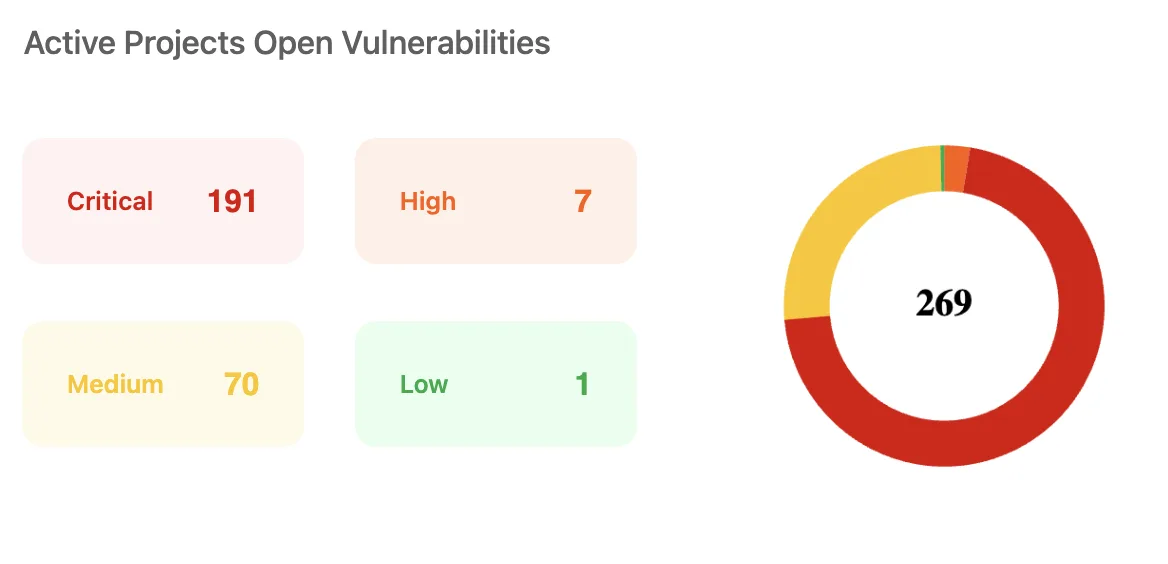 The Security Center rolls up open vulnerabilities by severity — Critical, High, Medium, Low — across active projects.
It then generates and executes attack scenarios designed to find security weaknesses, including business logic flaws that generic scanners overlook.
It operates in a zero-touch model. No agents, no code instrumentation, no direct network access to your infrastructure.
Tests run from APIsec’s cloud against your publicly accessible or staging endpoints. For internal APIs, APIsec offers hosted agents deployed via Docker containers that communicate with the control plane over SSL.
What are APIsec’s key features?
| Feature | Details |
|---|---|
| Testing approach | AI-generated attack scenarios from API specs |
| Protocols | REST, GraphQL, SOAP, RAML |
| Spec formats | OpenAPI/Swagger, Postman collections, RAML |
| Security playbooks | 1,200+ pre-built playbooks |
| Compliance | PCI DSS, HIPAA, GDPR, SOC 2, ISO 27001 |
| Deployment | Cloud-native, hosted agents, on-premises |
| CI/CD | 10 supported platforms |
| Issue trackers | Jira, GitHub, Trello |
AI-Driven Attack Generation — Learns your API structure from specifications and observed traffic. Creates context-aware attacks based on endpoint relationships, auth patterns, and parameter types instead of running static test cases.
Business Logic Testing — Tests for BOLA/IDOR, mass assignment, RBAC bypass, rate limiting abuse, and workflow bypass. These require understanding of how your API is supposed to work, which APIsec infers from your spec.
Continuous Monitoring — Scheduled scans run automatically against production or staging. New endpoints discovered through traffic analysis get tested.
Regression testing catches issues introduced by code changes.
Protocol and specification support
APIsec accepts API definitions in multiple formats:
- OpenAPI/Swagger — Full REST API testing including path parameters, query strings, and request bodies
- GraphQL — Mutation and query testing with introspection-based discovery
- SOAP — WSDL-based testing for legacy web services
- RAML — RESTful API Modeling Language support
- Postman — Import directly from Postman collections
Security playbooks
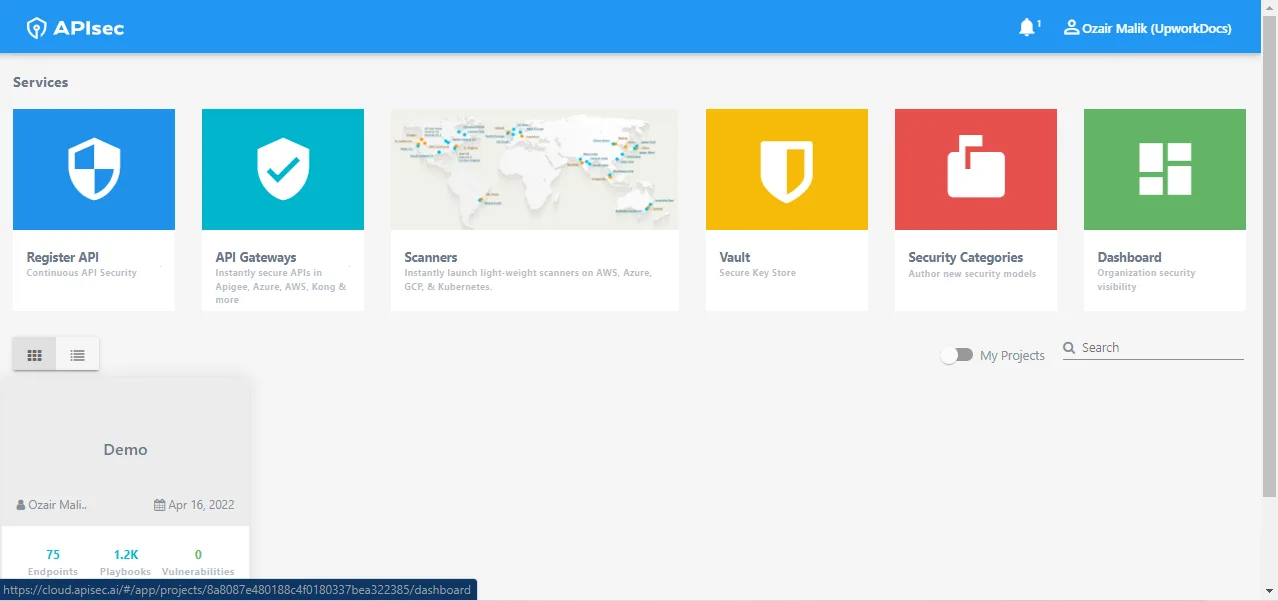
APIsec ships over 1,200 security playbooks. These are pre-built attack sequences covering the OWASP API Top 10 and beyond.
APIsec also supports custom payloads across four categories: Default, Injection, Stored Injection, and ABAC (Attribute-Based Access Control).
Teams can create and edit their own playbooks through the configurations panel, and back them up to Git repositories for version control.
Shadow API discovery
APIsec’s continuous-testing engine surfaces shadow API discovery as a side effect of its scan model: each cycle reconciles traffic-derived endpoints against the registered OpenAPI spec and flags any path that responds in production but is missing from the spec.
Undocumented and zombie endpoints become first-class scan targets in the next run, so the inventory tightens itself between releases instead of waiting on a separate discovery tool.
Vulnerability management
When APIsec finds a vulnerability, it creates verified findings with proof and remediation details. Vulnerability lifecycle management is automated through integrations with issue trackers:
- Jira — Creates issues with severity-based priority mapping
- GitHub — Links findings to repository issues
- Trello — Creates cards for vulnerability tracking
Compliance reporting
APIsec generates audit-ready reports mapped to compliance frameworks:
- PCI DSS
- HIPAA
- GDPR
- SOC 2
- ISO 27001
Reports can be exported to AWS S3, GCP, or Azure. Monthly reports are sent automatically at the start of each month.
How to use APIsec
APIsec follows a register-then-scan model that maps cleanly to a CI/CD loop:
- Register the API by uploading an OpenAPI, Swagger, Postman, or RAML spec, or by pointing the scanner at a hosted spec URL. The platform parses endpoints, parameters, and auth flows from the spec itself.
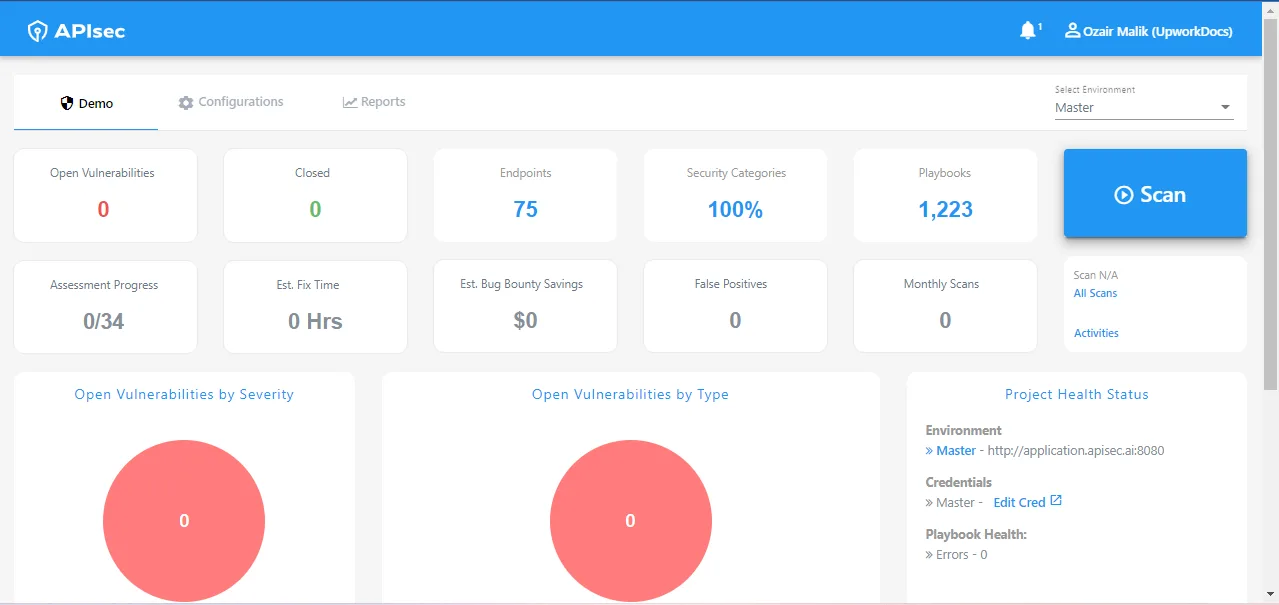
- Run an automated pentest cycle from the Project Dashboard. APIsec generates AI-driven attack scenarios from the spec, executes them against the live endpoints, and records the response pattern for each test.
- Review the FastForward report. Findings come back as verified vulnerabilities with reproduction details and remediation guidance, prioritized by severity rather than raw count.
- Push findings into Jira, GitHub, or Trello via the built-in integrations. Each issue carries the failing endpoint, attack path, and proof, so engineers can move from triage to fix without re-running the test.
- Schedule recurring scans against staging and production. New endpoints discovered through traffic analysis are added to the scan set automatically, and regression scans catch issues introduced by code changes between releases.
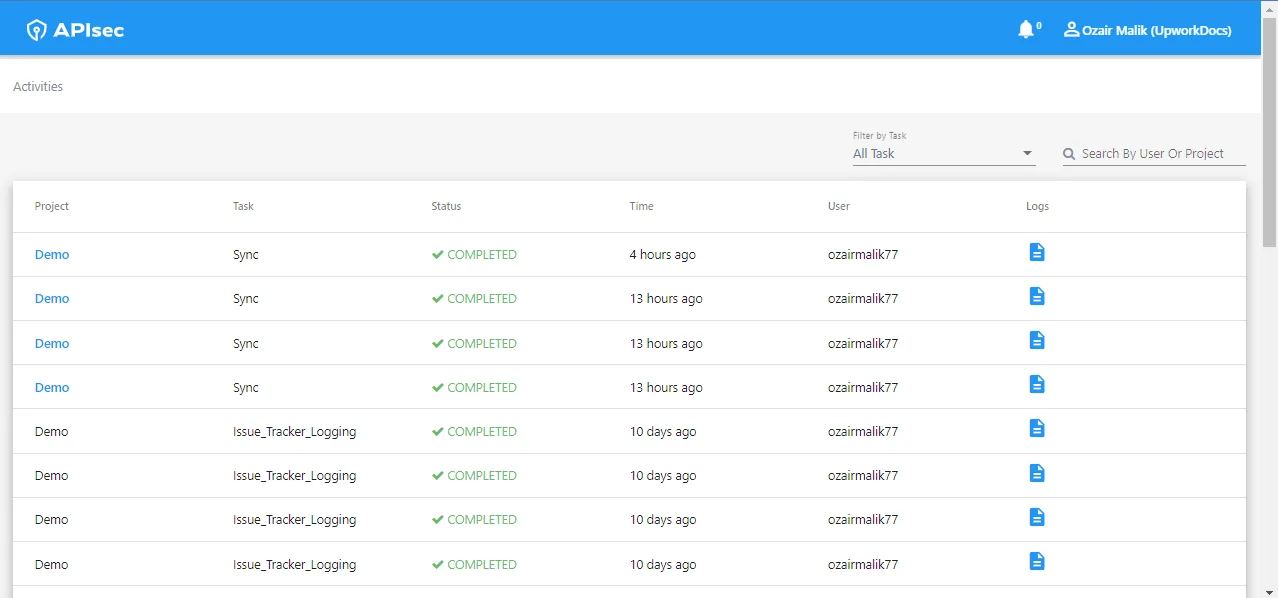 The Activities view logs each sync and scan task per project with status and timestamps.
This sequence is the practical equivalent of an automated pentest, which is why I treat APIsec as a substitute for periodic manual testing engagements rather than as a runtime protection layer.
What does APIsec integrate with?
 Apigee
 Azure API Management
 AWS Gateway
 Mulesoft
 GitHub Actions
 Jenkins
Azure Pipelines
AWS CodePipeline
Jenkins
Azure Pipelines
AWS CodePipeline Jira
GitHub
Jira
GitHub Trello
 Okta
Azure AD
Okta
Azure AD JumpCloud
APIsec also integrates with Slack for notifications and scan reports, and supports Git-based backup for playbooks and project configurations.
How do I get started with APIsec?
- Register your API — Upload an OpenAPI, Swagger, Postman, or RAML specification. You can provide a URL or upload the file directly through the dashboard.
- Configure credentials — Add user accounts with roles for authorization testing. The format supports username, auth type, email, and password fields. Store tokens securely in the built-in Vault.
- Select a scanner — Use APIsec’s cloud scanners for public APIs. For internal APIs, deploy a lightweight Docker-based scanner that communicates with the control plane over SSL. Supports Kubernetes, Docker Swarm, and AWS Fargate.
- Run your first scan — Initiate a scan from the Project Dashboard. APIsec generates attack scenarios from your spec and executes them against your endpoints. Results appear in the dashboard with verified findings and remediation guidance.
How much does APIsec cost?
APIsec prices by 100-endpoint increments. Four tiers are available:
- Free ($0) — Public API testing, basic test simulations, community support. No credit card required.
- Pen Test (custom pricing) — Certified penetration test reports, manual and ad-hoc testing, private and public API support, authentication support.
- Standard ($690/month) — Continuous automated testing, business logic attack detection (BOLA, RBAC), team collaboration, dedicated support.
- Pro ($2,750/month) — Full CI/CD and ticketing integrations, custom attack simulations, advanced reporting and SLAs, white-glove onboarding, premium support.
Monthly subscriptions are cancellable anytime. No per-integration charges.
No limits on number of applications tested per endpoint tier.
When to use APIsec
APIsec fits teams that need automated API penetration testing without hiring dedicated pentesters. It works well when:
- Your APIs are REST, GraphQL, or SOAP-based and you have specifications available
- You need business logic vulnerability testing beyond generic injection scans
- You run APIs in cloud environments and want a zero-touch testing model
- Compliance reporting for PCI DSS, HIPAA, SOC 2, GDPR, or ISO 27001 is required
- You want continuous testing integrated into CI/CD across any of 10 supported platforms
Consider alternatives if:
- You need runtime API protection and blocking (APIsec is testing-focused, not a WAF or gateway)
- Your APIs are only accessible from isolated internal networks with no way to deploy hosted scanners
- You prefer open-source tools with fully self-hosted infrastructure
- You need to test APIs before deployment — APIsec tests running endpoints
For runtime API protection, look at tools like Salt Security or Wallarm . APIsec fills the gap between basic vulnerability scanning and expensive manual penetration testing.
What are alternatives to APIsec?
APIsec’s automated-pentest framing puts it in a narrower bracket than most full-stack API security platforms, so the alternatives split by which trade-off you want to make.
- 42Crunch takes a contract-first stance — every check ties back to the OpenAPI spec, and the runtime micro API firewall enforces the same contract in production. Pick 42Crunch when the security model has to live and die with the spec.
- Salt Security runs in the opposite direction: behavioral runtime detection against live traffic, with no requirement to upload a spec. It is the canonical alternative for teams that need continuous attack detection rather than scheduled pentests.
- Wallarm bundles WAAP heritage with API discovery and runtime protection, which makes it the better fit when the WAF replacement and the API security purchase are the same decision.
- Bright Security overlaps with APIsec on automated DAST/API testing in CI but ships as a developer-first scanner, so it suits teams that want findings inside the pull request rather than in a dedicated dashboard.
- Akamai API Security covers the discover-test-detect-respond loop end-to-end across multi-CDN environments. Pick it when runtime detection across the full estate matters more than spec-driven test depth.
APIsec University and community
APIsec runs APIsec University, a free education platform that publishes courses, hands-on labs, and certifications on API security.
The catalog spans foundational tracks like API Security Fundamentals and OWASP API Top 10 deep dives, plus specialized practitioner certifications such as the Certified API Security Analyst and Certified API Security Practitioner.
The platform reports more than 135,000 enrolled learners, and the practitioner community feeds back into the commercial product in two visible ways.
First, course graduates often adopt the FastForward platform as the next step after the labs because the same OWASP Top 10 vocabulary carries over. Second, vulnerability research surfaced inside the community gets distilled into new attack playbooks for the commercial scanner.
The community side runs through a 15,000+ member Discord server and the annual APIsec|CON conference, both of which keep the practitioner audience close to the engineering team without bundling the relationship into the paid tier.